AI coding agents can take a task from idea to pull request in minutes. The review still depends on context: why the change exists, what risk it carries, which issue it connects to, and what teammates already discussed. For many engineering teams, that context lives in Slack.
If the conversation happens in Slack but the review happens only in GitHub, reviewers spend time reconstructing the story before they can evaluate the code. A Slack code review bot closes part of that gap by bringing pull request activity, review requests, and AI findings into the same workspace where engineering decisions already happen.
This guide covers three ways to bring code review into Slack: GitHub's native Slack app, a custom bot built with Slack Bolt, and CodeRabbit Agent for Slack. Each option adds a different level of context and maintenance. If you only need alert routing rather than a bot workflow, start with AI code review alerts in Slack.
Why bring code review into Slack?
Slack is where many teams triage incidents, clarify requirements, ask reviewers for help, and make fast engineering decisions. Bringing review signals into Slack can help teams:
- notice pull requests sooner
- route review requests to the right channel
- discuss findings in context
- keep review work visible without asking everyone to refresh GitHub
- connect code changes to issue, incident, and support conversations
The goal is not to mirror every GitHub event. That usually creates noise. The goal is to route the right review context to the people who can act on it.
For a deeper look at Slack-native engineering workflows, see What are Slack agentic workflows?.
Option 1: Use GitHub's native Slack app
GitHub's Slack app is the fastest way to get basic pull request visibility. Once installed, it can post repository activity into Slack channels and supports slash commands for GitHub actions.
A basic setup looks like this:
- Install the GitHub app in your Slack workspace.
- Invite the app to the target channel with
/invite @github. - Subscribe the channel to the repository.
- Tune the subscription so the channel receives pull request events rather than every repository event.
This works well when reviewers miss pull requests or authors miss review requests. It is low effort and low maintenance, but it mainly answers one question: did something happen?
That is useful for visibility, but it does not explain whether a pull request is risky, whether an AI review finding matters, or whether the change matches the original issue.
For the review layer behind those signals, see Bring agentic code review to your existing PR workflow.
Option 2: Build a custom Slack bot with Slack Bolt
If basic notifications are not enough, a custom bot gives you more control. With Slack Bolt, your bot can listen for events, respond to slash commands, fetch pull request details from GitHub, and post structured summaries in a thread.
A simple review bot usually needs four pieces.
Slack app setup
Create a Slack app, add only the scopes your workflow needs, and decide how the bot receives events. A basic review bot often needs commands for slash commands, chat:write to post messages, and channel read scopes only when the bot must inspect conversation context.
For a bot that receives GitHub webhooks, HTTP mode is usually the right fit because GitHub needs a public endpoint. For local development, use a tunneling tool. Socket Mode is useful when the bot is behind a firewall and only needs to receive Slack events over WebSocket.
GitHub webhook listener
Configure GitHub to send pull request events to your bot. Verify the webhook signature before processing the payload, then handle pull request events such as opened, reopened, synchronize, review requested, and ready for review.
When a pull request opens, the bot can post the title, author, diff size, requested reviewers, checks status, and link in the right Slack channel. Keep routing rules explicit so security changes, infrastructure changes, and ordinary application changes do not all land in the same place.
Slash command
A slash command lets engineers request a summary on demand:
app.command('/review', async ({ command, ack, respond }) => {
  await ack();

  const prUrl = command.text.trim();
  const summary = await summarizePullRequest(prUrl);

  await respond({
    response_type: 'in_channel',
    text: `Review summary for ${prUrl}:\n\n${summary}`,
  });
});
At this stage, the bot helps reviewers see what changed. It still does not provide a deep review unless you connect it to analysis.
LLM analysis
To make the bot review code, fetch the diff and send it to an LLM with clear instructions. This is where custom bots become harder to maintain. Large diffs need chunking, prompts need tuning, costs need monitoring, and the bot needs guardrails so it does not flood Slack with low-value comments.
The bot also needs operational basics: idempotency so retries do not duplicate messages, rate-limit handling for Slack and GitHub APIs, secret storage, logging, and a fallback path when analysis fails.
A custom bot can be worth it for unusual workflows, but your team now owns the Slack app, GitHub integration, webhook security, LLM plumbing, permissions, cost controls, and maintenance. For more on that maintenance burden, see You can build an AI code reviewer. But you probably can't maintain it.
If the bot is part of a larger Slack agent strategy, the build-versus-buy tradeoff is covered in Build vs. buy a Slack agent.
Option 3: Use CodeRabbit Agent for Slack
The third option is to use an AI agent that already works inside Slack. CodeRabbit Agent for Slack is built for SDLC work in Slack: investigation, planning, issue context, pull request work, and follow-up actions.
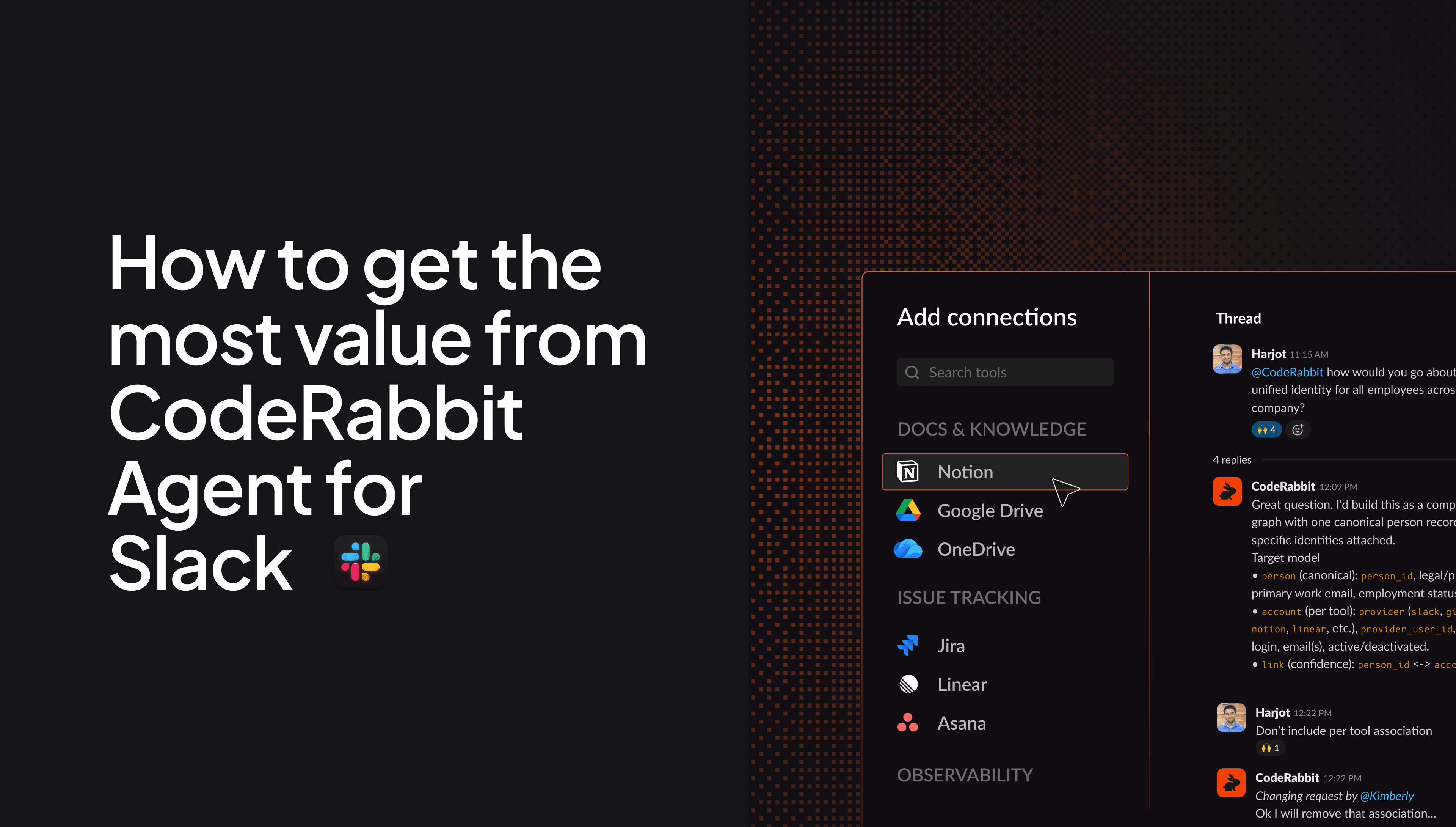
Instead of only posting that a pull request exists, the agent can help connect the review conversation to repository context, issue trackers, monitoring tools, and the Slack thread where the work started. Depending on the workspace configuration, it can be invoked with an @coderabbit mention, direct conversation, or supported channel slash commands.
For practical examples, see How to get the most value from CodeRabbit Agent for Slack.
A typical setup is:
- Sign in to CodeRabbit Agent with Slack.
- Connect GitHub during setup.
- Confirm the CodeRabbit GitHub app has access to the target repositories.
- Configure repository, tool, and knowledge access according to the workspace policy.
- Invite CodeRabbit into the Slack channels where engineers will use it.
- Mention
@coderabbitin a focused thread.
This is a good fit when review quality depends on more than a diff. For example, a suspicious change might involve a Slack incident thread, a linked Jira ticket, a failed CI run, and several recent pull requests.
For the full lifecycle view, see What does an agentic SDLC actually look like end-to-end?.
Which setup should you choose?
Use GitHub's Slack app when your main problem is pull request visibility. Build a custom Slack bot when your workflow is specific enough to justify owning the integration. Use CodeRabbit Agent for Slack when the review conversation needs engineering context, not just notifications.
| Option | What it does | Setup effort | Maintenance | Best for |
| GitHub Slack app | Posts repository and PR activity | Low | Low | Basic PR visibility |
| Custom Slack bot | Routes events, commands, and summaries | Medium to high | High | Internal workflows |
| CodeRabbit Agent for Slack | Brings AI review context into Slack | Low | Low | Context-rich engineering workflows |
Build the review workflow around signal
A Slack bot for code review is only useful if the channel stays readable. Keep basic GitHub activity, CI noise, review findings, and incident investigations separate where possible.
For teams adopting coding agents, Slack should not become a dumping ground for every bot comment. It should become a routing layer for review decisions. Start with the smallest integration that solves the current problem, then add more context only where reviewers need it.