
Engineering record of the Agentic Era
Turn vague ideas into structured plans and context-rich prompts


2-CLICK INSTALL
|
Engineering record of the Agentic Era
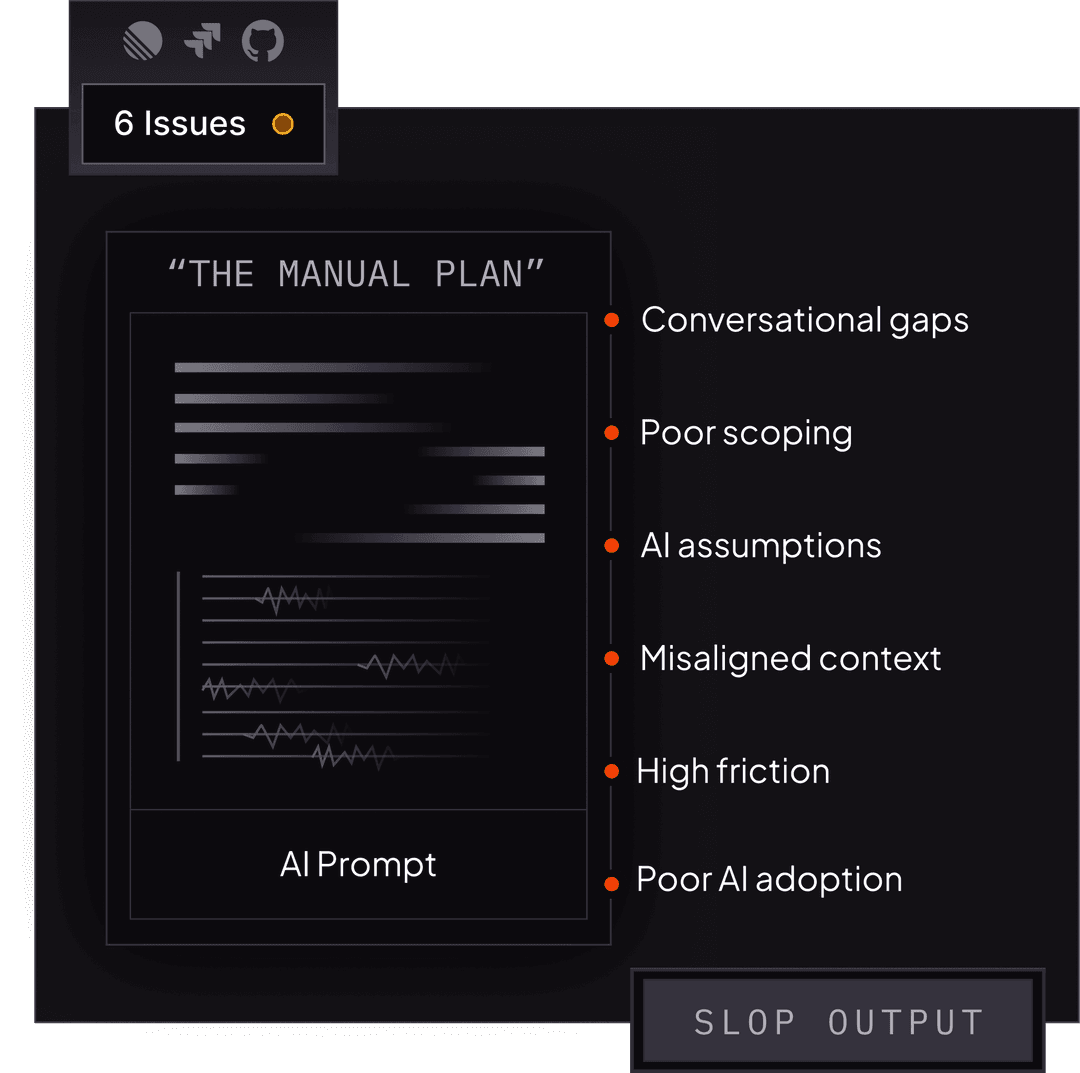
The problem isn’t your agent.
It’s the missing plan.CodeRabbit Plan reduces friction and accelerates your workflow by helping teams define scope, assumptions, and success criteria before code is written.
Write a text prompt describing your idea, or connect your issue tracker (Linear, Jira, or GitHub Issues) and let CodeRabbit pick up tickets automatically. Choose either entry point — or both.
CodeRabbit turns your idea into a well-defined, phased plan.
Your team reviews, comments, and refines before any code is written.
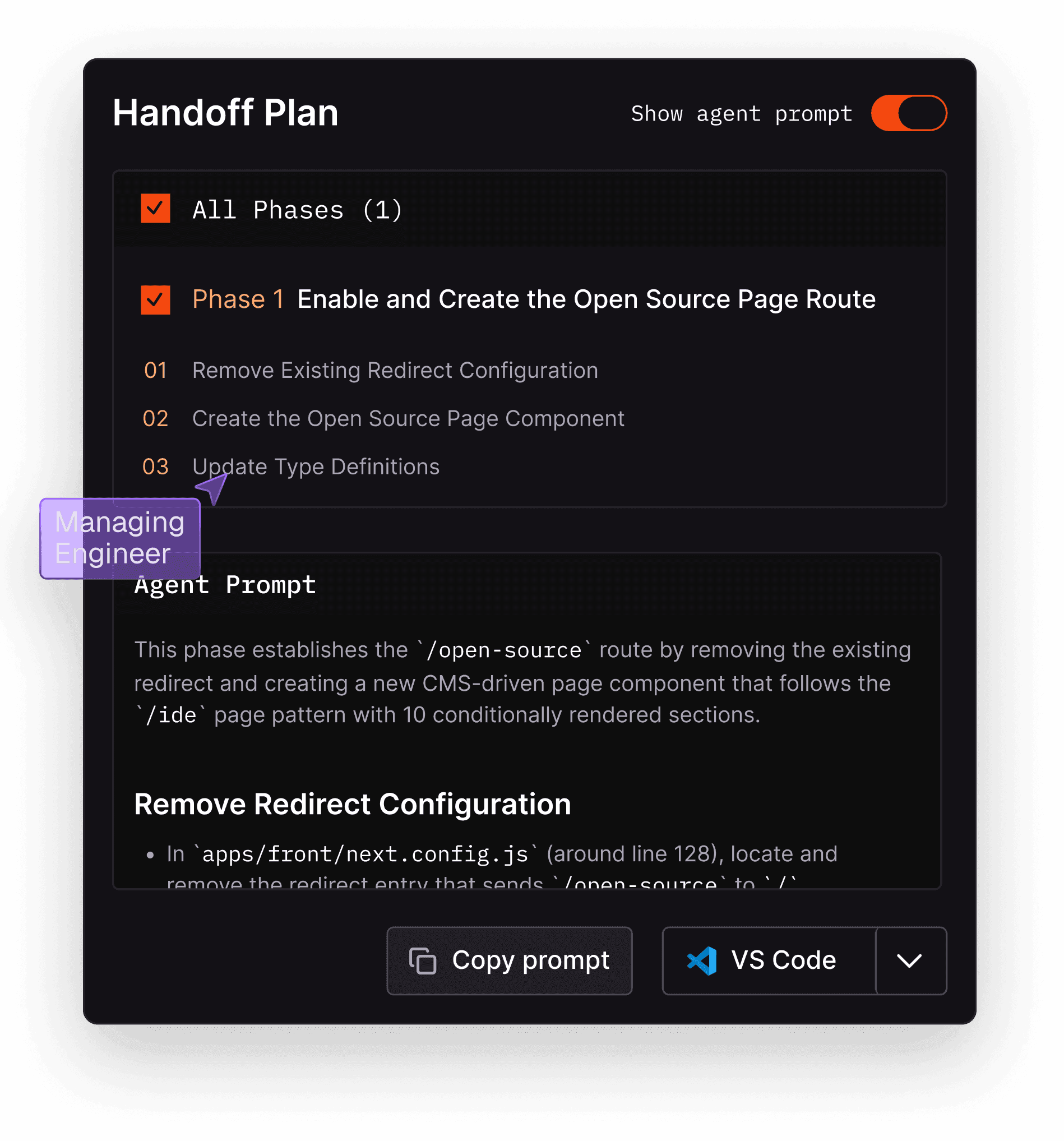
Easily hand off prompts to any agent of your choice, or export to Cursor, VS Code, or Windsurf. No walled gardens or lock-ins.
Accelerate your workflow

Accelerate your workflow
CodeRabbit highlights the files that need to be changed and the plan for changing them.

Improve intent, improve output
Send agents the requirements, assumptions, and context they need to generate actually usable code.

Reduce rework
Stop the agent back-and-forth and reduce rework of generated code. Get the prompt right the first time.

Increase AI adoption
Reduce the learning curve and level skill gaps around prompting agents.

End slop
Better prompts = fewer hallucinations, spaghetti code, and made-up requirements.

Collaboratively plan & align
Don’t plan for agents in isolation. Collaborative planning reduces friction with team alignment.
Why teams love CodeRabbit Plan

“As a CTO of a fast-moving AI-native engineering org, CodeRabbit Plan is a no-brainer. It not only saves hours per engineering task, but because it's CodeRabbit, I know I can actually trust it.”
“As a CTO of a fast-moving AI-native engineering org, CodeRabbit Plan is a no-brainer. It not only saves hours per engineering task, but because it's CodeRabbit, I know I can actually trust it.”
CodeRabbit Plan FAQ
- CodeRabbit Plan automatically generates structured coding plans from both a text prompt and your tickets. It analyzes the issue, researches your codebase for relevant context, and produces an editable plan your team can review before handing off to any AI coding agent.
- When you prompt an agent directly, it makes assumptions about scope, architecture, and conventions. The CodeRabbit Plan feature front-loads that work, gathering context from your codebase, surfacing the files that need to change, and giving your team a chance to align on the approach before code is generated. The result: fewer iterations, less rework.
- Currently Linear, Jira, GitHub, and GitLab.
- Yes. You can configure rule sets based on labels, projects, assignees, or custom criteria. For example, you might only generate plans for issues labeled "feature" or assigned to your team.
- Any of them. The CodeRabbit Plan feature produces a refined prompt you can copy or send directly to Cursor, Windsurf, VS Code with GitHub Copilot, or any other agent. There's no lock-in.
- No. The plan is fully editable. Your team can chat, adjust the approach, or ask the AI to go deeper on specific areas before finalizing.
- Each plan has a chat interface where team members can discuss, request changes, and align on the approach. Think of it like a pull request review, but for the plan itself, before any code is written.
- A typical plan includes: the overall approach, research findings (relevant files, patterns, dependencies in your codebase), and a phased coding plan with specific tasks. Each section is expandable and editable.
- No. The CodeRabbit Plan feature helps you plan better before code is written. CodeRabbit's AI code review still reviews the actual code after it's generated. They're complementary.
- CodeRabbit processes your codebase to provide context. Your code never leaves CodeRabbit's secure infrastructure unless you explicitly hand off a prompt to an external coding agent.
GetStarted in2 clicks.