

CodeRabbit logoCodeRabbit logo
PlanEnterpriseCustomersPricingBlog
Resources
  • Docs
  • Trust Center
  • Contact Us
  • FAQ
  • Whitepapers
Log InGet a free trial
CodeRabbit logoCodeRabbit logo

Products

Pull Request ReviewsPlanIDE ReviewsCLI ReviewsOSS

Navigation

About UsFeaturesFAQSystem StatusCareersDPAStartup ProgramVulnerability Disclosure

Resources

BlogDocsChangelogCase StudiesTrust CenterBrand GuidelinesWhitepapers

Contact

SupportSalesPricingPartnerships

By signing up you agree to our Terms of Use and Privacy Policy

discord iconx iconlinkedin iconrss icon
footer-logo shape
Terms of Service Privacy Policy

CodeRabbit Inc © 2026

CodeRabbit logoCodeRabbit logo

Products

Pull Request ReviewsPlanIDE ReviewsCLI ReviewsOSS

Navigation

About UsFeaturesFAQSystem StatusCareersDPAStartup ProgramVulnerability Disclosure

Resources

BlogDocsChangelogCase StudiesTrust CenterBrand GuidelinesWhitepapers

Contact

SupportSalesPricingPartnerships

By signing up you agree to our Terms of Use and Privacy Policy

discord iconx iconlinkedin iconrss icon

それ、実装する必要ありません。Autofix がやります

by
Atsushi Nakatsugawa

Atsushi Nakatsugawa

April 03, 2026

|

1 min read

April 03, 2026

1 min read

  • Autofix のご紹介
  • 仕組み
  • Autofix をトリガーすると何が起きるか
  • 自動化されていても、必要なら制御できます
  • 試してみましょう
Back to blog
Cover image

Share

https://victorious-bubble-f69a016683.media.strapiapp.com/Reddit_feecae8a6d.pnghttps://victorious-bubble-f69a016683.media.strapiapp.com/X_721afca608.pnghttps://victorious-bubble-f69a016683.media.strapiapp.com/Linked_In_a3d8c65f20.png

Cut code review time & bugs by 50%

Most installed AI app on GitHub and GitLab

Free 14-day trial

Get Started

Catch the latest, right in your inbox.

Add us your feed.RSS feed icon
newsletter decoration

Catch the latest, right in your inbox.

Add us your feed.RSS feed icon

Keep reading

You don’t need to implement that. Autofix will.

You don’t need to implement that. Autofix will.

You open a pull request. CodeRabbit reviews it and leaves a handful of comments. So now you do what every developer does: Read each comment Context-switch back into the code, Make the fix Push a n

Why do that stuff manually when you have Custom Finishing Touch recipes?

Why do that stuff manually when you have Custom Finishing Touch recipes?

Go check your pull requests real quick. If you’re like most devs, there’s at least one PR in there that’s almost done. The feature works, the logic makes sense, tests pass locally. If someone asked wh

A very brief history of AI coding, from Copilot to next-gen agents

A very brief history of AI coding, from Copilot to next-gen agents

How code models became coding assistants, how assistants became agents, and how the practice of software engineering began to reorganize around them.

Meet CodeRabbit Plan: Better plans. Faster delivery. Less rework

Meet CodeRabbit Plan: Better plans. Faster delivery. Less rework

The challenge Teams using coding agents need prompts that are clear, specific and context-aware. That's exactly why we built CodeRabbit Plan, a collaborative planning tool that turns vague ideas into

Get
Started in
2 clicks.

No credit card needed

Your browser does not support the video.
Install in VS Code
Your browser does not support the video.

You don't need to implement that. Autofix will.の意訳です。

プルリクエストを開きます。CodeRabbit がレビューし、いくつかのコメントを残します。

そうすると、あなたはすべての開発者がやることをします。

  • 各コメントを読む

  • コードに意識を戻す

  • 修正を加える

  • 新しいコミットをプッシュする

そして、CI が再び完了するのを待ちます。これが週に数十件の PR に掛け算されると、あっという間に積み重なっていきます。

そもそもなぜ自分でやる必要があるのでしょうか?レビューはすでに何を変えるべきかを正確に伝えてくれているのに。

Autofix のご紹介

CodeRabbit が明確な修正指示とともにレビューコメントを残した場合、Autofix があなたの代わりに実装します。

従来の方法

これまでは、お好みのツールに「Prompt for AI Agents」ブロックをコピー&ペーストする方法が主流でした。
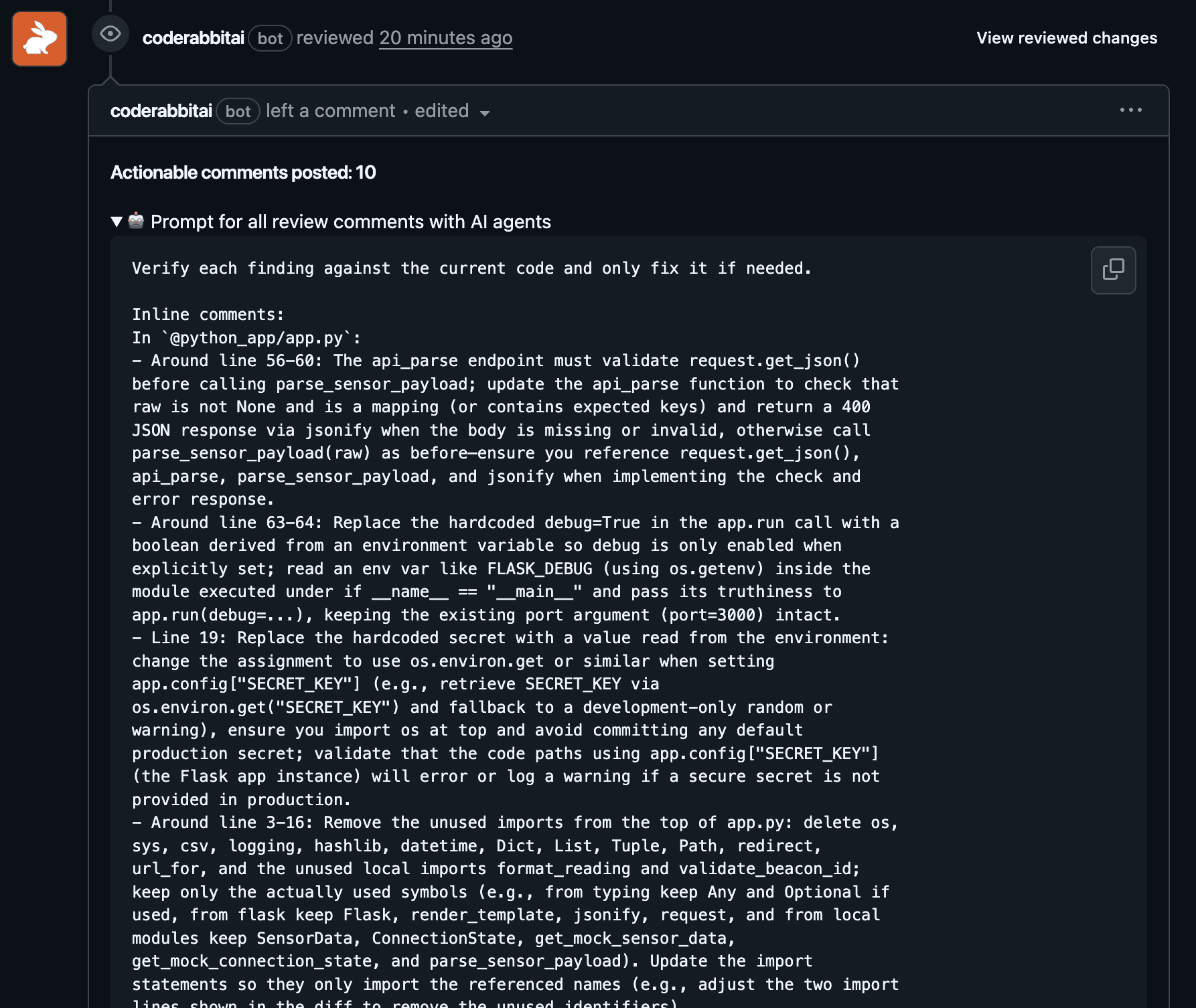
新しい方法

今では Autofix をトリガーするだけで、未解決のすべての指摘が一度に適用されます。

https://youtu.be/tCbpNbdHdbo

修正の反映方法として、2つのオプションがあります。

  • 現在のブランチにコミット - 修正が作業中の PR に直接プッシュされます

  • スタック PR を開く - 修正がブランチに触れる前に独立してレビューしたい場合(フィーチャーブランチから新しい PR が作成されます)

どちらの場合も、自動的にマージされることはありません。他のコードと同様に変更をレビューし、何をリリースするかを自分で決められます。

仕組み

PR にコメントする

修正をブランチに直接適用する(追加コミット)にはこちら。

@coderabbitai autofix

修正を含む、別の PR を開くにはこちら。

@coderabbitai autofix stacked pr

どちらも、正確なスペルを忘れた場合に備えて auto-fix や auto fix も受け付けます。1つの単語か2つの単語かなど、誰も覚えていなくても大丈夫です。

PR ウォークスルーのチェックボックス

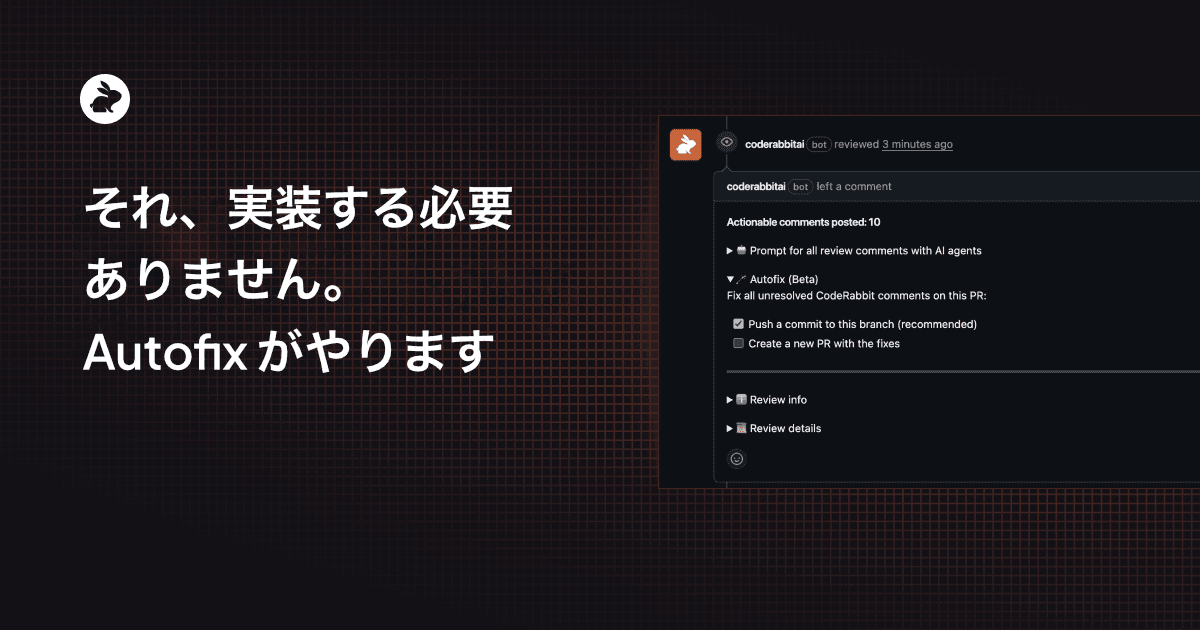
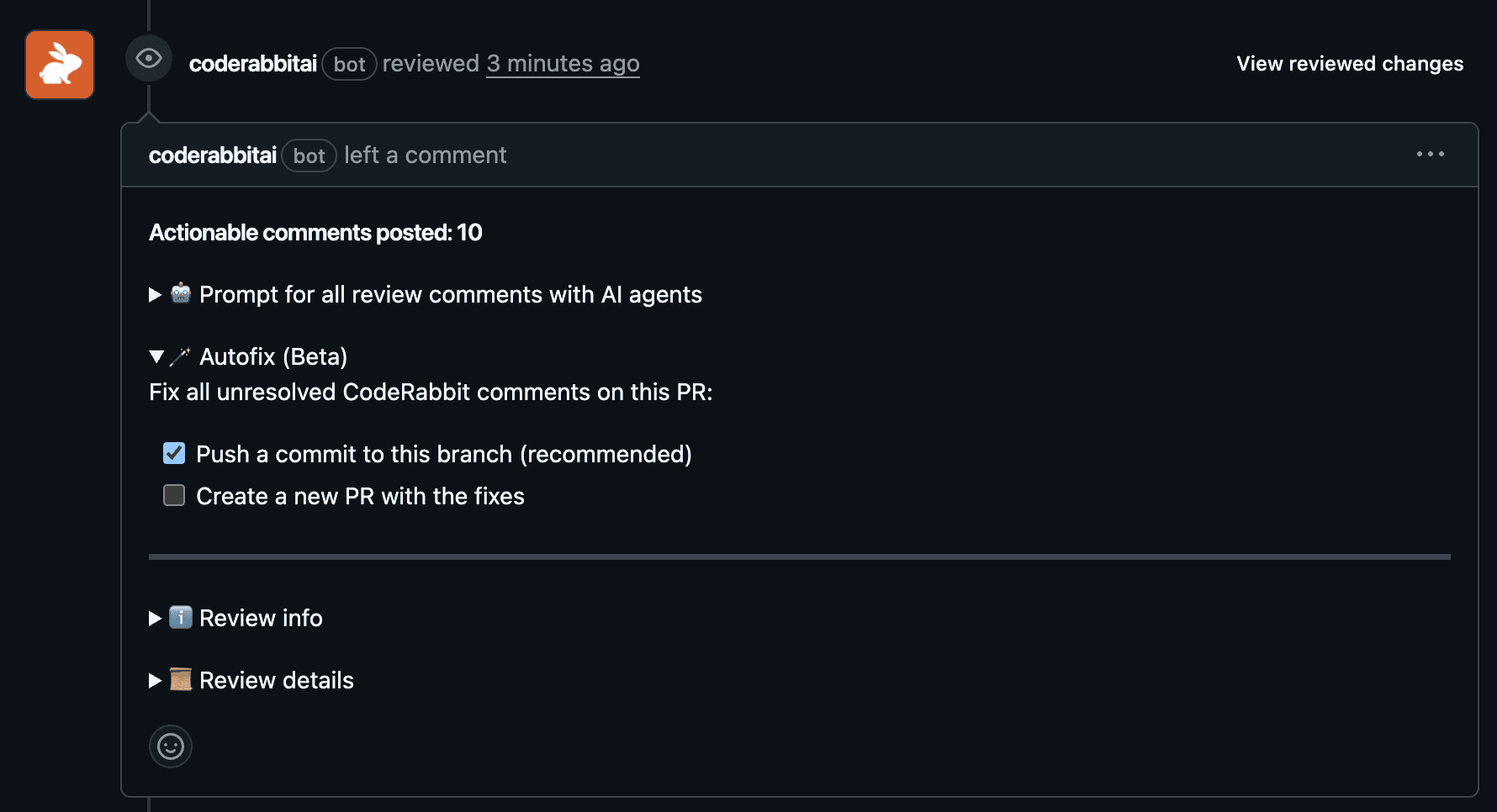
GitHub のフローでは、CodeRabbit がレビューコメント内に Autofix セクションをインタラクティブなチェックボックス付きで直接レンダリングします。チェックボックスをオンにするだけで実行されます、コマンドは不要です。
Autofix をトリガーすると何が起きるか

Autofix が実行されると、内部では以下のことが行われます。

  • 未解決のスレッドをスキャン: CodeRabbit が PR 上に作成したすべてのレビューコメントを確認し、まだ未解決のものを特定します。

  • 修正指示を収集: 各 CodeRabbit レビューコメントには、具体的な指示が書かれた「Prompt for AI Agents」ブロックが構造化されて含まれており、Autofix がそれを収集します。

  • 変更を適用: コーディングエージェントが、リポジトリ全体のコンテキストを持った上で修正を実装します。

  • 検証を実行: リポジトリのセットアップとビルド検証ステップを実行し、修正が何も壊していないかを確認します。

  • 結果を届ける: 検証が失敗した場合でも、Autofix は生成された変更を届け続け、反復作業を継続できるようにします。空振りになることはありません。

重要なのは、レビューワークフローを置き換えるのではなく、維持することです。Autofix が差分を生成し、それが正しいかどうかはあなたが判断します。

自動化されていても、必要なら制御できます

Autofix はすべての未解決の CodeRabbit レビューコメントを処理します。もし特定のコメントに触れてほしくない場合(たとえば提案に同意しない、あるいは別の方法で対処したいなど)は、Autofix を実行する前にそのコメントを手動で解決してください。GitHub の「Resolve conversation」ボタンを押してからコマンドをトリガーすれば、Autofix は該当コメントをスキップします。

これにより、コントロールはあなたの手に残ります。Autofix は未解決のものに対して積極的に適用しますが、明示的にクローズしたものは尊重します。

試してみましょう

Autofix は GitHub 上で、Pro プランユーザー向けにアーリーアクセスとして利用可能です。

すでに書き出されているレビューフィードバックを自分で実装することに疲れているなら、ぜひ試してみてください。次の PR にコメントして、何が返ってくるか確認してみましょう。

CodeRabbit を始める