You open a pull request. CodeRabbit reviews it and leaves a handful of comments.
So now you do what every developer does:
- Read each comment
- Context-switch back into the code,
- Make the fix
- Push a new commit
And wait for CI to run again. Multiply that by a dozen PRs a week and it adds up fast.
Why do it actually? The review already told you exactly what to change.
Meet Autofix
When CodeRabbit leaves review comments with clear fix instructions, Autofix can implement them for you.
The old way
Until now, the way forward was copy-pasting our Prompt for AI Agents block into your tool of choice.
The new way
Now you trigger Autofix and it applies all unresolved findings in one go.
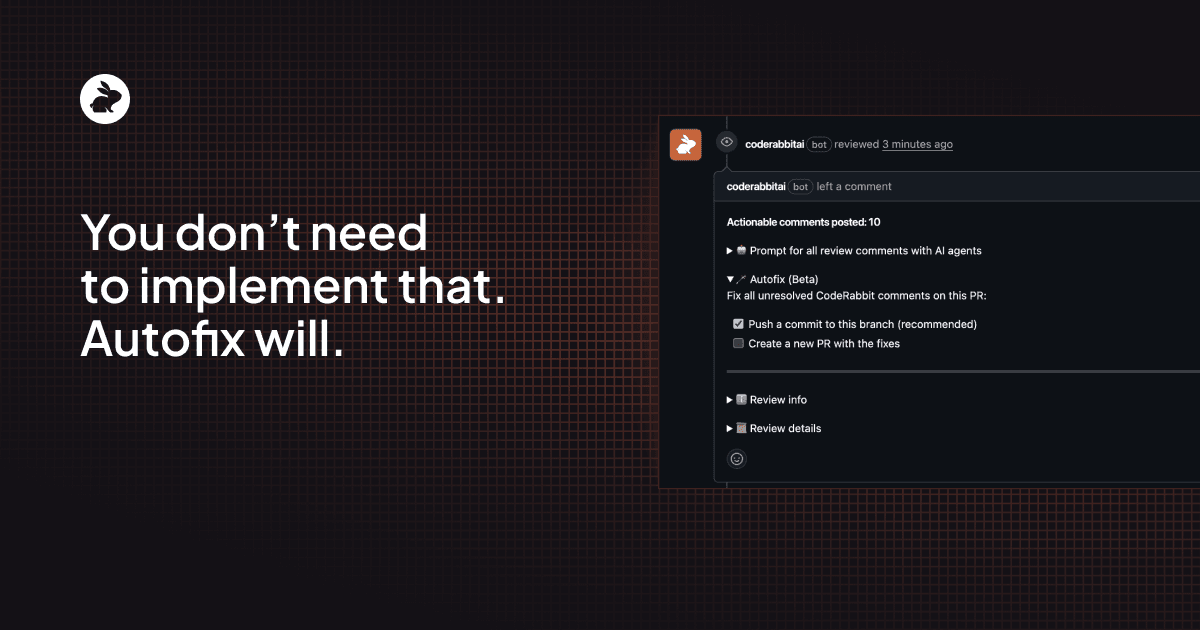
You get two options for how the fixes land:- Commit to your current branch: fixes get pushed directly to the PR you’re already working on
- Open a stacked PR: if you want to review the fixes independently before they touch your branch (a new PR is created from your feature branch)
Either way, nothing merges automatically. You review the changes like any other code and decide what ships.
How it works
Comment in the PR
To apply fixes directly to your branch
@coderabbitai autofix
To open a separate PR with the fixes
@coderabbitai autofix stacked pr
Both also accept auto-fix and auto fix if you forget the exact spelling, because nobody should have to remember whether it’s one word or two.
Checkbox in the PR walkthrough
In GitHub flows, CodeRabbit renders an Autofix section directly inside the review comment with interactive checkboxes. Check the box, and it runs - no command needed.
What happens when you trigger Autofix
When Autofix runs, here’s what’s happening under the hood:
- Scans unresolved threads: CodeRabbit looks at all the review comments it created on the PR and identifies the ones that are still unresolved.
- Gathers fix instructions: each CodeRabbit review comment includes a structured “Prompt for AI Agents” block with specific instructions, which Autofix collects
- Applies the change: a coding agent implements the fixes with full repository context.
- Runs verification: it executes a repository setup and build verification step to check that the fixes don’t break anything.
- Delivers the result: even if verification fails, Autofix still delivers the generated changes so you can continue iterating. You’re never left empty-handed.
The whole point is to preserve your review workflow, not replace it. Autofix generates the diff and you decide whether it’s correct.
Even though it’s auto you can still control it if you want
Autofix processes all unresolved CodeRabbit review comments. If there’s a specific comment you don’t want it to touch - maybe you disagree with the suggestion, or you want to handle it differently - just resolve that comment manually before running Autofix. Hit the “Resolve conversation” button on GitHub, then trigger the command. Autofix will skip it.
This keeps you in control. Autofix is aggressive about applying what’s open, but it respects what you’ve explicitly closed.
Try it out
Autofix is available on GitHub and GitLab as an open beta for CodeRabbit Pro Plan users.
If you’re tired of implementing review feedback that’s already been spelled out for you, give it a try. Comment on your next PR and see what comes back.