You open the PR, and find it's an AI-authored change, and the diff shows 1,400 lines of code changed.
Every moved line shows up as a delete on the left and an identical add on the right. The one line that actually changed is buried somewhere in the middle of all that, indistinguishable from the noise around it.
So you do what you always do, and scroll through the changes and mentally subtract the moves until you find the substance. During your review process you are not reviewing what changed, but actually reverse-engineering it and then reviewing whatever’s left of your attention.
That's what semantic diff view fixes.
Meet the semantic diff view in CodeRabbit Review
CodeRabbit Review now has a third way to look at a diff. Alongside Unified and Split views, there's a Semantic view that groups related code movement and token-level changes together, so large pull requests are actually inspectable (including AI-authored ones).
The premise is the same one Change Stack was built on. AI-assisted development made PRs bigger and more frequent. A single change now routinely touches dozens of files across multiple layers.
A flat, line-by-line diff was already a rough way to read that. When most of the diff is mechanical movement, it's worse than rough: it's actively hiding the change inside its own bookkeeping.
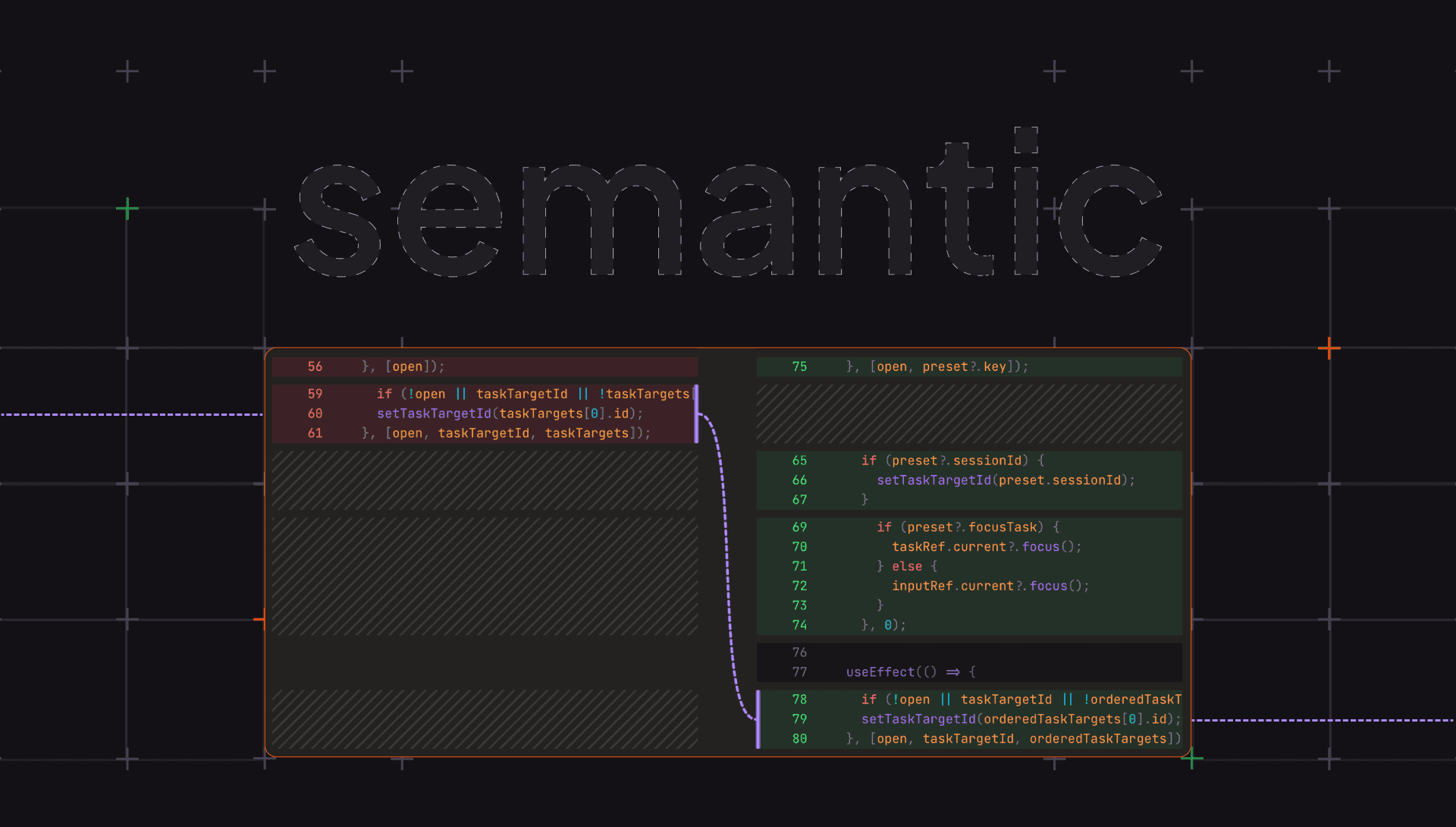
Semantic mode reads the diff the way you would if you had the time to do it by hand. A block that moved is shown as a block that moved, not as a paired deletion and insertion you have to recognize and discount yourself.
A token-level edit inside an otherwise-unchanged line is surfaced as the edit, not the whole line lighting up. What's left, once the noise is grouped and labeled, is the part you opened the PR to evaluate.
It slots into everything CodeRabbit Review already does. You're still inside ordered cohorts and layers, anchored to specific line ranges, reading the range summary in the right panel and dropping inline comments that post back to GitHub natively. Semantic is just the lens you put over the diff once you're there. Toggle it from the diff header like you would unified or split.What else shipped alongside it
A few other updates in CodeRabbit Review worth knowing about:
All files view: The left rail now has an All files entry for searching and jumping across every file in CodeRabbit's review scope, not just navigating cohort by cohort. When you already know the file you want, you go straight to it.
Comment autocomplete: The comment composer now does GitHub-style autocomplete: user and team mentions, issue and pull request references, metadata references, and emoji shortcodes. The comment you leave in CodeRabbit Review reads the same as one you'd type in GitHub, because it's the same syntax.
Automatic line wrapping everywhere: Diff lines now wrap automatically in every view, so there's no separate line-wrap toggle to find and flip. One less control between you and the code.
None of these are headline features on their own. Together they remove the small frictions that add up when you're an hour into a large review.
A quick refresher, if you missed CodeRabbit Review
If this is the first you're hearing of CodeRabbit Review: it's a code review interface that reorganizes a pull request from a flat, alphabetical file list into a guided, layer-by-layer walkthrough.
CodeRabbit groups related work into cohorts, orders the changes inside each one into layers so foundational changes come before the code that depends on them, writes a plain-language summary for each range, and generates a diagram inline where one actually earns its place.
You open it from the Review Change Stack button in the CodeRabbit PR comment. It's an opt-in per reviewer. Teammates who want the default GitHub experience just ignore the button, and nothing about the PR changes for them. Full details are in the documentation.
Try it out
The semantic diff view, the all files view, and comment autocomplete are live in CodeRabbit Review now. CodeRabbit Review is on GitHub, in early access, and available to all users currently. It'll be part of the Pro+ plan going forward.
Next time an AI-authored PR lands and the diff looks like 1,400 lines of static, open it in CodeRabbit Review and switch to semantic.