

CodeRabbit logoCodeRabbit logo
PlanEnterpriseCustomersPricingBlog
Resources
  • Docs
  • Trust Center
  • Contact Us
  • FAQ
  • Whitepapers
Log InGet a free trial
CodeRabbit logoCodeRabbit logo

Products

Pull Request ReviewsPlanIDE ReviewsCLI ReviewsOSS

Navigation

About UsFeaturesFAQSystem StatusCareersDPAStartup ProgramVulnerability Disclosure

Resources

BlogDocsChangelogCase StudiesTrust CenterBrand GuidelinesWhitepapers

Contact

SupportSalesPricingPartnerships

By signing up you agree to our Terms of Use and Privacy Policy

discord iconx iconlinkedin iconrss icon
footer-logo shape
Terms of Service Privacy Policy

CodeRabbit Inc © 2026

CodeRabbit logoCodeRabbit logo

Products

Pull Request ReviewsPlanIDE ReviewsCLI ReviewsOSS

Navigation

About UsFeaturesFAQSystem StatusCareersDPAStartup ProgramVulnerability Disclosure

Resources

BlogDocsChangelogCase StudiesTrust CenterBrand GuidelinesWhitepapers

Contact

SupportSalesPricingPartnerships

By signing up you agree to our Terms of Use and Privacy Policy

discord iconx iconlinkedin iconrss icon

CodeRabbit Skills: AIエージェントに真のコードレビュー能力を追加する

by
Atsushi Nakatsugawa

Atsushi Nakatsugawa

February 25, 2026

1 min read

February 25, 2026

1 min read

  • CodeRabbit Skills とは?
  • エージェントが CodeRabbit Skill を実行すると何が起きるのか?
  • すでに使っているエージェントで利用可能
  • 30秒以内でインストール
  • 今すぐ CodeRabbit Skills を試す
Back to blog
Cover image

Share

https://victorious-bubble-f69a016683.media.strapiapp.com/Reddit_feecae8a6d.pnghttps://victorious-bubble-f69a016683.media.strapiapp.com/X_721afca608.pnghttps://victorious-bubble-f69a016683.media.strapiapp.com/Linked_In_a3d8c65f20.png

Cut code review time & bugs by 50%

Most installed AI app on GitHub and GitLab

Free 14-day trial

Get Started

Catch the latest, right in your inbox.

Add us your feed.RSS feed icon
newsletter decoration

Catch the latest, right in your inbox.

Add us your feed.RSS feed icon

Keep reading

What Claude Opus 4.7 means for AI code review

What Claude Opus 4.7 means for AI code review

Claude Opus 4.7 outperformed in 100 evaluations across real open-source pull requests—finding more real bugs, delivering more actionable feedback, and reasoning across files better than anything we’ve tested.

Pipeline AI vs agentic AI for code reviews: Let the model reason — within reason

Pipeline AI vs agentic AI for code reviews: Let the model reason — within reason

Agentic AI vs pipeline AI for code reviews. Explore tradeoffs in latency, trust, and context handling, and see why hybrid AI systems deliver more reliable results.

Introducing the CodeRabbit plugin for Codex

Introducing the CodeRabbit plugin for Codex

Get AI-powered code reviews without leaving Codex. The CodeRabbit plugin runs reviews inside your session, catches bugs before PRs, and requires zero workflow changes to set up.

Get
Started in
2 clicks.

No credit card needed

Your browser does not support the video.
Install in VS Code
Your browser does not support the video.

CodeRabbit Skills: Give your AI real code review instinctsの意訳です。

AIエージェントはコードの記述やリファクタリング、さらにコードの説明もできます。しかし、シニアエンジニアのようにコードレビューを行うことはできません。

微妙なバグを継続的に見つけられなかったり、セキュリティリスクを見逃したりすることもあります。問題を重要度ごとに整理し、構造化された形で修正を支援するのも、常にできるわけではありません。

そのギャップを埋めるために設計されたのが CodeRabbit Skills です。

CodeRabbit Skills とは?

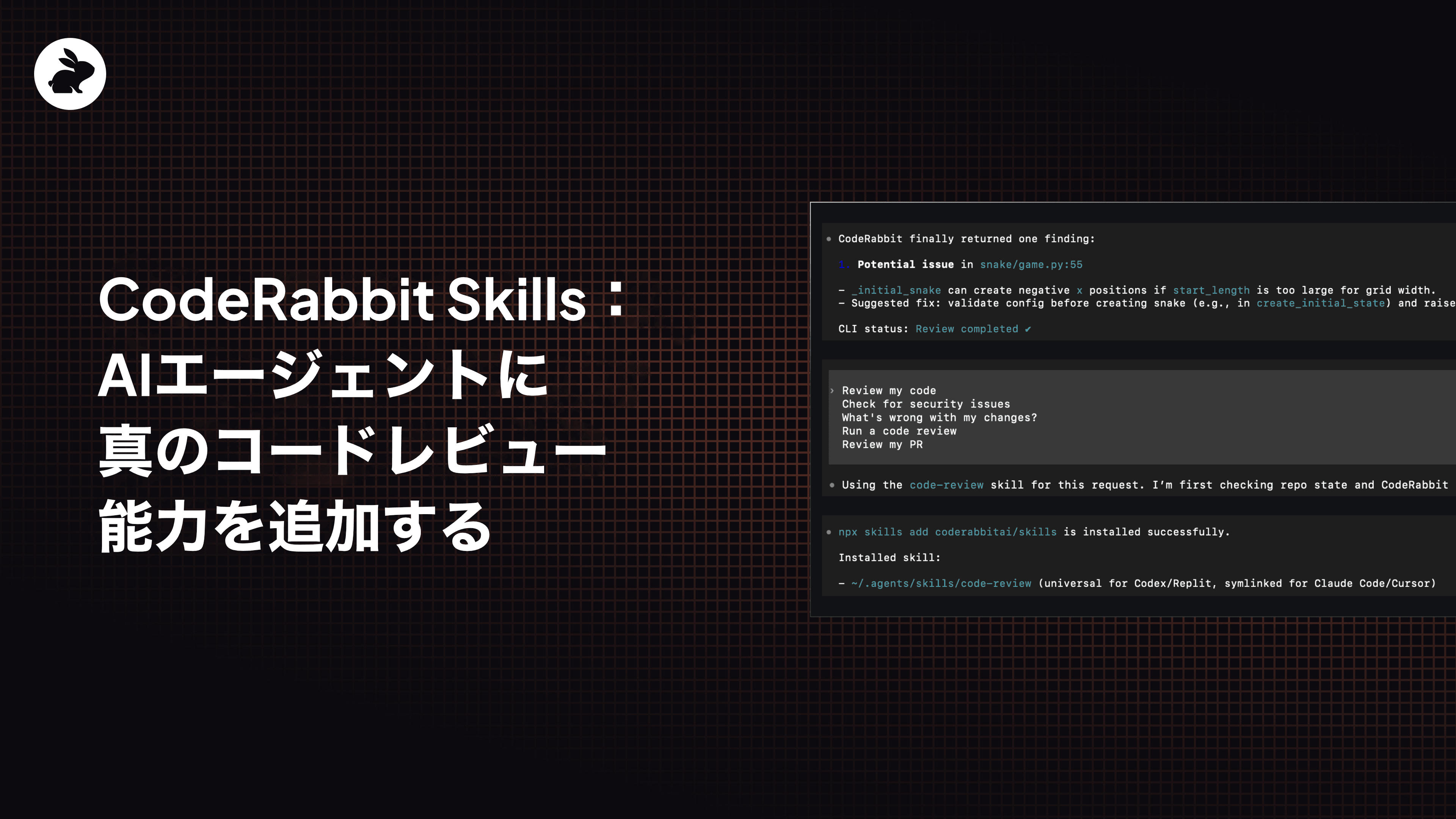
CodeRabbit Skills を使うと、ローカル環境、CLI、または IDE から、AI コーディングエージェントが CodeRabbit によるコードレビューを直接実行できます。インストール後は、次のようにエージェントへ指示するだけです。

コードをレビューして

セキュリティの問題がないかチェックして

PRをレビューして

修正に変なところはない?

コードレビューを実行

エージェントは CodeRabbit CLI と連携し、CodeRabbit によるレビューを実行して、構造化された指摘結果を返します。
ツールを切り替える必要はありません。GitHub を開く必要もありません。毎回の手動セットアップも不要です。

依頼するだけで、エージェントがレビューを実行します。

エージェントが CodeRabbit Skill を実行すると何が起きるのか?

エージェントが CodeRabbit のコードレビュースキルを呼び出すと、CodeRabbit CLI を通じてレビューが開始されます。具体的には以下を実行します。

  • 変更内容を解析し、バグ・セキュリティ問題・アンチパターンを検出

  • 指摘を重要度(critical / warning / info)ごとに分類

  • 具体的な修正案や改善案を提示

  • 修正 → 再レビューの反復ワークフローをサポート

すでに使っているエージェントで利用可能

CodeRabbit Skills は、次のような幅広いコーディングエージェントに対応しています。

  • Claude Code

  • Codex

  • Cursor

  • GitHub Copilot

  • Gemini CLI

  • Continue

  • Windsurf

  • その他 30+ more

30秒以内でインストール

セットアップはシンプルです。

# CodeRabbit CLI をインストール
curl -fsSL <https://cli.coderabbit.ai/install.sh> | sh

# 認証
coderabbit auth login

# Skill をインストール
npx skills add coderabbitai/skills

これで、エージェントがローカル環境で CodeRabbit レビューを実行できるようになります。

以上です、簡単でしょ?

今すぐ CodeRabbit Skills を試す

開発環境の中で、本格的なコードレビューを実行できます。

https://github.com/coderabbitai/skills

エージェントに CodeRabbit でコードレビューを依頼し、どのような指摘が得られるか試してみてください。