If you maintain an open source project, your community is probably already on Discord. The server you set up years ago, likely has more activity than your inbox. Your contributors and maintainers chat in various channels and every now and then someone just pastes a stack trace into your #help channel.
The review queue keeps growing. AI made it trivial to open a pull request, so maintainers (most of them unpaid and running solo projects) are getting buried in contributions of wildly varying quality that all require human reviewer attention to approve.
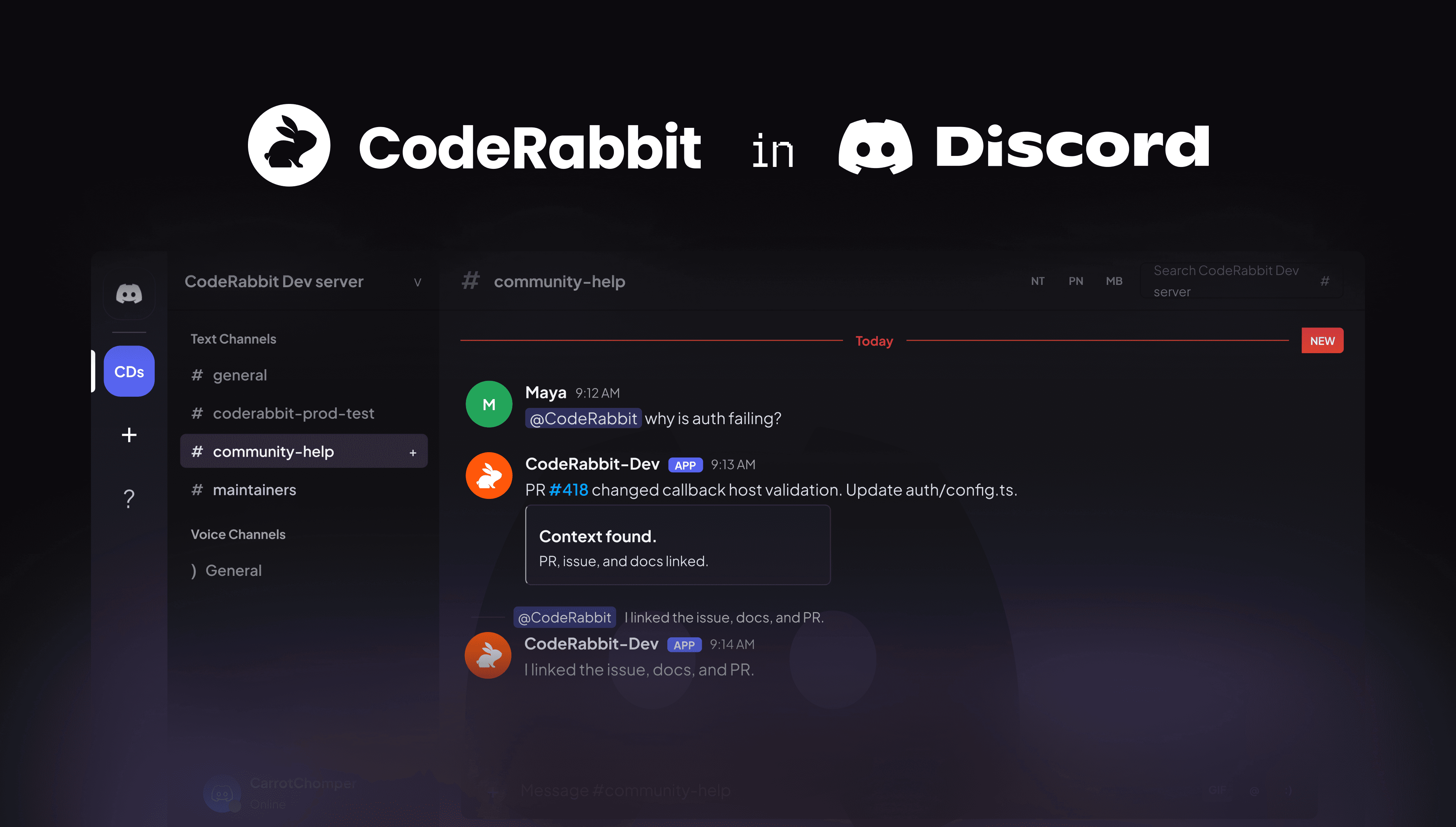
Until now, CodeRabbit has helped you with that from inside the pull request. That changes today. CodeRabbit Agent now runs inside Discord.
What this actually is
CodeRabbit in Discord brings the CodeRabbit Agent into your server. Once it's installed, your channels stop being just chat. They become surfaces where CodeRabbit can investigate, plan, run automations, answer from your project's knowledge and do real code work, without anyone leaving the thread they're already in.You manage all of it from the CodeRabbit app. Connect a server and a new Discord settings area appears, with dedicated pages for:
- Connections
- Automations
- Activity
- Knowledge base
- Scopes
- Sandbox
The server is the interaction surface while the CodeRabbit web interface functions as the control panel. The important part for a maintainer is that, this is the same Agent that runs everywhere else in CodeRabbit.
Automations - the maintenance work that never ends, handled
A lot of running an open source project is the same work on repeat:
- The weekly dependency audit
- Triaging the issue that just got filed
- Writing up what changed for the release
- Checking a fresh CVE against your code before someone files a panicked issue about it
Discord automations use the same model as the rest of CodeRabbit Agent and there are three kinds of triggers:
- Scheduled - runs on a cadence you set
- Message-triggered - reacts to matching messages from a Discord bot or app, then sends the result back where you point it
- Webhook-triggered - fires from an external event.
Point any of them at a Discord destination and the result lands back in the channel.
Connections and scopes - the part that makes this safe in a public server
This is the section to slow down on, because it's the difference between "neat idea" and "I'd actually run this".
Your Discord server is, in all likelihood, public. Anyone can join and type. The idea of an AI agent with access to your repositories and your connected tools, sitting in a channel where a stranger can message it, should make you nervous as it makes us nervous too. That’s why CodeRabbit doesn't work that way.
Connections are the external tools and APIs CodeRabbit can reach. You create them once for the workspace, then search, edit, test and assign them deliberately.
Scopes decide which repositories, connections and which spend limits apply to a given Discord channel. A run in a Discord channel can only use the repos and connections its scope grants it, nothing more.
The rest of the control surface
Three more pages round it out, all managed from the CodeRabbit web interface:
- Knowledge base - review and manage what CodeRabbit in Discord knows, so when a contributor asks how to set up the dev environment for the fiftieth time, the answer comes grounded in your project's docs instead of a guess
- Sandbox - a shared execution environment for Discord-backed runs, available when sandbox access is enabled
- Activity - a log of recent runs and how they turned out, so you can see exactly what the Agent did in your community and why
Same Agent, new room
If you've used CodeRabbit Agent in Slack, none of this is new. The triggers, connections and scopes models, everything is the same. Discord is just another surface the Agent runs on and for open source, it's the surface where your people already are.
If you haven't met the Agent yet, it's the part of CodeRabbit that goes beyond reviewing a single PR. It investigates, plans, runs scheduled and triggered automations, works with your connected tools and does code work all inside the boundaries you set.
For the open-source maintainer angle, see how CodeRabbit helps maintainers avoid burnout on Discord.
Try it out
Head to CodeRabbit Discord Agent webpage and go from there. If you're running an open source project, then our Discord Agent is free for you, forever.
Next time a contributor pastes a stack trace in your #help channel, you won't have to leave to do something about it.