CodeRabbit logoCodeRabbit logo
特徴エンタープライズカスタマー料金表ブログ
リソース
  • ドキュメント
  • トラストセンター
  • お問い合わせ
  • FAQ
ログイン無料試用を開始
CodeRabbit logoCodeRabbit logo

プロダクト

プルリクエストレビューIDE レビューCLI レビュー

ナビゲーション

私たちについて特徴FAQシステムステータス採用データ保護附属書スタートアッププログラム脆弱性開示

リソース

ブログドキュメント変更履歴利用事例トラストセンターブランドガイドライン

問い合わせ

サポートセールス料金表パートナーシップ

By signing up you agree to our Terms of Use and Privacy Policy

discord iconx iconlinkedin iconrss icon
footer-logo shape
利用規約プライバシーポリシー

CodeRabbit Inc © 2026

CodeRabbit logoCodeRabbit logo

プロダクト

プルリクエストレビューIDE レビューCLI レビュー

ナビゲーション

私たちについて特徴FAQシステムステータス採用データ保護附属書スタートアッププログラム脆弱性開示

リソース

ブログドキュメント変更履歴利用事例トラストセンターブランドガイドライン

問い合わせ

サポートセールス料金表パートナーシップ

By signing up you agree to our Terms of Use and Privacy Policy

discord iconx iconlinkedin iconrss icon

CodeRabbit CLI - Free AI code reviews in your CLI

by
Edgar Cerecerez

Edgar Cerecerez

September 16, 2025

3 min read

September 16, 2025

3 min read

  • Vibe checking your code – now in CLI
  • CodeRabbit CLI: Works everywhere, with everything
  • How to use CodeRabbit CLI with AI Coding Agent CLI
  • Getting started
Back to blog
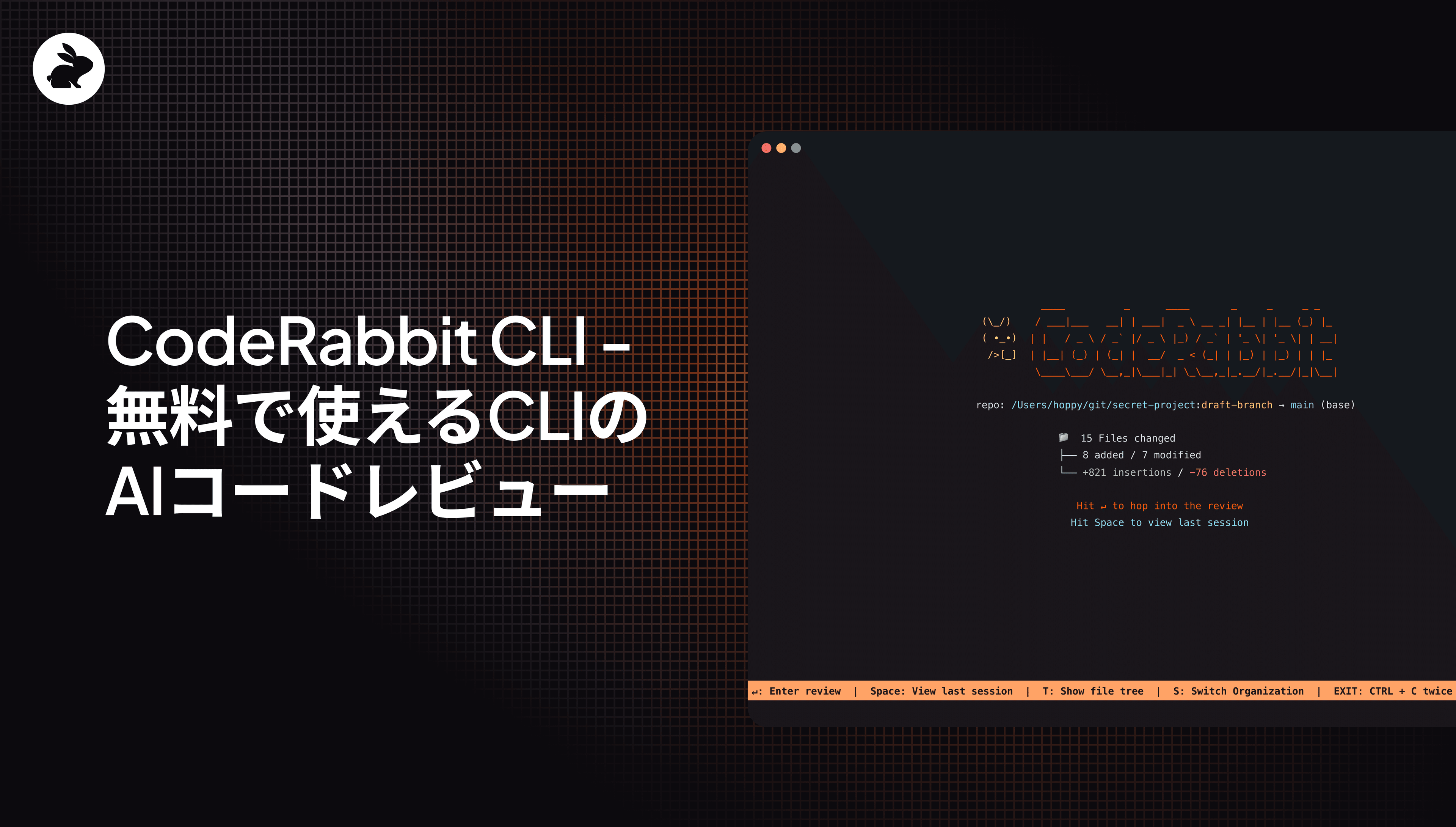
Cover image

共有

https://victorious-bubble-f69a016683.media.strapiapp.com/X_721afca608.pnghttps://victorious-bubble-f69a016683.media.strapiapp.com/Linked_In_a3d8c65f20.pnghttps://victorious-bubble-f69a016683.media.strapiapp.com/Reddit_feecae8a6d.png

他の記事を読む

Article Card ImageArticle Card ImageArticle Card ImageArticle Card Image

Aiエージェントで全ての指摘を修正する ― 開発体験を改善する小さな進化

Fix all issues with AI Agents – a quality of life improvementの意訳です。 コードレビューは、見落としていた問題を発見するためのものです。修正作業が同じことの繰り返しになってはいけません。CodeRabbit はプルリクエスト内の問題を検出し、AIコーディングエージェント向けに、そのまま使えるプロンプトを提供しています。Prompts for AI をクリックしてプロンプトをコピーし、 IDE や CLI で実行するだけで次に進めます。...

Article Card ImageArticle Card ImageArticle Card ImageArticle Card Image

開発者は死んだ?開発者よ、永遠なれ

Developers are dead. Long live developers.の意訳です。 プログラミングの終焉に関する予測は、今に始まった話ではありません。数年ごとに「今度こそ本当に開発者は終わりだ」と断言する人が現れます。 そうした“自称ノストラダムス”たちの話を信じるなら、開発者はこれまでにもさまざまなものに置き換えられるはずでした。コンパイラ(機械が命令を書くなら、人間の役割は何だ?)、ローコードやノーコードツール(VPがドラッグ&ドロップでエンタープライズアプリを作れるのに、なぜ...

Article Card ImageArticle Card ImageArticle Card ImageArticle Card Image

CodeRabbit Issue Planner を使って Linear 上の Issue を効果的に計画する方法

How to effectively plan issues on Linear with CodeRabbit Issue Plannerの意訳です。 チケットと、意味のあるコードの間にはギャップがあります。チケットには「ダークモードを追加する」と書かれています。それは結構ですが、コード上では実際にどういう意味でしょうか。どのファイルを変更する必要があるのか。コードベースではすでにどのようなテーマ管理のパターンが使われているのか。拡張すべき共通ユーティリティはあるのか。 チケットが示すのは w...

CodeRabbit started with AI-powered code reviews in pull requests. In May, we brought that same intelligence to VS Code, Cursor, and Windsurf. Now, we're extending the AI code reviews developers love into the command line with CodeRabbit CLI. In case you’re wondering, that makes us the most comprehensive AI code review tool available. We work everywhere you work.

CodeRabbit CLI helps devs perform self-reviews of code directly in their terminal. By providing automated, intelligent code analysis capabilities, it empowers developers to catch issues early, maintain consistent code standards, and make coding autonomous through seamless integration with AI coding agents in the CLI.

Vibe checking your code – now in CLI

https://youtu.be/IqBKf4u5MtA

CodeRabbit CLI delivers the same comprehensive analysis that makes our PR and IDE reviews effective at catching bugs early. CodeRabbit CLI is free to use with rate limits but with a Pro plan you can enjoy much higher limits and additional features, including:

  • Context-aware analysis: Leverages your Git integration to synthesize insights from 40+ sources including static analysis tools, security scanners, and our codegraph relationship feature for the most comprehensive reviews.

  • Pre-commit reviews: Analyze changes before they leave your machine for multi-layered reviews.

  • One-click fixes: Apply simple fixes instantly or send complex issues to AI agents with full context hand-off.

  • Coding guidelines: Auto-detects agent.md, claude.md, Cursor rules, and other coding agent configuration files.

CodeRabbit CLI: Works everywhere, with everything

Terminal-native means CodeRabbit CLI works with:

  • Any Terminal App/IDE: iTerm2, Ghostty, Neovim, Lazyvim

  • Any AI Coding CLI agent: Claude Code, Codex, Cursor, Gemini, OpenCode and more

How to use CodeRabbit CLI with AI Coding Agent CLI

The CodeRabbit CLI opens up new integration possibilities with AI coding agents. Here's how it works with Claude Code:

  1. While working on a coding task, you can prompt Claude Code to use CodeRabbit and to fix any issues it finds. This is particularly useful if it’s coding from a PRD, or a tasklist.
Please implement phase 7.3 of the planning doc and then run coderabbit --prompt-only, let it run as long as it needs (run it in the background) and fix any issues.

2. Claude Code will carry on the coding task and run coderabbit --prompt-only in the background. It may setup a timer interval to check on CodeRabbit. Alternatively, you can also prompt Claude to check if CodeRabbit is complete.

CodeRabbit running in the background within Claude Code

3. Claude Code will then read the output of CodeRabbit which, by using the --prompt-only flag, provides the output as plain text with prompts for AI agents to read. Claude will then create a tasklist addressing each of the issues surfaced by CodeRabbit.

For Claude Code integration and automated workflows, check the CLI documentation for setup.

The CLI has two modes: interactive and plain response , making it easy to integrate into automated workflows or pass results to other tools.

Getting started

CodeRabbit CLI is available now. Install and try your first review:

#install CodeRabbit
curl -fsSL https://cli.coderabbit.ai/install.sh | sh

#Run a review in interactive mode
coderabbit