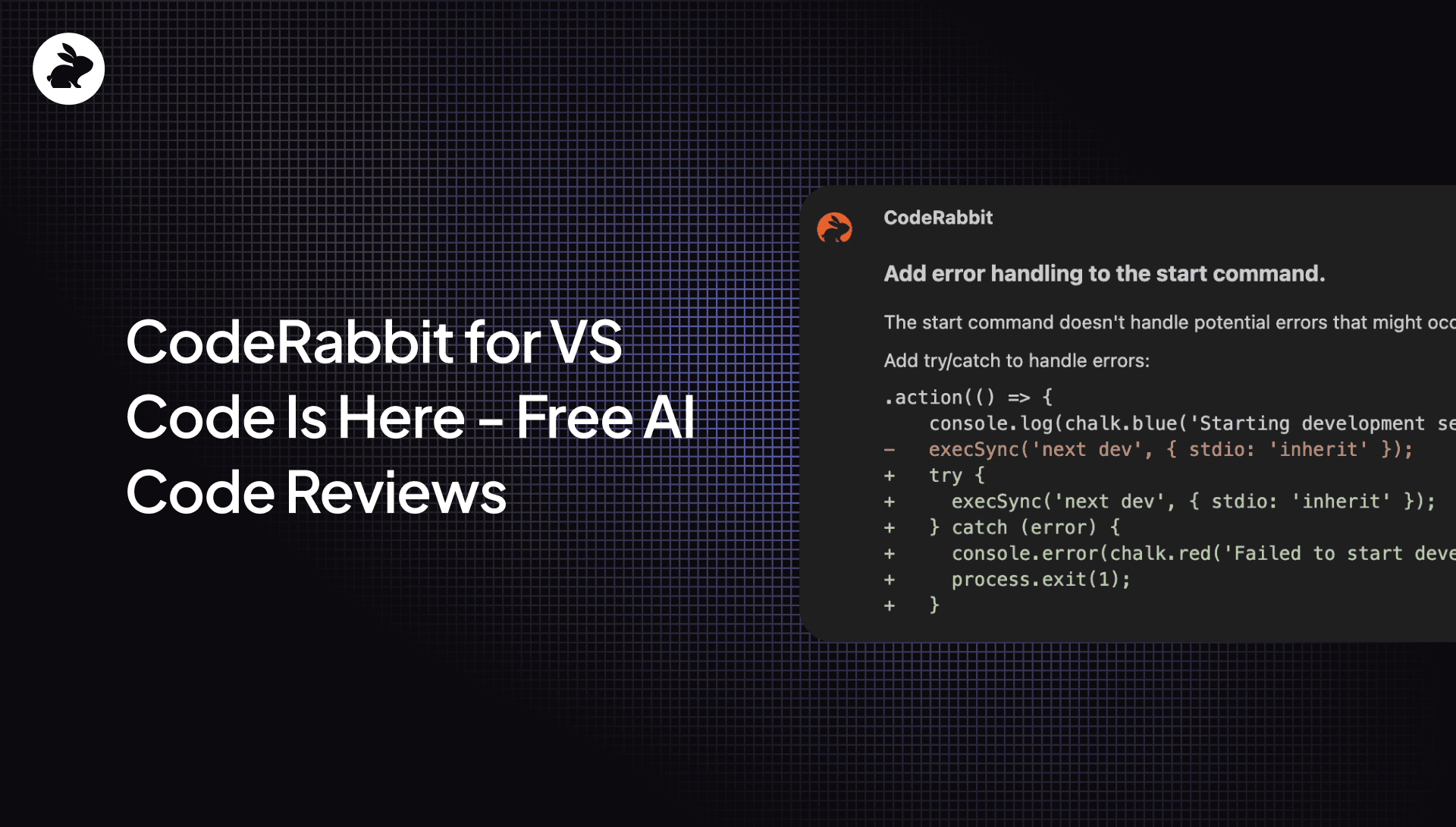
We’ve got exciting news to share! CodeRabbit’s AI code reviews are now delivered directly within VS Code and its forks including Cursor and Windsurf. And code reviews in the IDE are completely free!
With this extension, we focused on building the best quality reviews in the IDE so that we can identify more bugs and issues for you than existing review tools. This brings CodeRabbit directly into your development workflow – making it much easier to incorporate our review feedback in your code.
To get started, simply install the CodeRabbit plugin in any VS Code fork. We will then review every commit, identify most bugs before the PR is raised, and help you ship code faster.
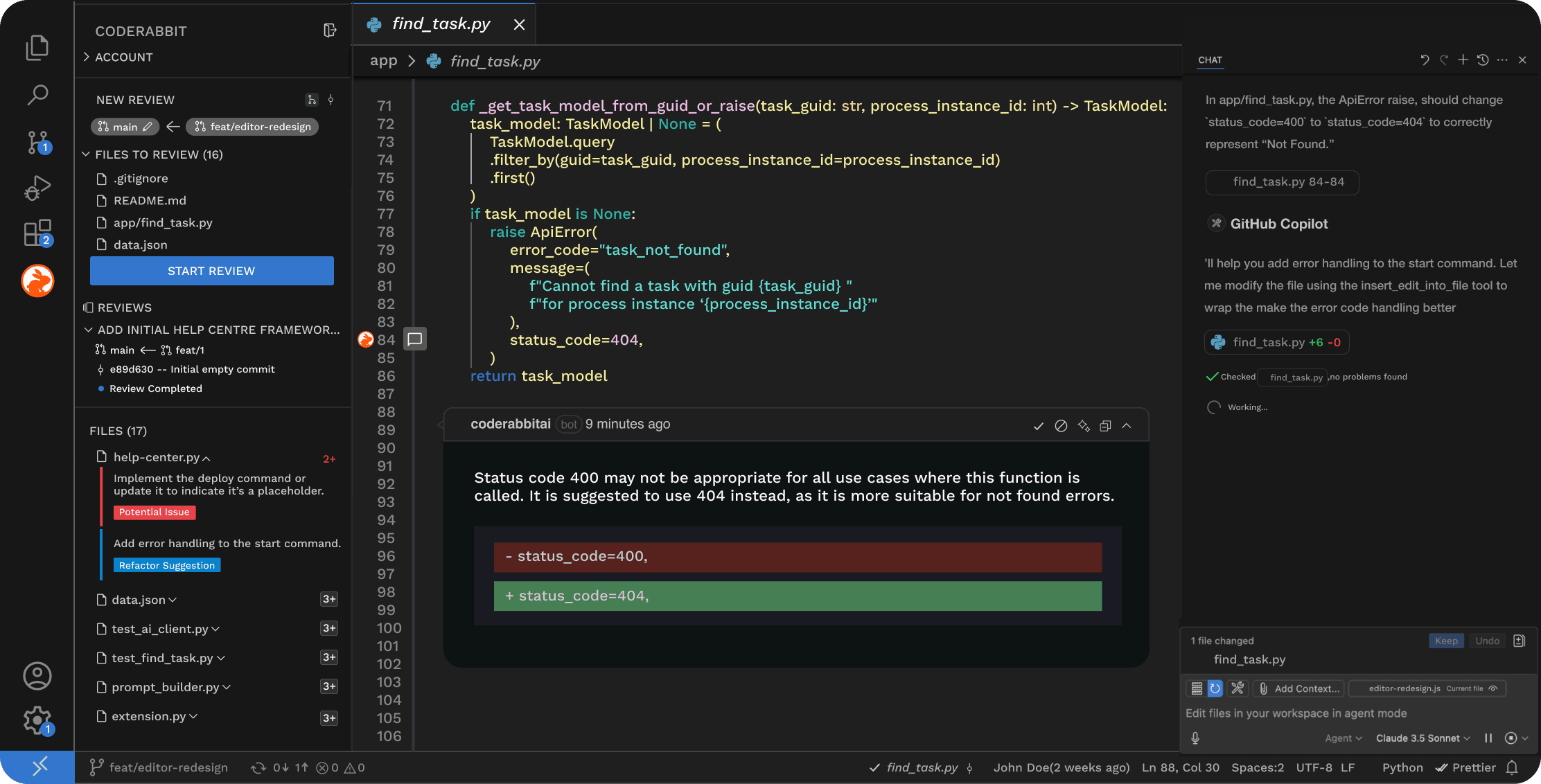
Free AI code reviews in VS Code, Cursor and Windsurf
At CodeRabbit, we believe that the best tools fit seamlessly into your existing workflows. With our AI code reviews coming into Cursor and Windsurf, developers can now get code reviews done without breaking their flow state.
Benefits of AI code reviews in IDE
Code reviews in the IDE are a great way to:
Automate first pass of code review right as you’re coding.
Quickly catch and fix any issues right in your IDE.
Reduce back-and-forth at the PR stage, helping you ship faster.
Help you raise pull requests with greater confidence – and fewer bugs.
This multi-layered approach – with reviews in both the IDE and the Git platform – helps developers catch more bugs and reduce review time. Ultimately, code reviews are necessary in both places and deliver complimentary benefits. With reviews in the IDE, developers get a first pass review right as they are coding. With reviews in the Git platform, the entire team’s code is reviewed in a centralized manner, making it easier to catch issues that may creep in when all the commits come together.
This helps individual developers get faster feedback in their code editor – while also maintaining a centralized governance structure across the team.
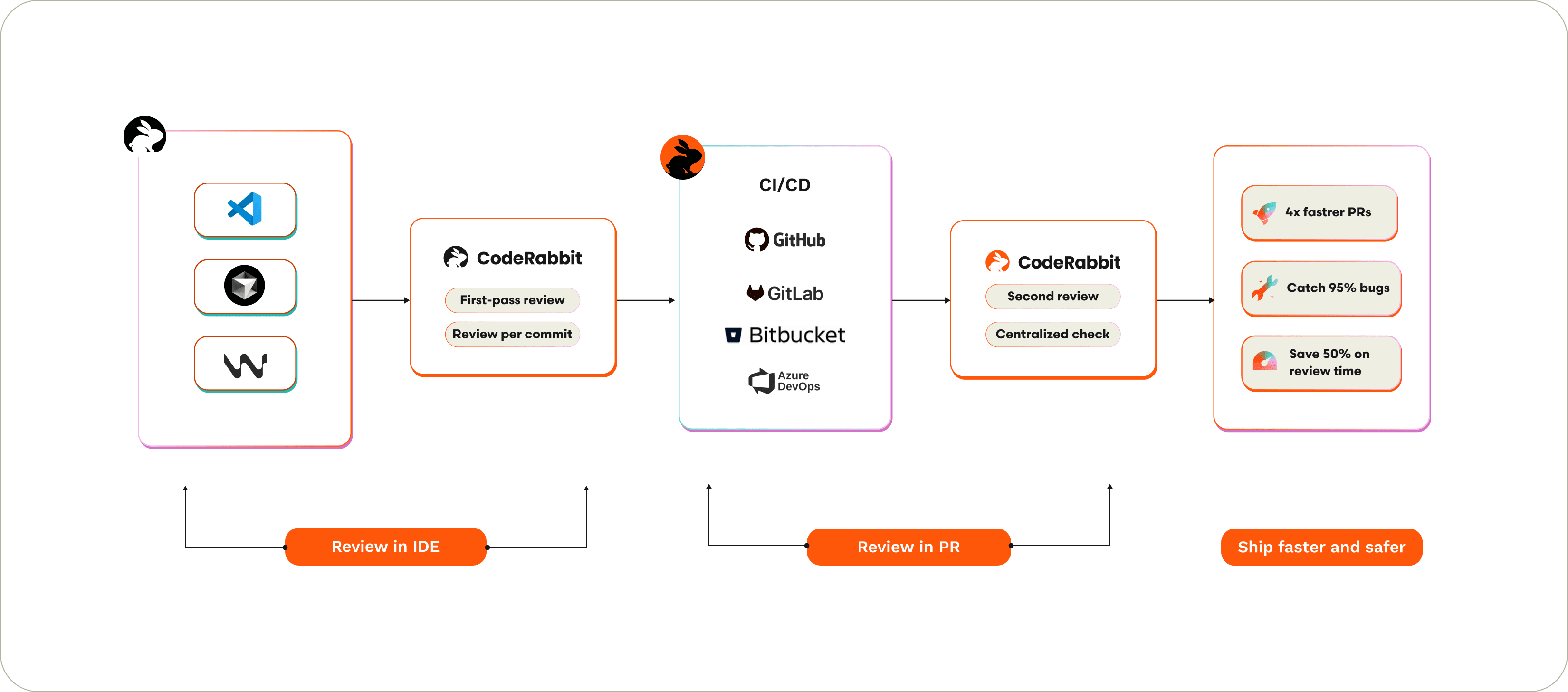
Code Reviews in the IDE and in the PR
Vibe code with confidence
One of the key challenges we hear from developers is how AI coding agents can leave defects behind that are hard to catch. These AI code gen tools are not always able to catch defects in the code they generated. This is why having a second, independent set of eyes is critical to ensure that bugs are caught before they end up in production. Here’s how CodeRabbit works in the IDE:
Inline code reviews: Each line of code gets senior developer level attention with AI-powered inline review comments. CodeRabbit becomes your pair programmer, within the code editor.
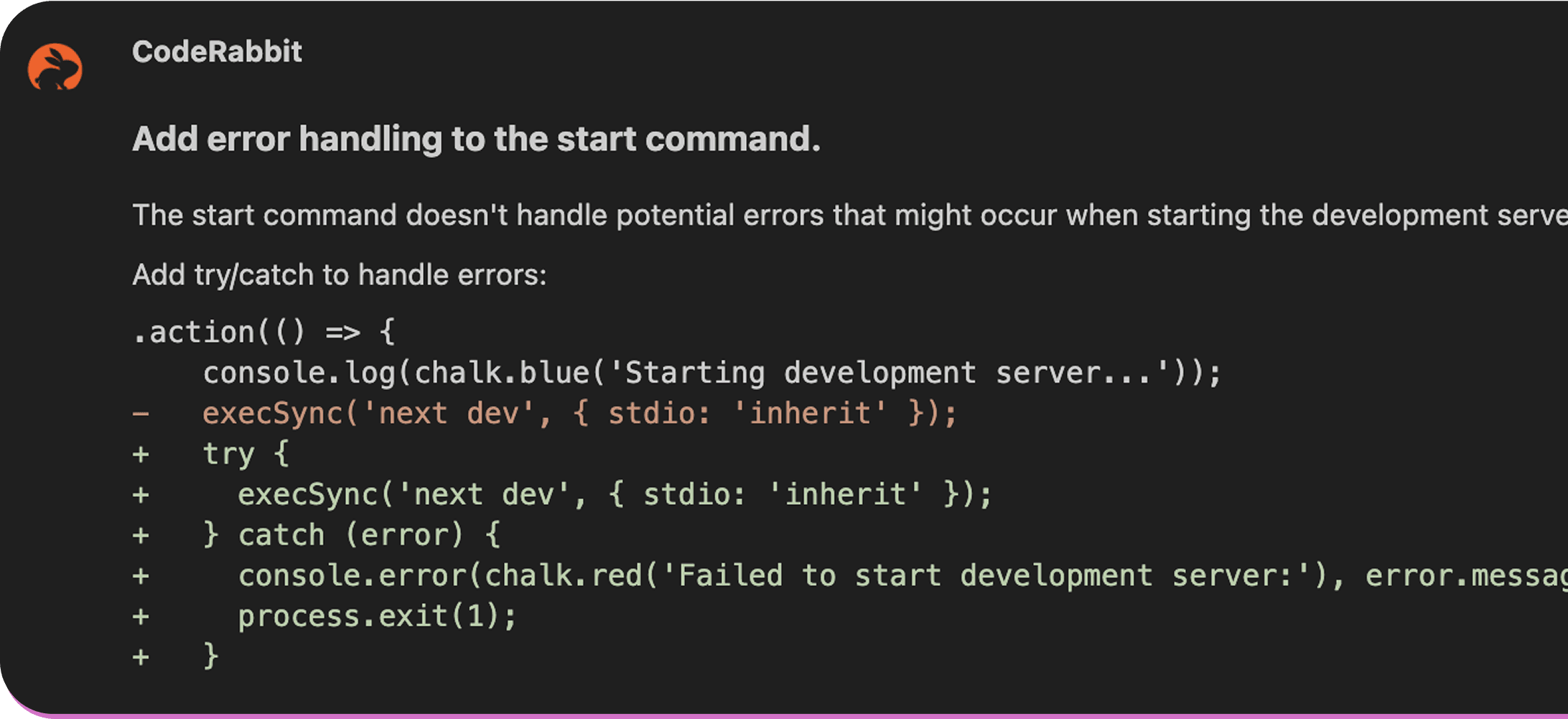
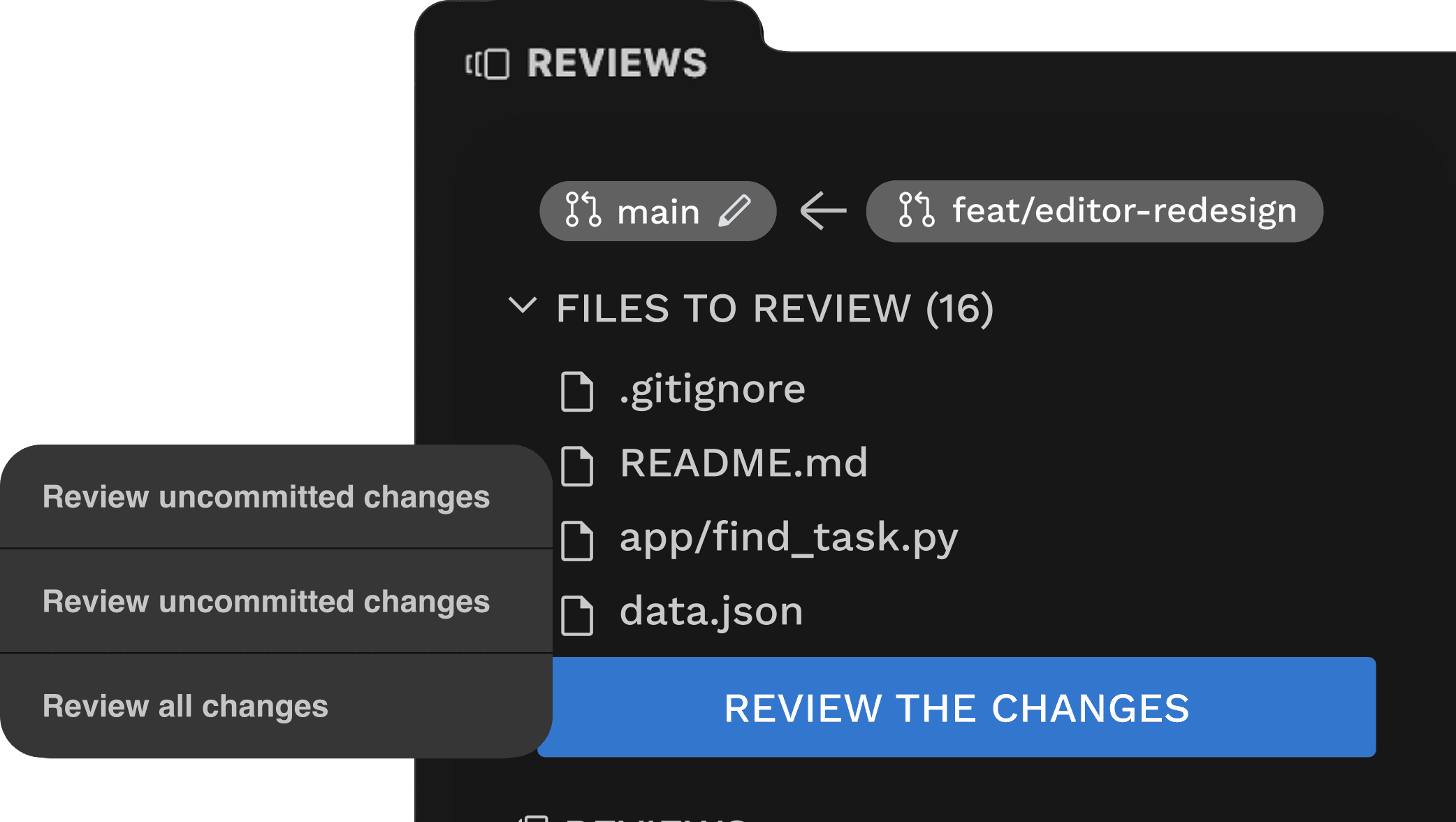
Built for flow, not friction: Code, review, commit - without breaking your flow state. CodeRabbit reviews every committed and uncommitted change, making your dev workflow faster.
Fix-with AI: Some review suggestions are simple and can be incorporated by using “One-Click Fix” to apply changes instantly. For more complex feedback, our “Fix with AI” feature hands off CodeRabbit’s review comments with associated context to your preferred AI coding agent.
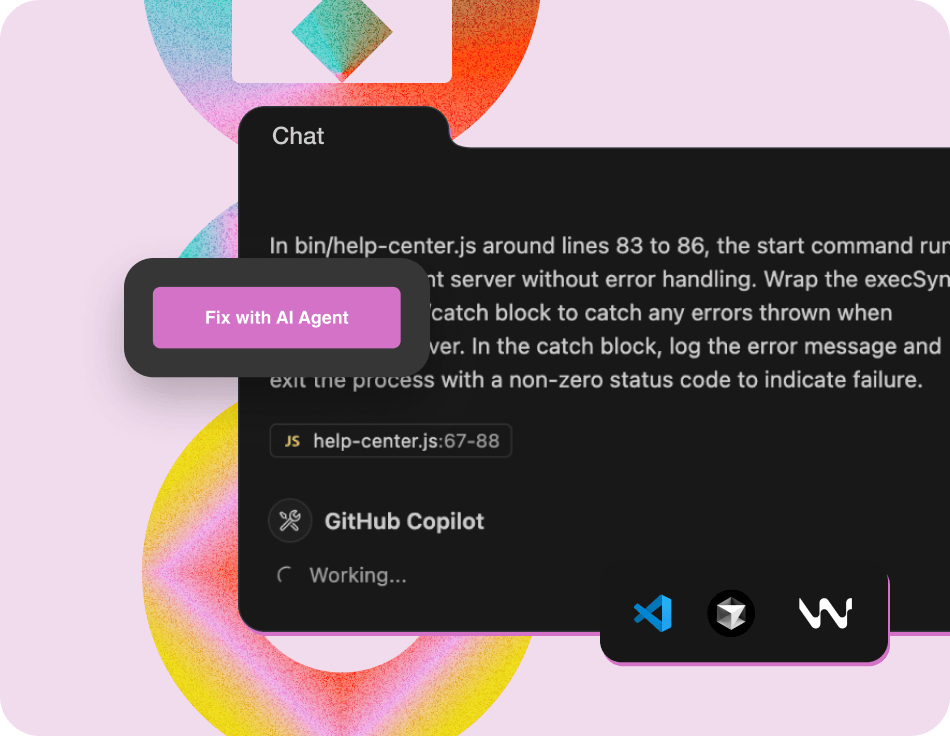
Fork-compatible and language agnostic: Our VS Code plugin supports all VS Code forks including Cursor and Windsurf. Also, all commonly used languages are supported such as Java, JavaScript, PHP, Python, TypeScript, Go, Ruby and many more.
IDE reviews are a lightweight, faster version of our PR reviews
Our free reviews in the IDE are done by a lightweight version of CodeRabbit that delivers feedback instantly and catches most bugs. For production use-cases, we recommend using the full version of CodeRabbit that also reviews code in the PR, in addition to reviews in the IDE, and comes with additional features that includes additional context from several sources during the review process.
Check out the technical details of how we adapted our PR reviewer for instant reviews in the IDE
Note that the rate limits for reviews in IDE will be lower than rate limits for reviews in PR. For a detailed feature comparison of what is included with reviews in IDE vs reviews in PR, refer to our documentation
Next Steps
Try out CodeRabbit’s free AI code reviews in VS Code, Cursor or Windsurf, we’d love to hear your feedback. Setup takes just a few minutes. Here are some additional resources to help get started: