CodeRabbit is now in the Claude Marketplace!Learn more



Atsushi Nakatsugawa
November 06, 2024
4 min read
November 06, 2024
4 min read
Share


Cut code review time & bugs by 50%
Most installed AI app on GitHub and GitLab
Free 14-day trial
本記事はHow to run AI Code Review on TypeScript using CodeRabbit?の意訳です。
コードレビューでは、フォーマットやスタイルなどの些細な問題に議論が集中しがちです。その一方で、機能性やパフォーマンス、下位互換性といった重要な側面が見落とされることがあります。 コードレビューは、コードを書くこと自体よりも難しい場合があります。なぜなら、レビューで品質を担保するには、細心の注意が必要だからです。
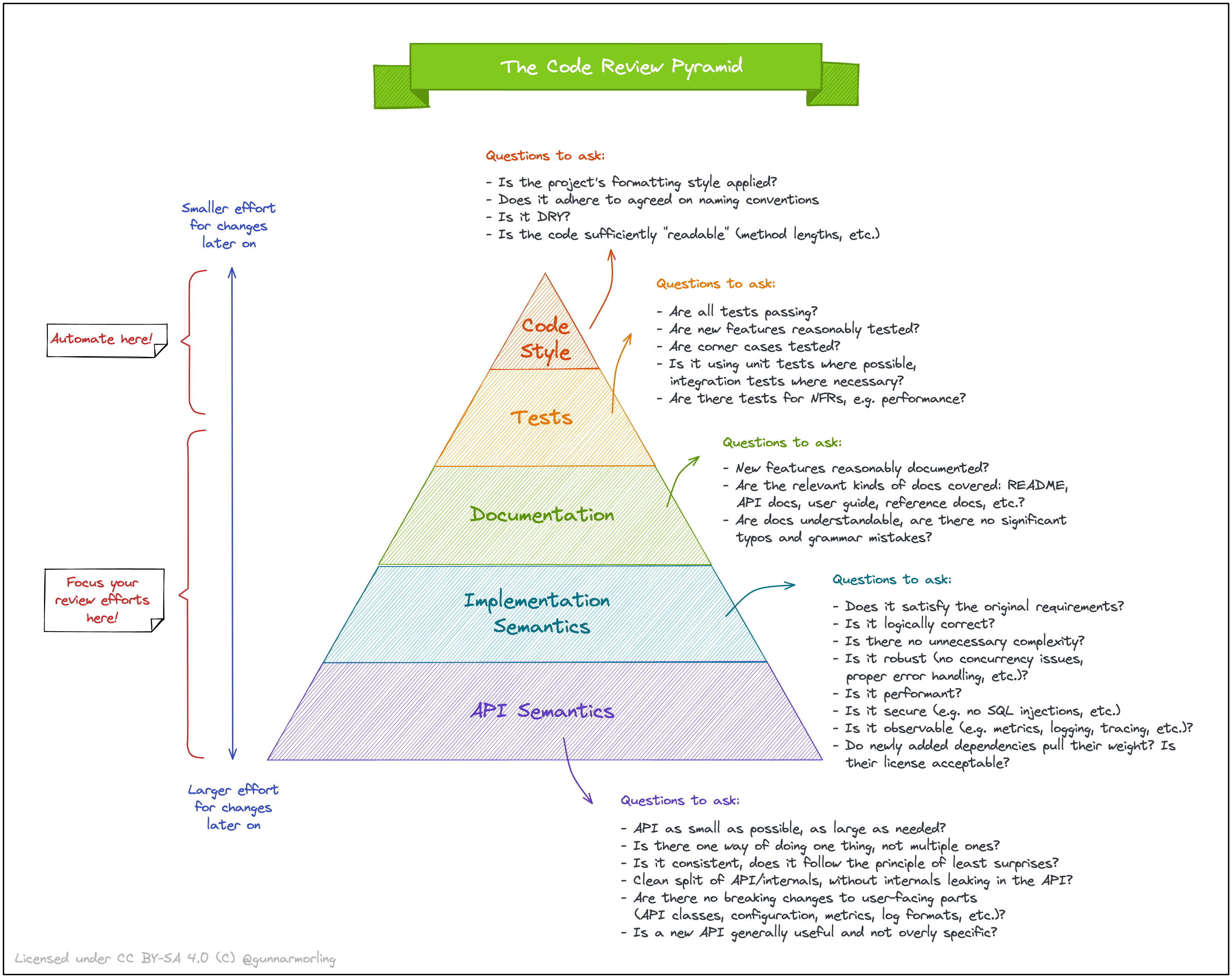
Image by Gunnar Morling, licensed under CC BY-SA 4.0.
「完璧な」コードレビューを行うということは、すべてのバグを見つけ、ベストプラクティスを熟知し、自分が書いたわけでもない大量のコードを整理し、嫌な奴にならないよう・主観的な批判にならないようなコメントを書き、自分が書いたコメントをすべて正当化する必要があります。論理的にも、社会的にも疲れる作業です。形式的に承認することもできますが、バグが本番環境にリリースされてしまい、コードベースが混乱状態に陥る可能性があります。
10行変更:10件のコメント、500行変更:「問題なし」!

多くの開発チームは、バグのないコードを本番環境にリリースできるよう注力しています。もちろん、それは重要なことです。しかし、問題が発生した際に素早く問題を発見して解決する能力は、自動化ツールやシンプルなプロセスを通じて実現されるべきであるにも関わらず、見落とされがちです。 そこで、コードレビューの時間を大幅に短縮する、より簡単な方法があるとしたらどうでしょうか? それがまさにCodeRabbitです。
このガイドでは、CodeRabbit を使用して、人気の OSS TypeScript プロジェクトであるDub.co を利用して、コードの問題を検出する方法を学びます。これを読めば、TypeScript のプロジェクトに対して、AI コードレビューツール CodeRabbit を使用し、正しいコードのみをリポジトリにマージできるようになるでしょう。
すぐに始めたい方は、こちらの プルリクエスト をご覧ください。
CodeRabbit は言語に依存しないため、特定のプログラミング言語の知識は必要ありません。本記事ではTypescriptで書かれたDub.coのGitHubリポジトリを使用して、CodeRabbitの動作を説明します。
始める前に、以下のものを用意してください。
GitHub プロフィール - 有効な GitHub アカウント
コードエディター - Visual Studio Code や IntelliJ IDEA など
開発チームは厳しい納期を守りながら、高品質のコードを維持するために、効率的で信頼性の高いコードレビュープロセスが重要になっています。
CodeRabbitは、以下のようなメリットにより、チームの生産性とコード品質を10倍向上させられます。
より迅速なコードレビューサイクル
一貫性のある客観的なフィードバック
開発者の効率性向上
継続的な改善
CodeRabbitへのサインアップは2ステップで行えます。まずGitHubアカウントでログインし、次にCodeRabbitのGitHubアプリをOrganizationに追加してください。

次に、CodeRabbitをすべてのリポジトリに統合するか、特定のリポジトリを選択します。
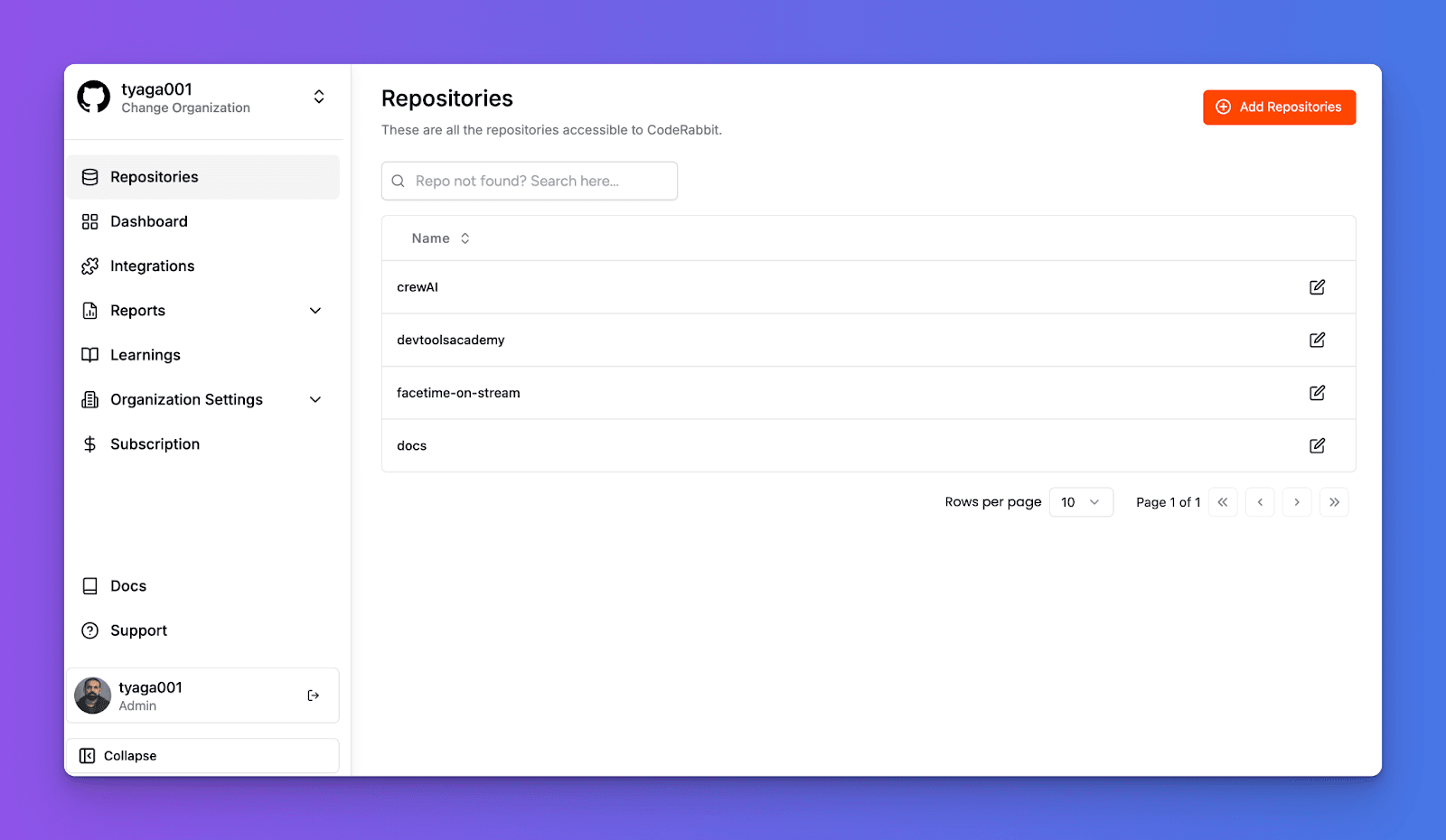
これでCodeRabbitがあなたのリポジトリに統合され、コードの変更をレビューする準備が整いました。
Dub.co は、リンク短縮や分析、無料のカスタムドメイン、リンク用のQRコードジェネレーターなどの機能を提供するオープンソースのリンク管理プラットフォームです。 そのコードベースは TypeScript と React で開発されており、それらを習得していれば、より効率的に操作できます。
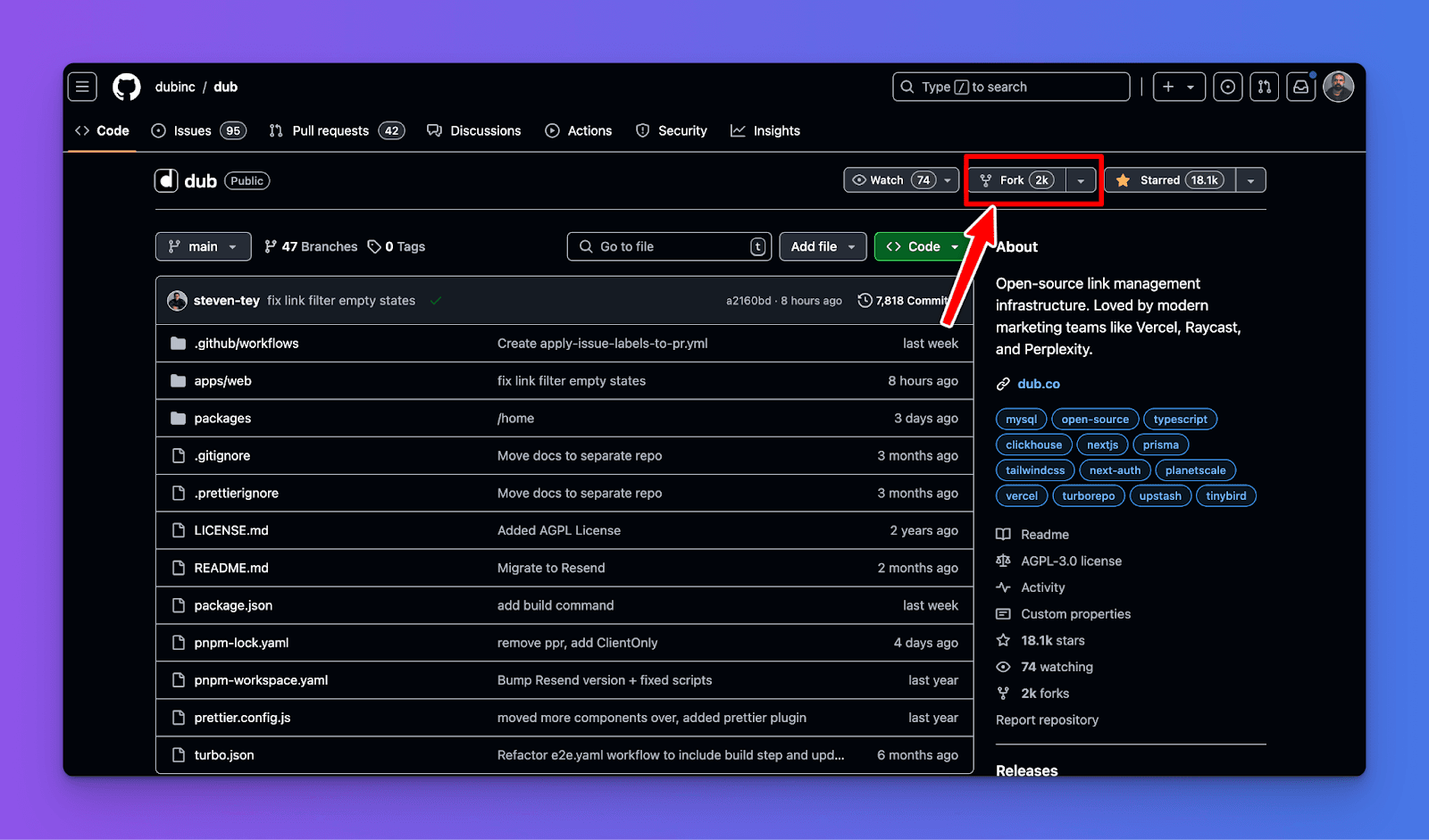
次に、ターミナルで以下のコマンドを実行して、Dub.co の TypeScript リポジトリをローカルにクローンします。
# リポジトリをクローン(dubincはあなたのGitHubユーザー名に置き換えてください)
git clone https://github.com/dubinc/dub.git
以下のコマンドで、パッケージの依存関係をインストールします。
pnpm install
apps/web フォルダ内の .env.example ファイルを .env ファイルにコピー(またはリネーム)します。
cp .env.example .env
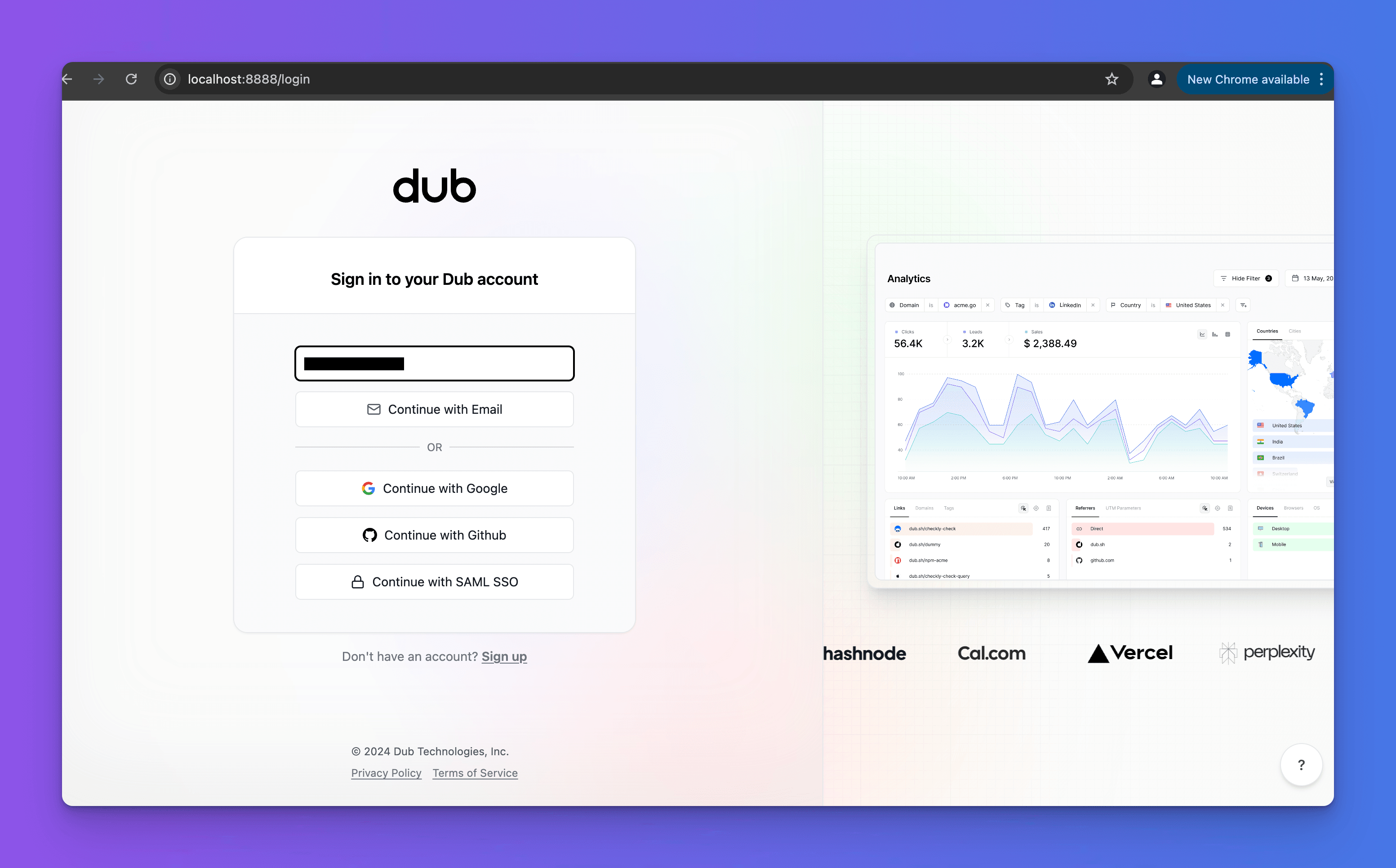
Dub.co ローカル開発ガイドの手順に従って、dub.co をローカルでセットアップします。
フォークした Dub.co リポジトリのファイルを変更し、CodeRabbitがどのようにレビューを行うのかを見てみましょう。
作業を始める前に、フォークしたリポジトリに tutorial/coderabbit という名前の新しいGitHubブランチを作成します。両方のブランチを比較したり、プルリクエストを作成したりできます。
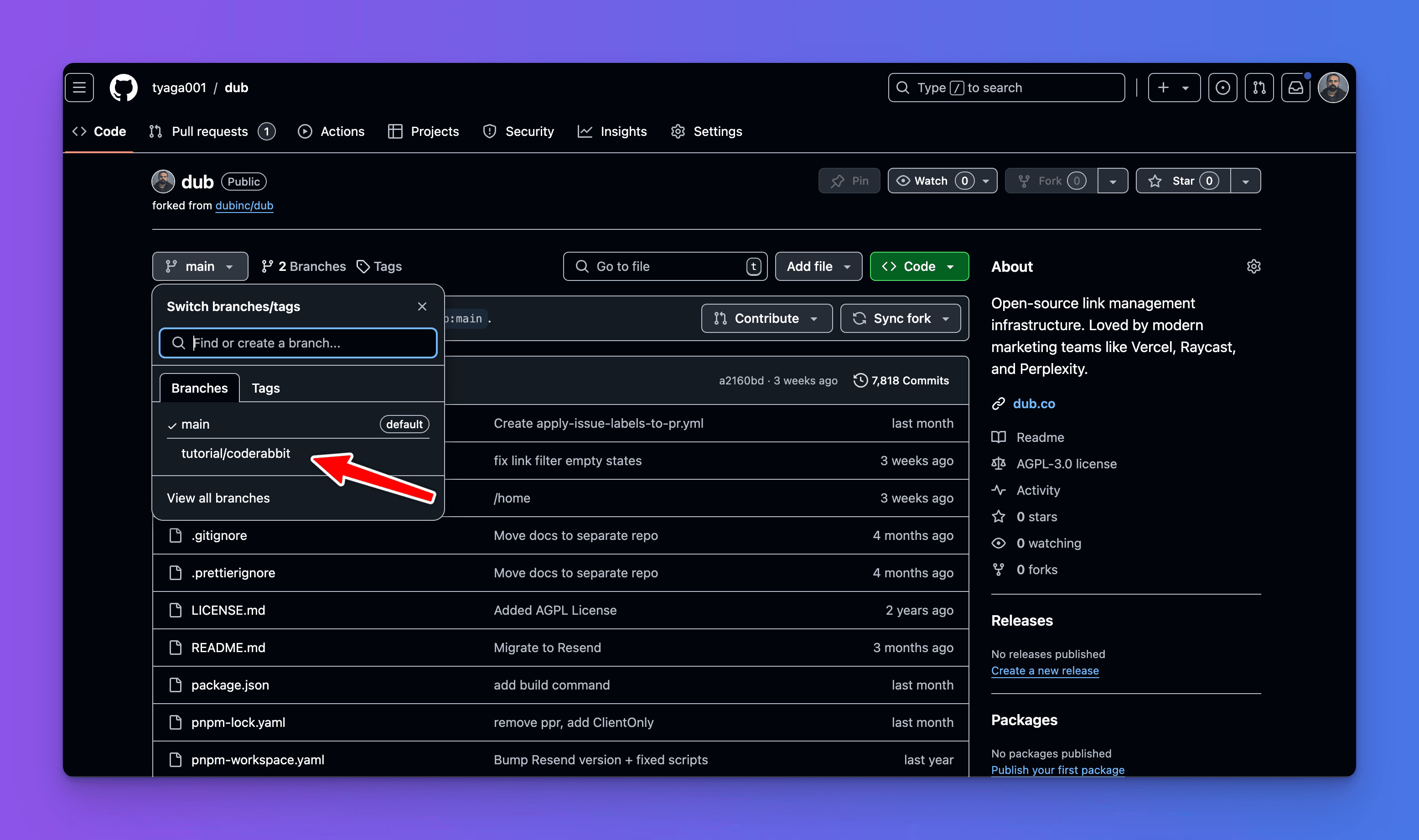
appフォルダに移動し、以下のファイルのコードを更新します。
apps/web/app/api/links/route.ts
apps/web/app/app.dub.co/(dashboard)/[slug]/auth.tsx
apps/web/app/app.dub.co/(dashboard)/layout.tsx
例:
export default function WorkspaceLinks() {
  return (
    <div className="mx-auto my-3 w-[70%] px-2 text-center">
      <h2 className="mb-3 text-2xl text-orange-500">
        Testing how CodeRabbit works
      </h2>
      <p>
        CodeRabbit is an AI-powered code reviewer for your code repositories. It
        provides quick, context-aware code review feedback and line-by-line
        suggestions, significantly reducing manual review time.
      </p>
    </div>
  );
}
このコードスニペットは、ホームページコンテンツを変更するものです。
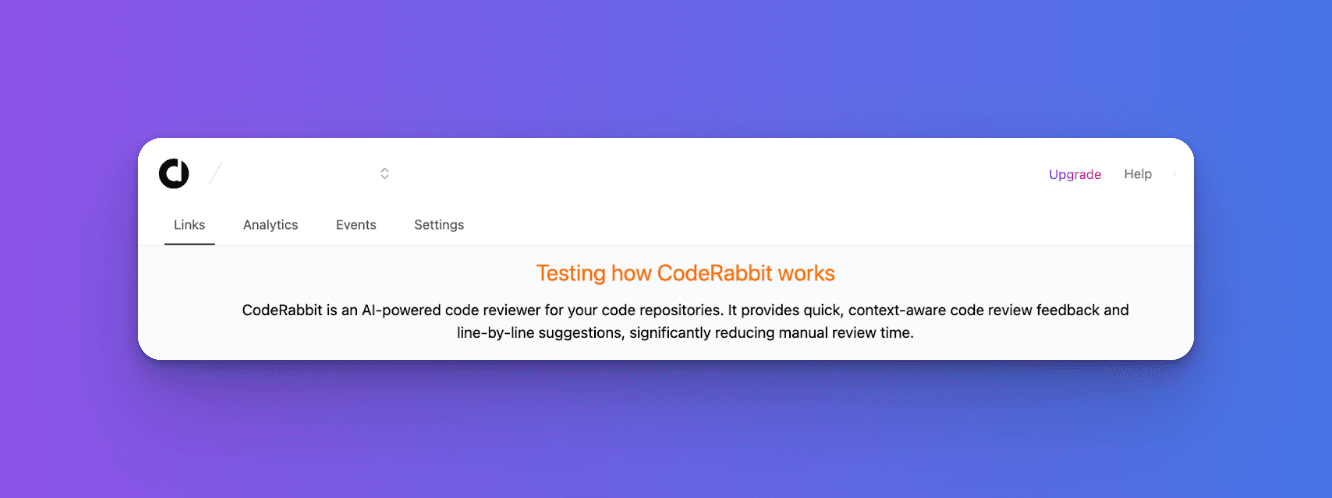
CodeRabbitの動作を確認するために、ファイルを更新します。以下は間違ったReact構文を含んでおり、TSXファイルをテストブランチにプッシュします。GitHubのWeb UIまたはCLIから実行できます。
import WorkspaceLinksClient from "./page-client";

export default function WorkspaceLinks() {
  return (
    <>
      <h2 className="text-2xl mb-3 text-orange-500">
        Testing how CodeRabbit works
      </h2>
      <p>
        CodeRabbit is an AI-powered code reviewer for your code repositories. It provides quick, context-aware code review feedback and line-by-line suggestions, significantly reducing manual review time.
      </p>
    </>
  );
}
次に、二つのブランチを比較し、プルリクエストを作成します。
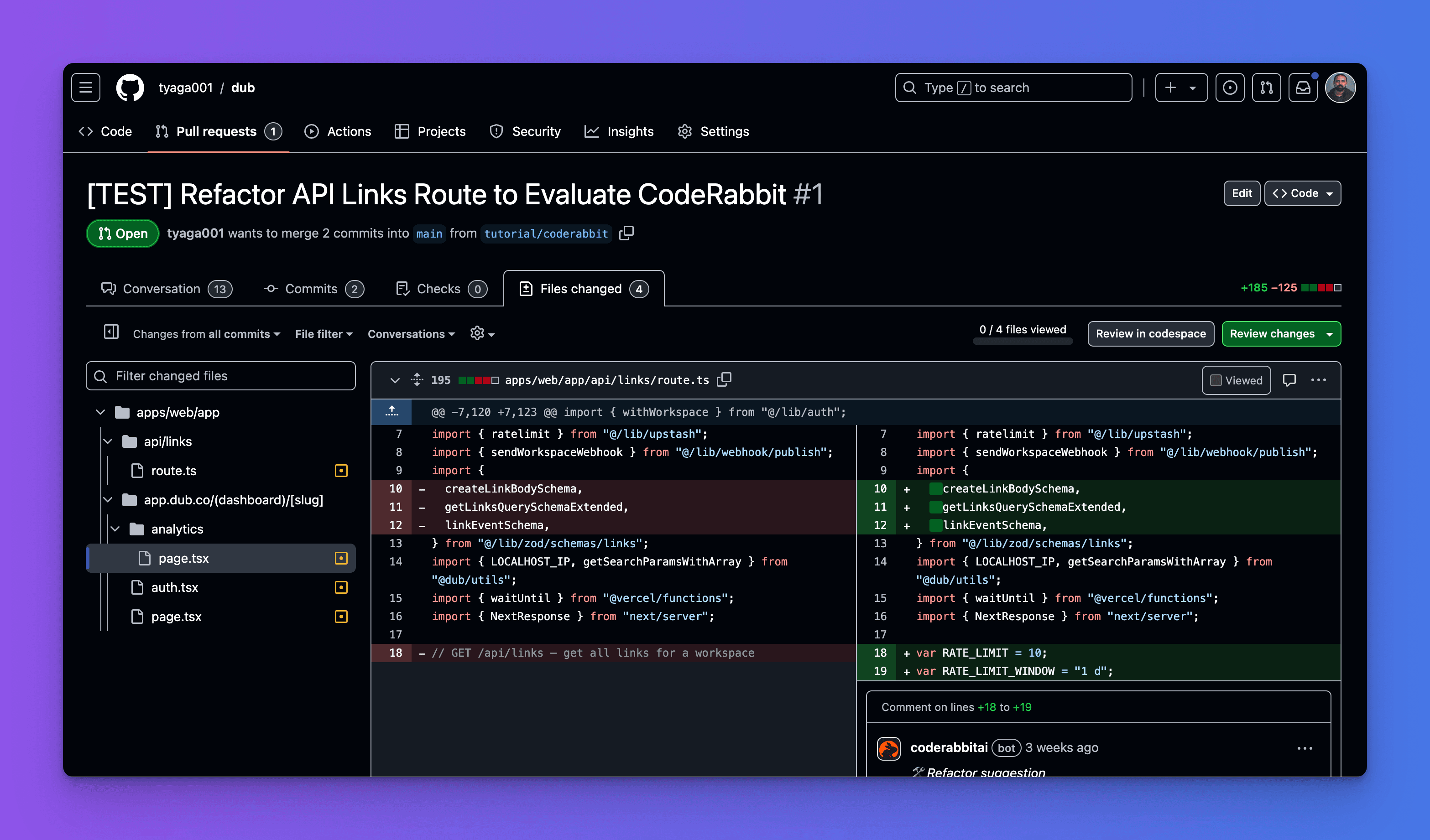
CodeRabbitは、tutorial/code branchにある更新されたコードをレビューし、プルリクエストにある問題をハイライトし、コードを分析する方法を示すシーケンス図まで含めています。そして、プルリクエストがマージするために必要なすべてのテストに合格できるよう解決策を提供します。
例えば、CodeRabbitの実際の動作を見てみましょう。
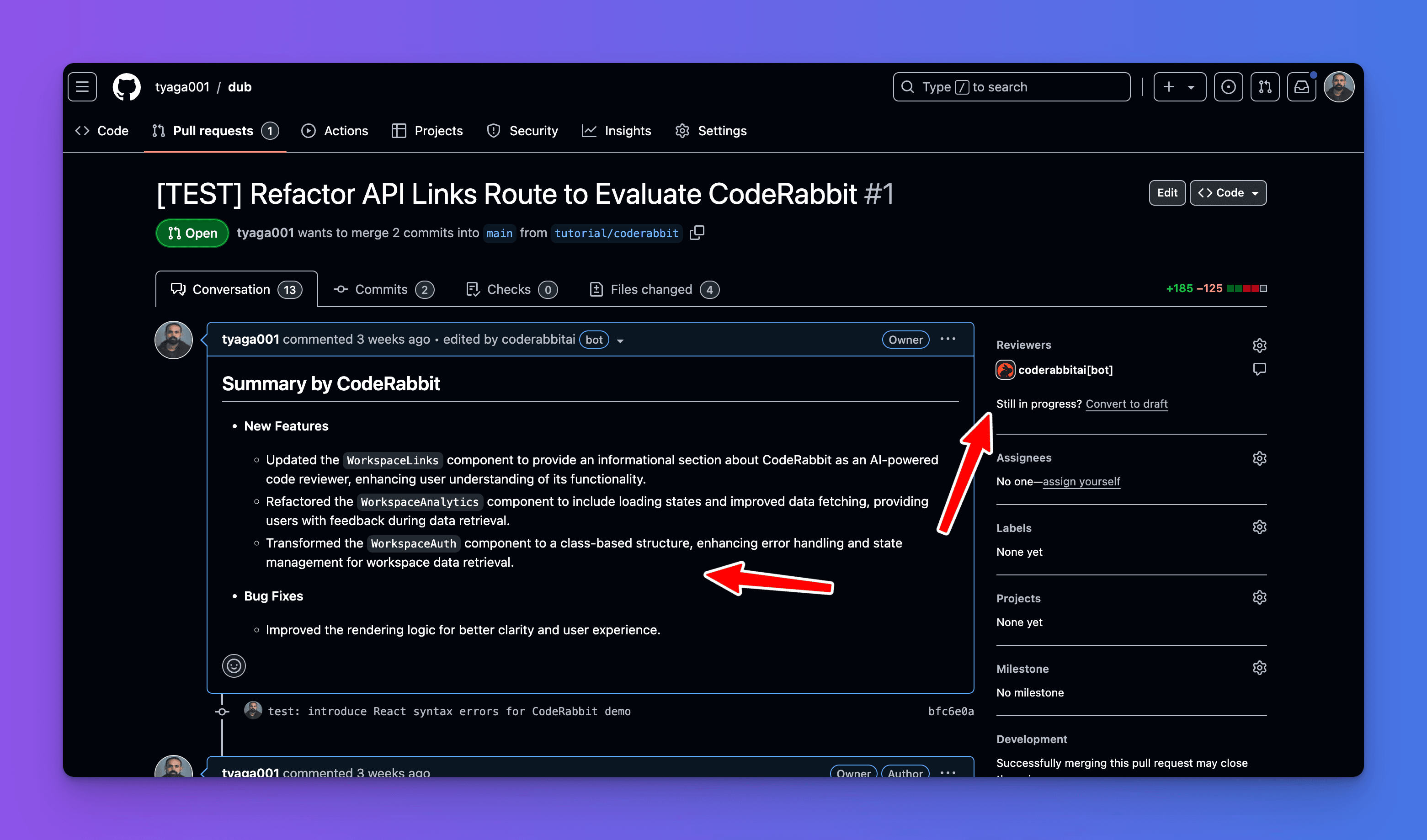
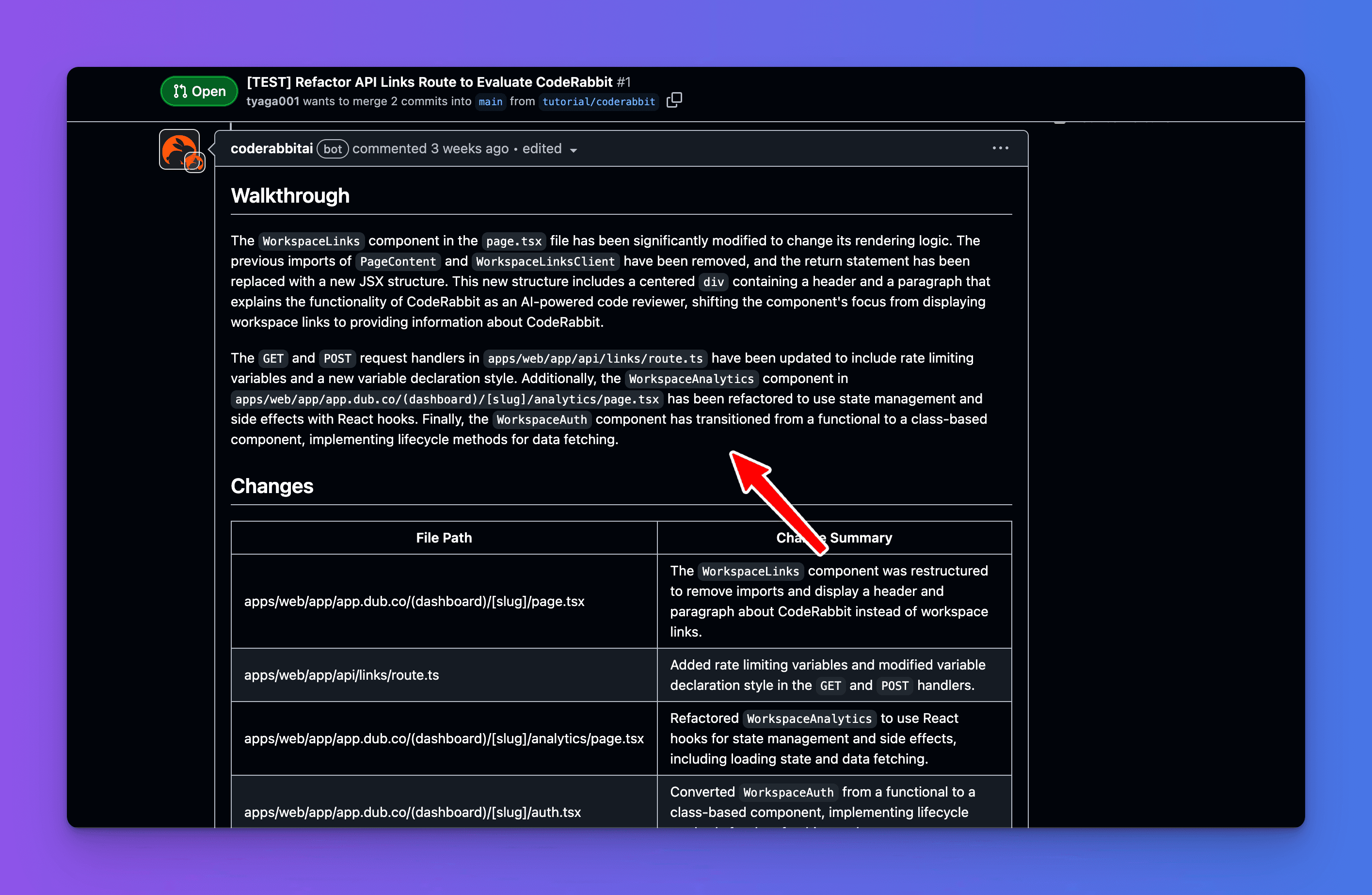
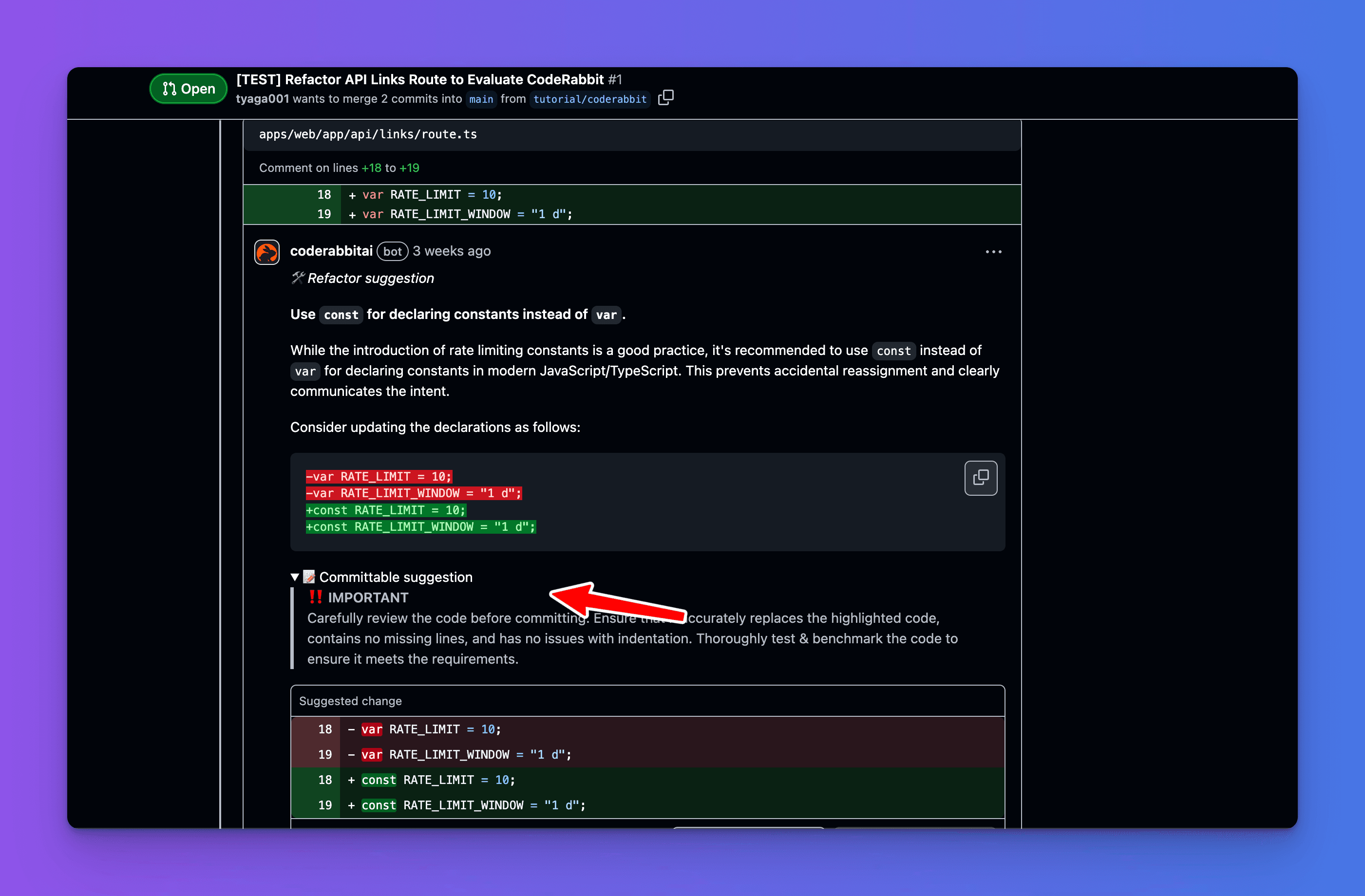
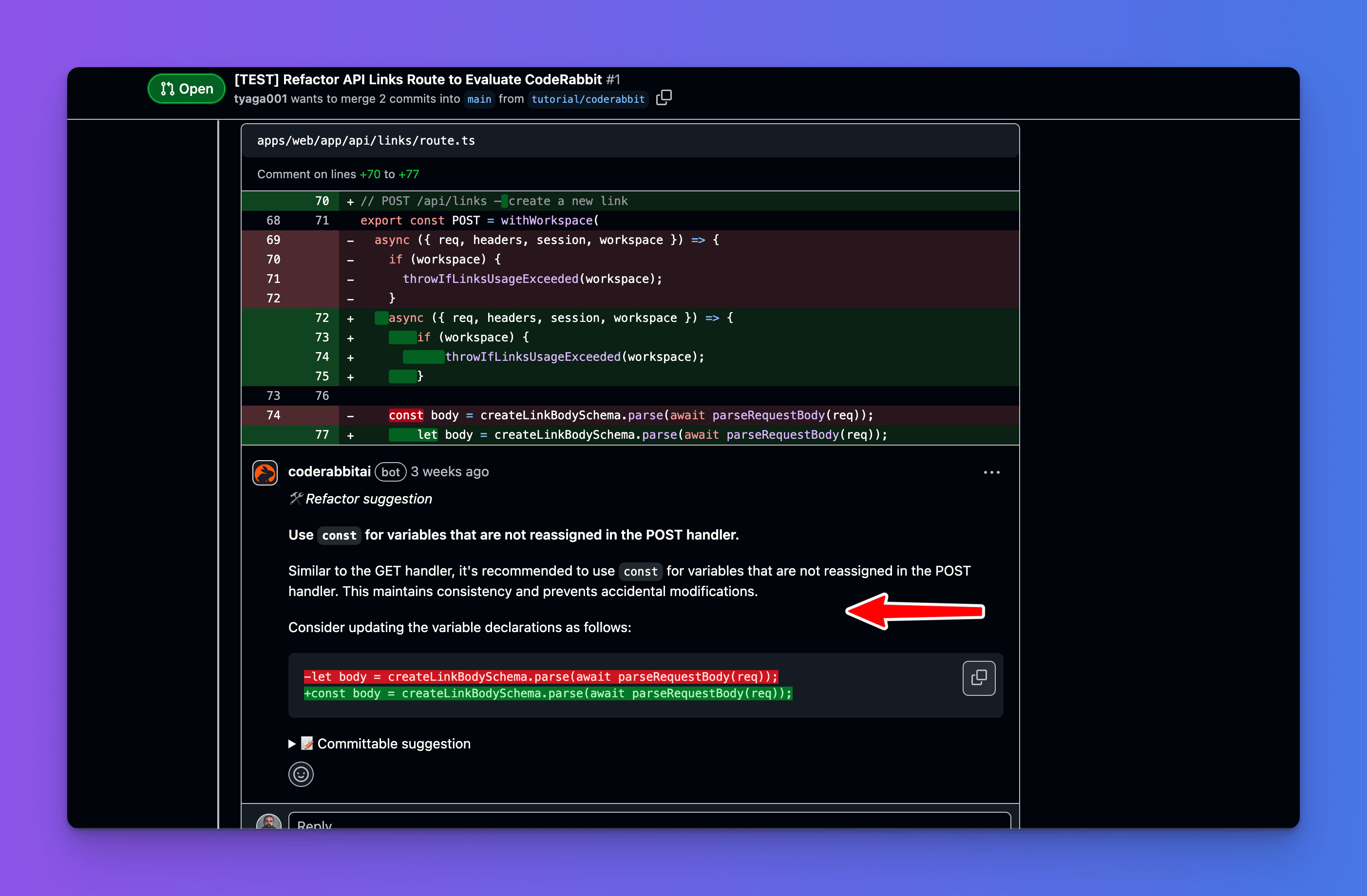
このプルリクエストの例は、GitHub リポジトリ で確認できます。
これで、CodeRabbit をオープンソースの TypeScript リポジトリに正常に統合できたことが確認できました!
本記事では、CodeRabbit を TypeScript リポジトリに統合する方法について説明しました。
CodeRabbitは、あなたやあなたのチームがコードの変更をより迅速・優れた品質でマージできるよう支援するAIコードレビューツールです。TypeScriptやJavaScriptでは、CodeRabbitでさらに多くの使い方があります。
さらに詳しく知りたい方は、以下をご覧ください。
CodeRabbitに 今すぐ登録 して、コード品質やセキュリティを損なわずに、あなたのPRを10倍速くマージしましょう。