

CodeRabbit logoCodeRabbit logo
AgentEnterpriseCustomersPricingBlog
Resources
  • Docs
  • Trust Center
  • Contact Us
  • FAQ
  • Reports & Guides
Log InGet a free trial
CodeRabbit logoCodeRabbit logo

Products

AgentPull Request ReviewsIDE ReviewsCLI ReviewsPlanOSS

Navigation

About UsFeaturesFAQSystem StatusCareersDPAStartup ProgramVulnerability Disclosure

Resources

BlogDocsChangelogCase StudiesTrust CenterBrand GuidelinesReports & Guides

Contact

SupportSalesPricingPartnerships

By signing up you agree to our Terms of Use and authorize CodeRabbit to provide occasional updates about products and solutions. You understand that you can opt out at any time and that your data will be handled in accordance with CodeRabbit Privacy Policy

discord iconx iconlinkedin iconrss icon
footer-logo shape
Terms of Service Privacy Policy

CodeRabbit, Inc. © 2026

CodeRabbit logoCodeRabbit logo

Products

AgentPull Request ReviewsIDE ReviewsCLI ReviewsPlanOSS

Navigation

About UsFeaturesFAQSystem StatusCareersDPAStartup ProgramVulnerability Disclosure

Resources

BlogDocsChangelogCase StudiesTrust CenterBrand GuidelinesReports & Guides

Contact

SupportSalesPricingPartnerships

By signing up you agree to our Terms of Use and authorize CodeRabbit to provide occasional updates about products and solutions. You understand that you can opt out at any time and that your data will be handled in accordance with CodeRabbit Privacy Policy

discord iconx iconlinkedin iconrss icon

CodeRabbit for VS Code が登場 — 無料のAIコードレビュー

by
Atsushi Nakatsugawa

Atsushi Nakatsugawa

May 14, 2025

2 min read

May 14, 2025

2 min read

  • IDEでAIコードレビューを行うメリット
  • 自信を持ってコードを書く
  • IDEでのレビューは、PRレビューの軽量&高速版
  • 次のステップ
Back to blog
Cover image

Share

https://victorious-bubble-f69a016683.media.strapiapp.com/Reddit_feecae8a6d.pnghttps://victorious-bubble-f69a016683.media.strapiapp.com/X_721afca608.pnghttps://victorious-bubble-f69a016683.media.strapiapp.com/Linked_In_a3d8c65f20.png

Cut code review time & bugs by 50%

Most installed AI app on GitHub and GitLab

Free 14-day trial

Get Started

Catch the latest, right in your inbox.

Add us your feed.RSS feed icon
newsletter decoration

Catch the latest, right in your inbox.

Add us your feed.RSS feed icon

Keep reading

Why your internal AI code review tool will cost more than you think

Why your internal AI code review tool will cost more than you think

The prototype is the easy part. Here's what engineering teams consistently underestimate when they build AI code review internally, with cost benchmarks across three org sizes.

You’re addicted to AI code generation. Now what?

You’re addicted to AI code generation. Now what?

Developers distrust AI coding tools just enough to double-check the output, yet rely on them too much to turn them off. Here's what that dependency is actually costing engineering teams, and how to build review systems that keep up with it.

You can build an AI code reviewer. But you probably can’t maintain it

You can build an AI code reviewer. But you probably can’t maintain it

Most homegrown AI reviewers work for one repo. The hard part is holding a consistent quality bar across hundreds of engineers and a shifting AI tooling landscape.

Get
Started in
2 clicks.

No credit card needed

Your browser does not support the video.
Install in VS Code
Your browser does not support the video.

AI Code Reviews | CodeRabbit | Try for Free の意訳です

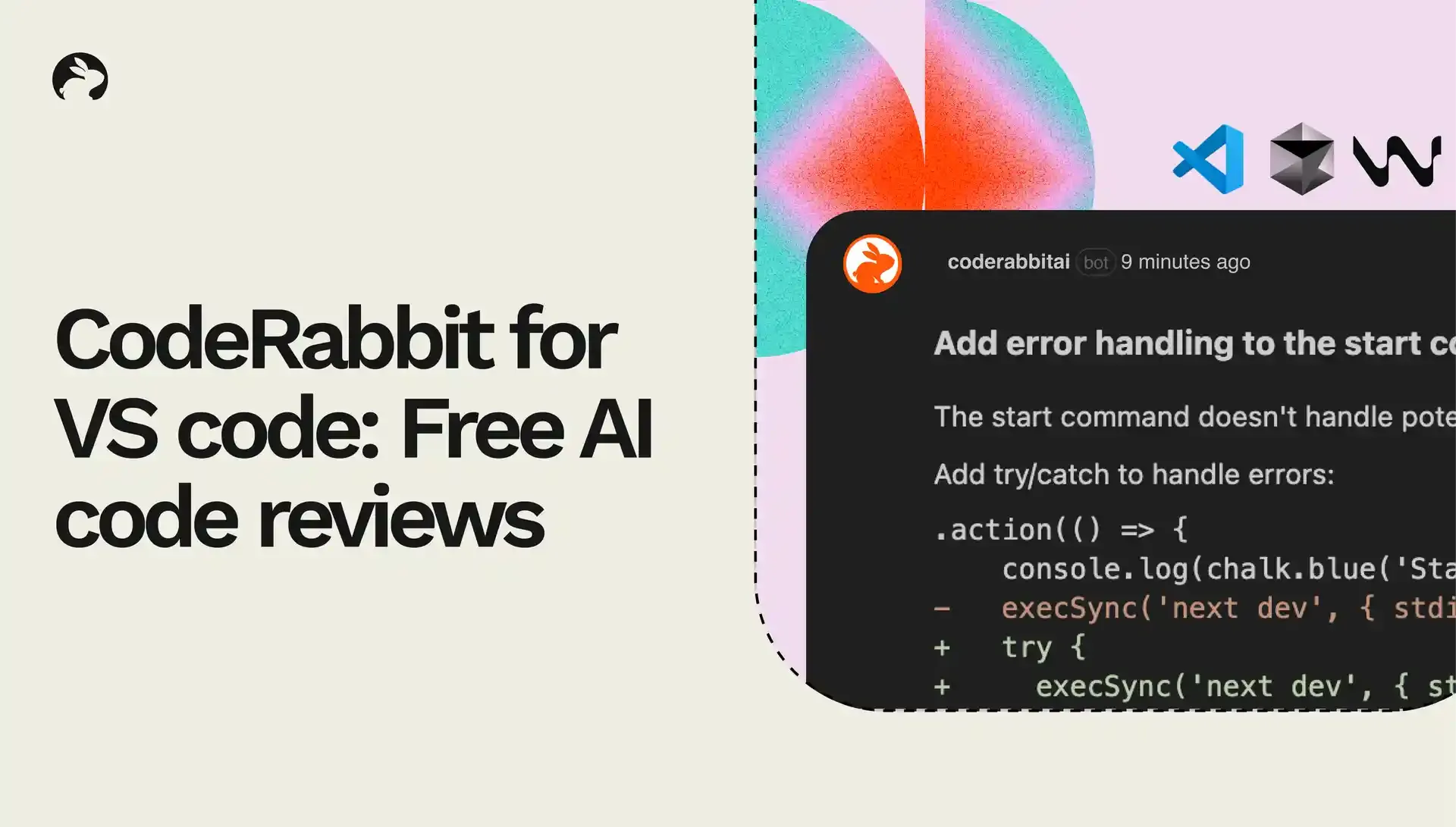
CodeRabbitから大きなお知らせです。AIによるコードレビューが、VS Codeおよびそのフォーク(CursorやWindsurfなど)で直接利用できるようになりました。しかも IDE上でのコードレビューは完全無料 です。

この拡張機能では、既存のレビューツールよりも多くのバグや問題を検出できるよう、IDE内で高品質なレビューを提供する点にこだわりました。CodeRabbitが日々の開発フローに自然と組み込まれることで、レビューのフィードバックをすばやく反映でき、コードの品質向上がスムーズになります。

導入は簡単です。お使いのVS Code/VS CodeフォークのエディタにCodeRabbitプラグインをインストールするだけ。以降は、すべてのコミットを自動でレビューし、PRを作成する前にバグを見つけて、開発スピードを後押しします。
AI code reviews in IDE

VS Code・Cursor・Windsurfで無料のAIコードレビュー

CodeRabbitは「良いツールは、既存のワークフローに自然に馴染むもの」だと考えています。今回、AIによるコードレビューがCursorやWindsurfにも対応したことで、開発者は作業の流れを止めることなく、スムーズにレビューを受けられるようになりました。

IDEでAIコードレビューを行うメリット

IDE上でコードレビューを行うことで、次のような効果が得られます。

  • コーディング中に、1回目のコードレビューを自動で実行

  • 問題点を素早く検出し、その場で修正

  • PR段階でのやり取りを減らし、リリースまでの時間を短縮

  • より自信を持ってプルリクエストを作成でき、バグの発生も抑制

このように、 IDEとGitプラットフォームの両方でコードレビューを行う多層的なアプローチ によって、より多くのバグを発見し、レビュー時間を削減できます。

IDE上でのレビューは、開発者がコードを書くエディタ上で素早くコードをチェックできます。そして、Gitプラットフォーム上でのレビューは、チーム全体のコードを一元的に確認するのに適しています。それぞれのレビューが異なる役割を持ち、相互に補完し合うことで、品質の高い開発サイクルを実現します。

個々の開発者はIDE内で素早くフィードバックを受け取りつつ、チーム全体では中央集権的な品質管理ができる。この仕組みによって、効率と品質の両立が可能になります。
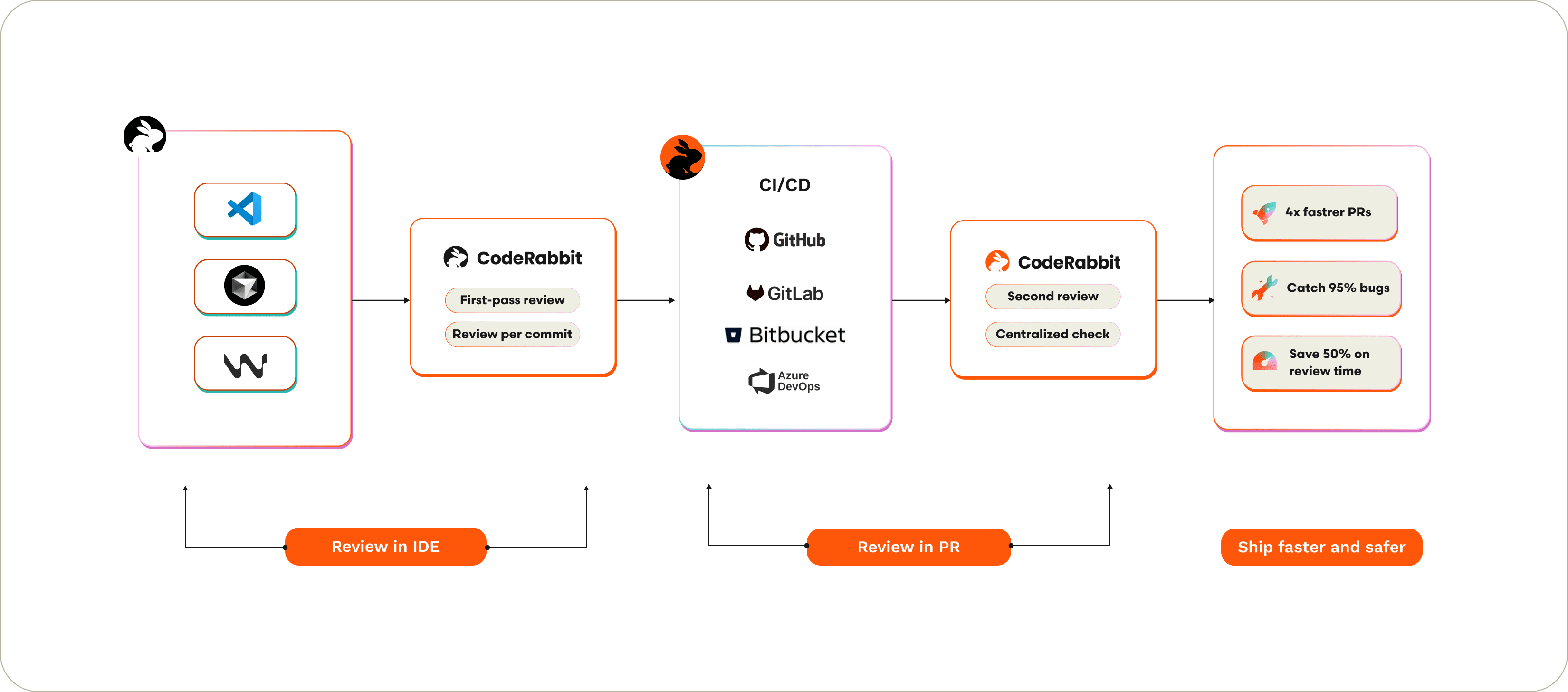
Code reviews in IDE and in PR

IDEでのコードレビューとPRでのコードレビュー

自信を持ってコードを書く

開発者からよく聞く課題のひとつに「AIによるコード生成ツールが、バグを見逃す」というものがあります。AIが生成したコードの不具合を、同じAIが検出できるとは限りません。だからこそ、別の独立した視点でコードをチェックすることが重要 です。バグが本番環境に入り込む前に見つけ出すために必要なのです。CodeRabbitがIDE内でどのように機能するのかをご紹介します。

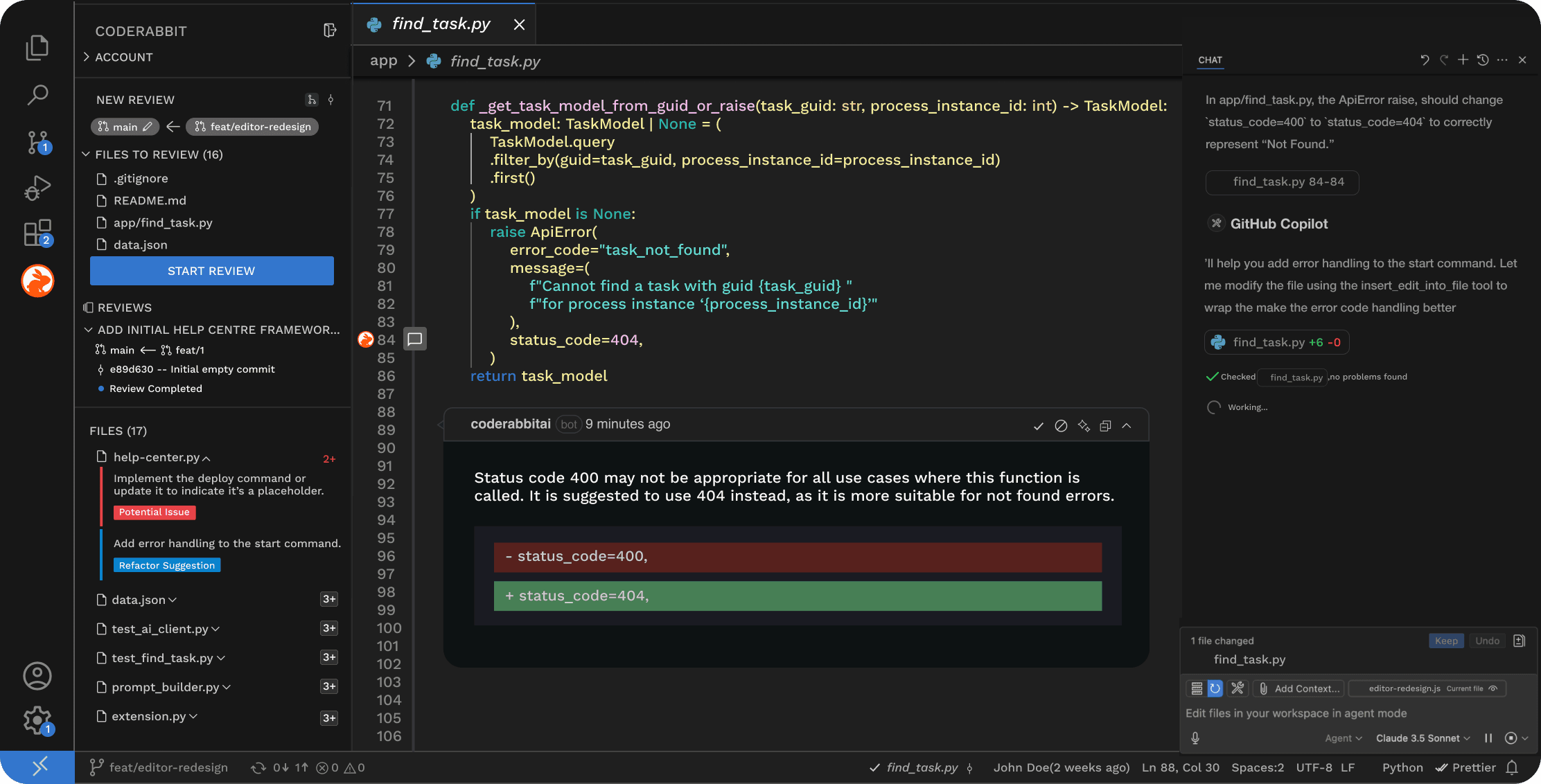
  1. インラインコードレビュー
    コードの1行1行を、シニア開発者レベルの目線でAIがレビュー。CodeRabbitはコードエディタ内で、まるでペアプログラマーのようにコメントを付けます。
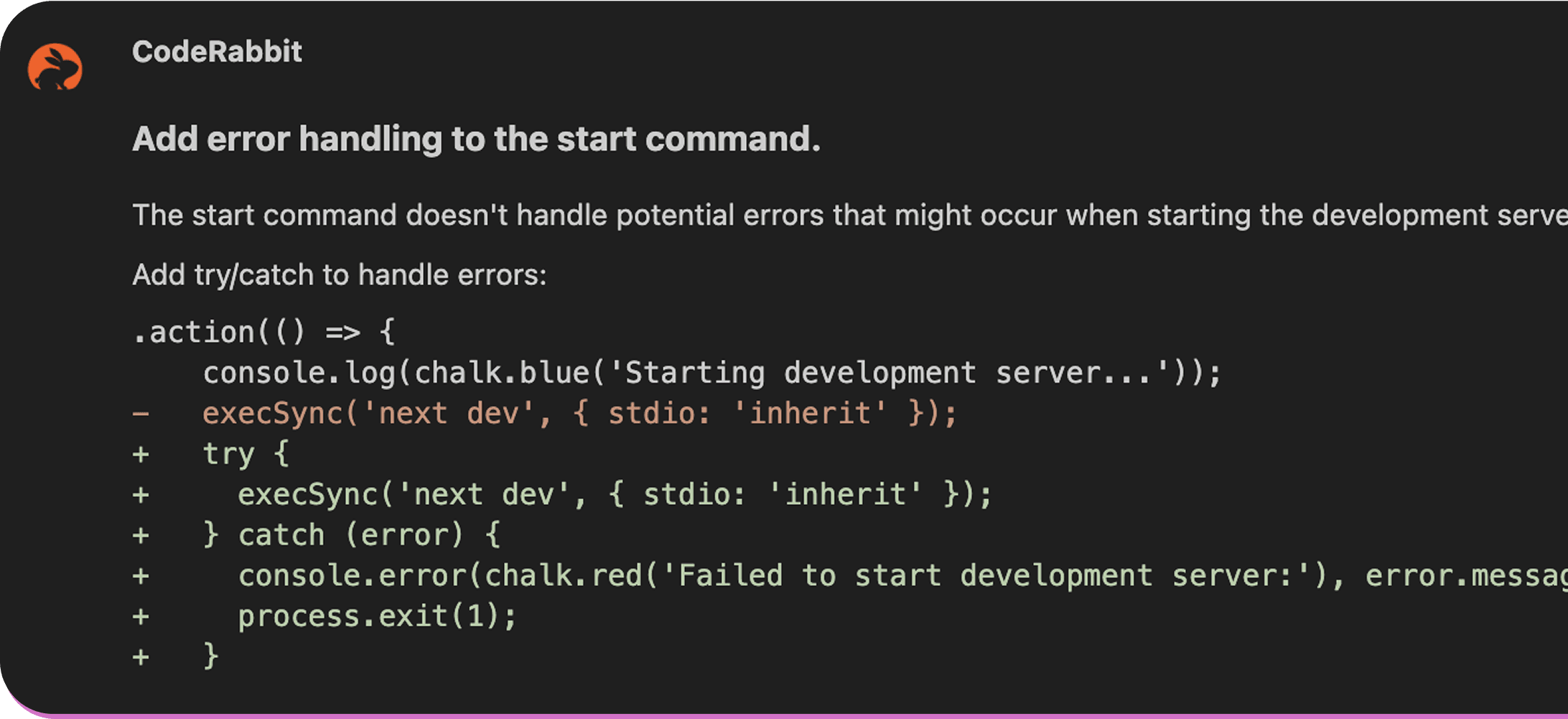
    Line by line code reviews in VS Code

  2. 流れを止めない設計
    コードを書く・レビューする・コミットする──この一連の流れを途切れさせません。CodeRabbitはコミット済み・未コミットの変更をすべてレビューし、開発フローを加速させます。
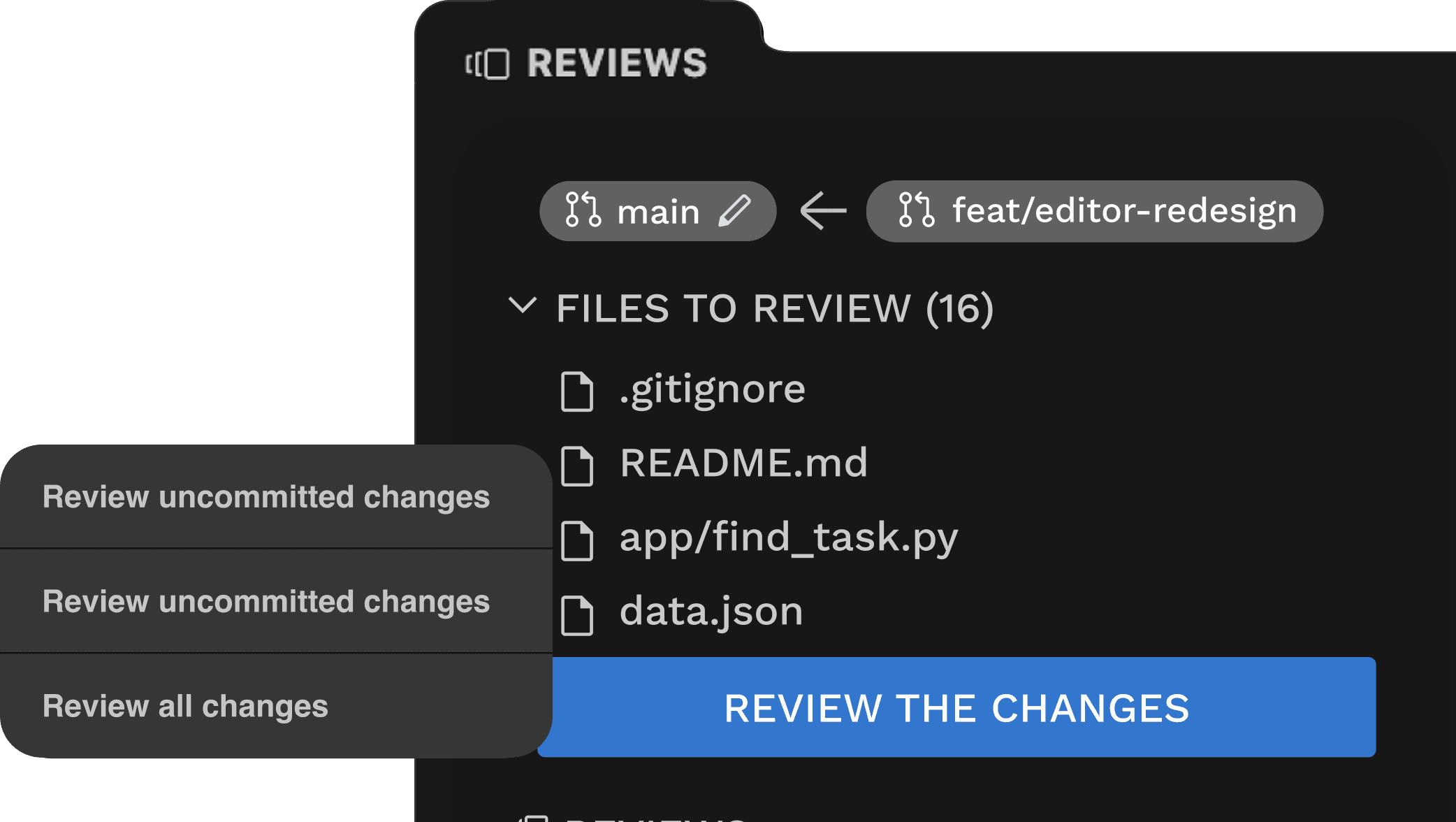
    review committed and uncommitted changes

  3. AIでそのまま修正
    シンプルな修正提案は「1クリック修正」で即時反映できます。より複雑なフィードバックには「Fix with AI」機能を使い、CodeRabbitのレビューコメントとコンテキストをお好みのAIコード生成ツールに引き継げます。
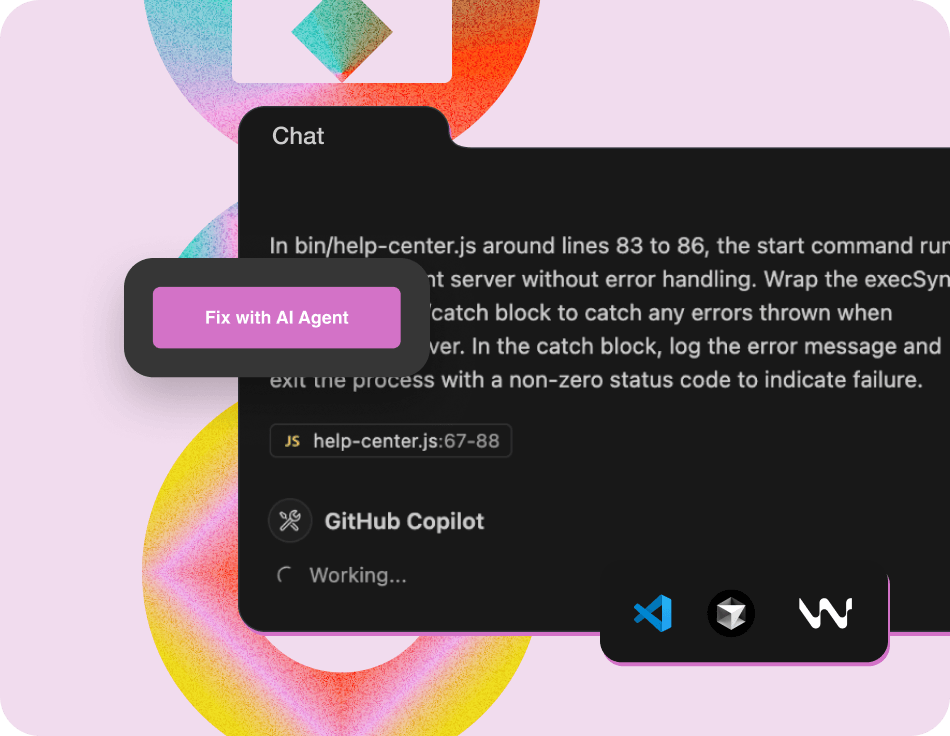
    Fix with AI

  4. フォーク互換・言語非依存
    CodeRabbitのVS Codeプラグインは、CursorやWindsurfを含むすべてのVS Codeフォークに対応しています。また、JavaやJavaScript、PHP、Python、TypeScript、Go、Rubyなど、一般的に使用される言語もすべてサポートしています。

IDEでのレビューは、PRレビューの軽量&高速版

IDE内での無料レビューは、CodeRabbitの軽量版によって実行されます。フィードバックは即座に返され、多くのバグを検出できます。ただし、本番環境を想定したユースケースでは、IDEレビューに加え、PRでもコードをレビューするフルバージョンのCodeRabbitをおすすめします。フルバージョンでは、さまざまな情報ソースをもとにした追加コンテキストを活用し、より充実したレビューを行います。

PRレビューをどのようにIDE向けの即時レビューに最適化したのか、技術的な詳細はこちらをご覧ください。

なお、IDEでのレビューにはPRレビューよりも低めのレート制限が適用されます。IDEレビューとPRレビューでどのような違いがあるのか、詳細な機能比較はこちらのドキュメントをご参照ください。

次のステップ

ぜひVS Code、Cursor、WindsurfでCodeRabbitの無料AIコードレビューをお試しください。そして、あなたからのフィードバックをお待ちしています。セットアップは数分で完了します。以下のリソースもご活用ください。

  • VS Codeプラグインをインストールする

  • デモ動画を見る

  • Discordでフィードバックを共有する

  • より高いレート制限をご希望の方は営業にお問い合わせください