CodeRabbit logoCodeRabbit logo
特徴エンタープライズカスタマー料金表ブログ
リソース
  • ドキュメント
  • トラストセンター
  • お問い合わせ
  • FAQ
ログイン無料試用を開始
CodeRabbit logoCodeRabbit logo

プロダクト

プルリクエストレビューIDE レビューCLI レビュー

ナビゲーション

私たちについて特徴FAQシステムステータス採用データ保護附属書スタートアッププログラム脆弱性開示

リソース

ブログドキュメント変更履歴利用事例トラストセンターブランドガイドライン

問い合わせ

サポートセールス料金表パートナーシップ

By signing up you agree to our Terms of Use and Privacy Policy

discord iconx iconlinkedin iconrss icon
footer-logo shape
利用規約プライバシーポリシー

CodeRabbit Inc © 2026

CodeRabbit logoCodeRabbit logo

プロダクト

プルリクエストレビューIDE レビューCLI レビュー

ナビゲーション

私たちについて特徴FAQシステムステータス採用データ保護附属書スタートアッププログラム脆弱性開示

リソース

ブログドキュメント変更履歴利用事例トラストセンターブランドガイドライン

問い合わせ

サポートセールス料金表パートナーシップ

By signing up you agree to our Terms of Use and Privacy Policy

discord iconx iconlinkedin iconrss icon

CodeRabbit for VS Code Is Here — Free AI Code Reviews

by
Sahil Mohan Bansal

Sahil Mohan Bansal

May 14, 2025

|

4 min read

May 14, 2025

4 min read

  • Benefits of AI code reviews in IDE
  • Vibe code with confidence
  • IDE reviews are a lightweight, faster version of our PR reviews
  • Next Steps
Back to blog
Cover image

共有

https://victorious-bubble-f69a016683.media.strapiapp.com/X_721afca608.pnghttps://victorious-bubble-f69a016683.media.strapiapp.com/Linked_In_a3d8c65f20.pnghttps://victorious-bubble-f69a016683.media.strapiapp.com/Reddit_feecae8a6d.png

他の記事を読む

PLATEAU SDK for Unity & UnrealにおけるCodeRabbit活用事例

PLATEAU SDK for Unity & UnrealにおけるCodeRabbit活用事例

PLATEAU SDK for Unity、およびUnreal(PLATEAU SDK for Unity & Unreal)以下は、国土交通省が提供するPLATEAUデータ、つまり日本の都市をデジタルに再現した3D都市モデルを、ゲームエンジン上で扱いやすくするためのツールです。UnityとUnreal Engine向けに提供されており、都市の見た目や情報を開発現場で活用しやすくすることを目的に開

セマンティック・ヒストリー:バイブコーディングがツイートから本番環境へ至るまで

セマンティック・ヒストリー:バイブコーディングがツイートから本番環境へ至るまで

A semantic history of vibe coding: Tweet, meme and workflow の意訳です。 AI の世界において、1年は永遠と同じくらい長い期間です。 2025年2月、Andrej Karpathy は、ソフトウェア界にツイートサイズの文化的マーカーを投下しました。それがバイブコーディングという言葉です。このフレーズが定着したのは、開発者エクスペリエンスに

CodeRabbitが、初の独立系AIコードレビューベンチマークで首位を獲得

CodeRabbitが、初の独立系AIコードレビューベンチマークで首位を獲得

CodeRabbit tops independent AI code review benchmark の意訳です。 AIコードレビューのベンチマークは、これまで主にコードレビューツールのベンダー自身によって公開されてきました(そして、自分たちのツールは、常に自社ベンチマークでトップになっています)。私たちは以前、なぜベンダー作成のベンチマークが、開発者がAIツールを選択する際に実際に必要とする

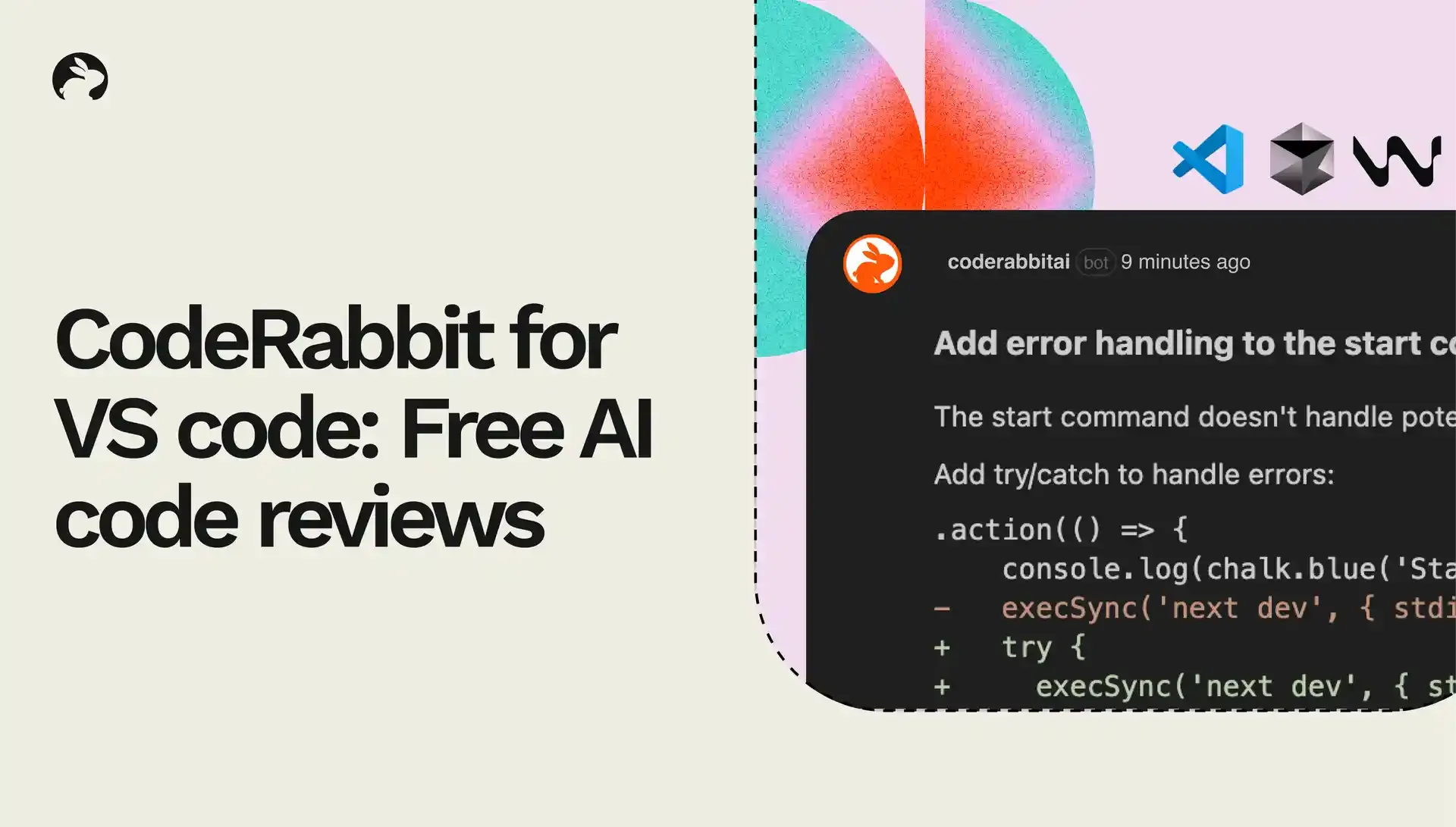
We’ve got exciting news to share! CodeRabbit’s AI code reviews are now delivered directly within VS Code and its forks including Cursor and Windsurf. And code reviews in the IDE are completely free!

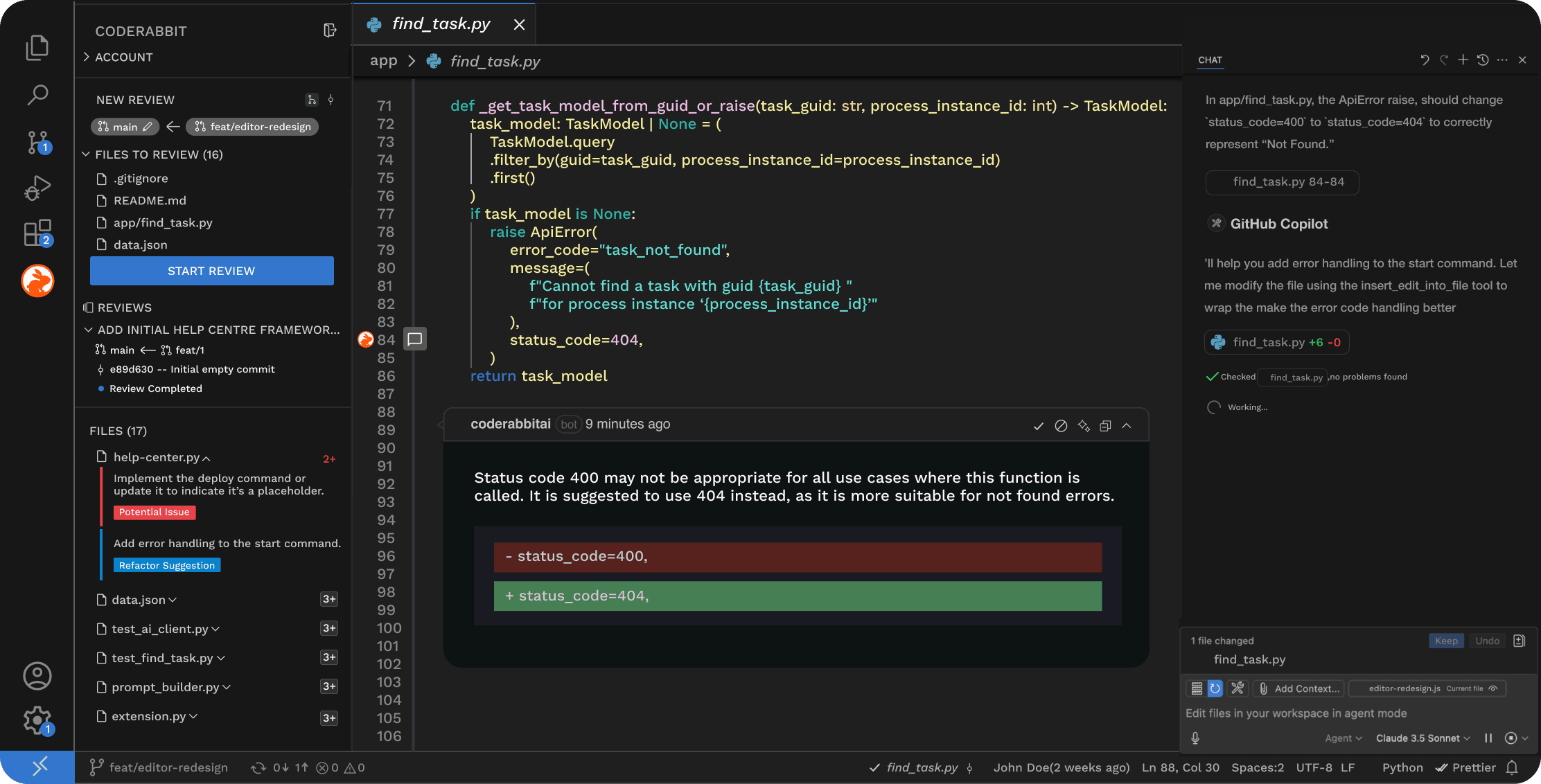
With this extension, we focused on building the best quality reviews in the IDE so that we can identify more bugs and issues for you than existing review tools. This brings CodeRabbit directly into your development workflow – making it much easier to incorporate our review feedback in your code.

To get started, simply install the CodeRabbit plugin in any VS Code fork. We will then review every commit, identify most bugs before the PR is raised, and help you ship code faster.

AI code reviews in IDE

Free AI code reviews in VS Code, Cursor and Windsurf

At CodeRabbit, we believe that the best tools fit seamlessly into your existing workflows. With our AI code reviews coming into Cursor and Windsurf, developers can now get code reviews done without breaking their flow state.

Benefits of AI code reviews in IDE

Code reviews in the IDE are a great way to:

  • Automate first pass of code review right as you’re coding.

  • Quickly catch and fix any issues right in your IDE.

  • Reduce back-and-forth at the PR stage, helping you ship faster.

  • Help you raise pull requests with greater confidence – and fewer bugs.

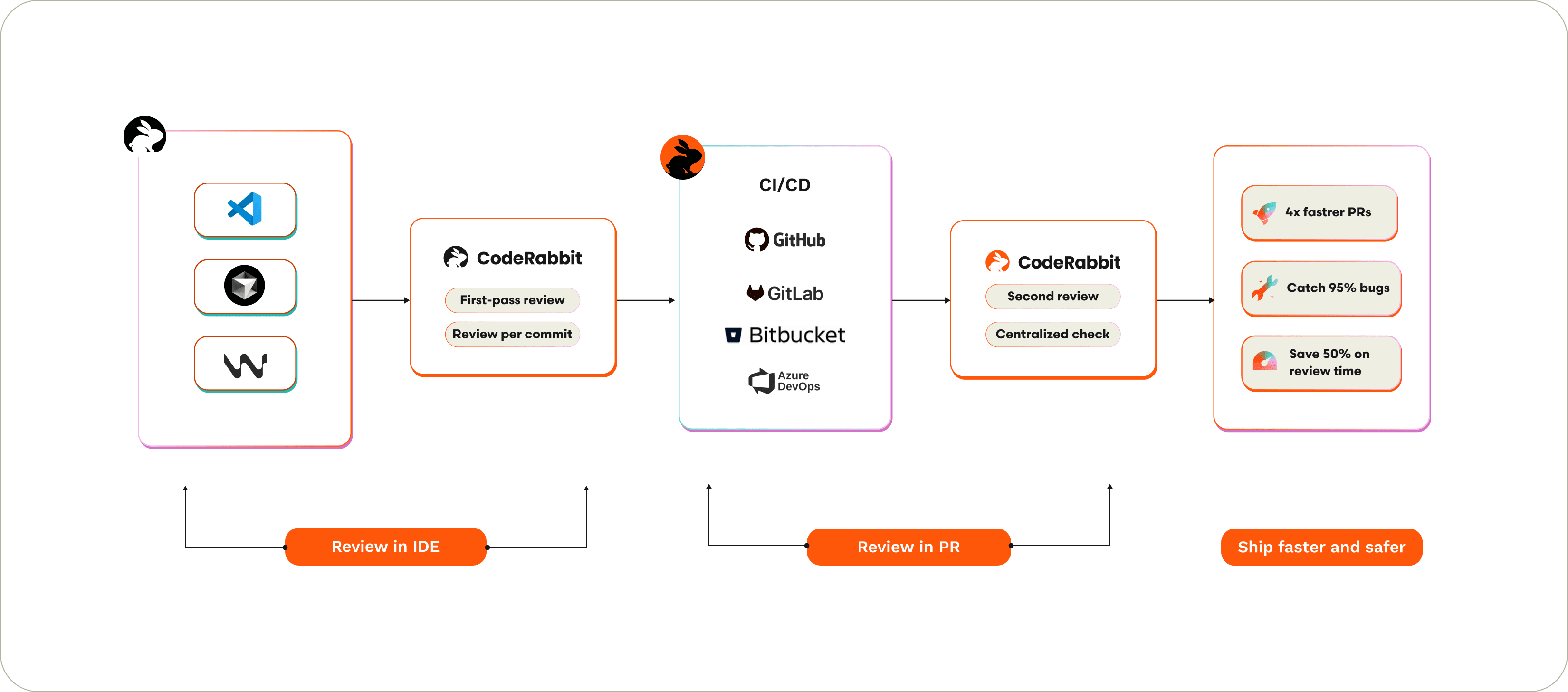
This multi-layered approach – with reviews in both the IDE and the Git platform – helps developers catch more bugs and reduce review time. Ultimately, code reviews are necessary in both places and deliver complimentary benefits. With reviews in the IDE, developers get a first pass review right as they are coding. With reviews in the Git platform, the entire team’s code is reviewed in a centralized manner, making it easier to catch issues that may creep in when all the commits come together.

This helps individual developers get faster feedback in their code editor – while also maintaining a centralized governance structure across the team.

Code reviews in IDE and in PR

Code Reviews in the IDE and in the PR

Vibe code with confidence

One of the key challenges we hear from developers is how AI coding agents can leave defects behind that are hard to catch. These AI code gen tools are not always able to catch defects in the code they generated. This is why having a second, independent set of eyes is critical to ensure that bugs are caught before they end up in production. Here’s how CodeRabbit works in the IDE:

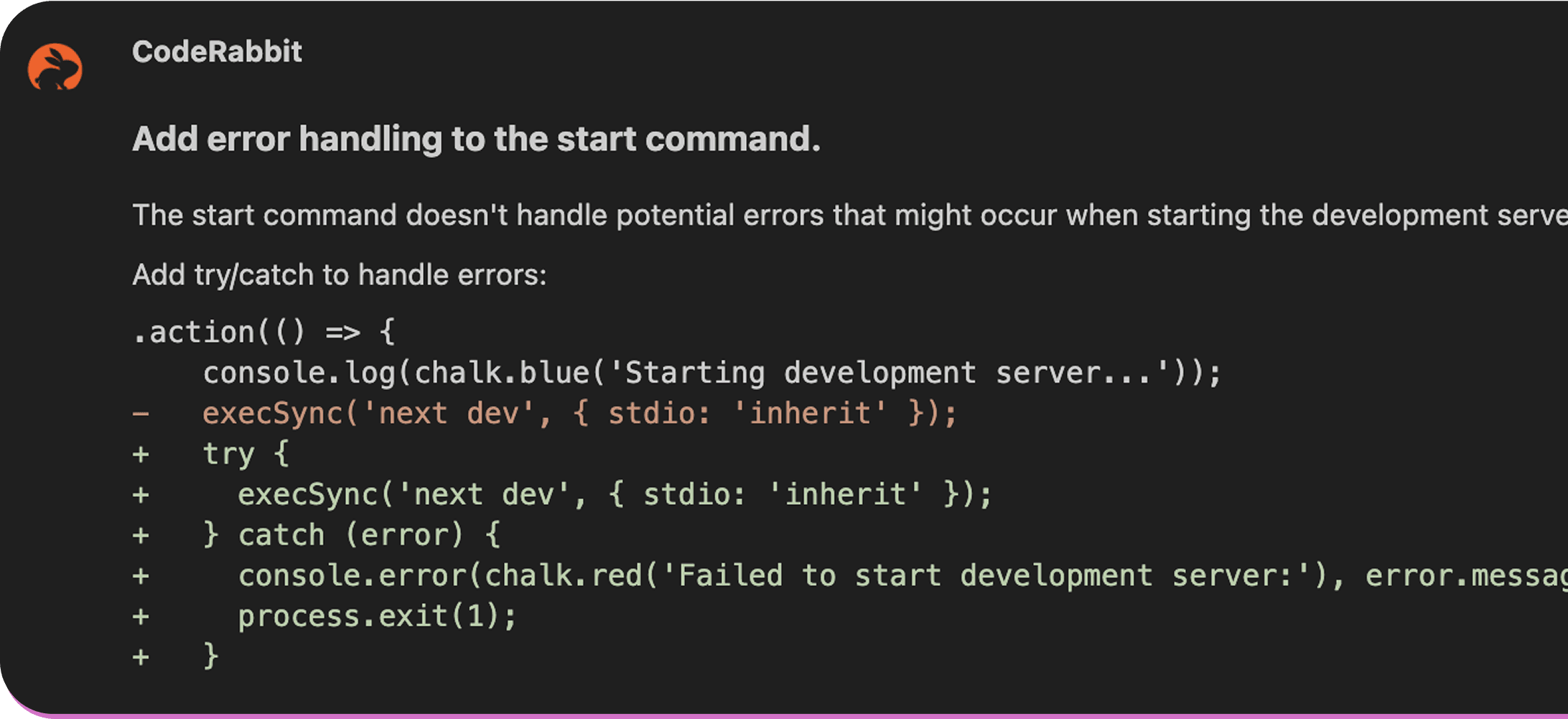
  1. Inline code reviews: Each line of code gets senior developer level attention with AI-powered inline review comments. CodeRabbit becomes your pair programmer, within the code editor.

    Line by line code reviews in VS Code

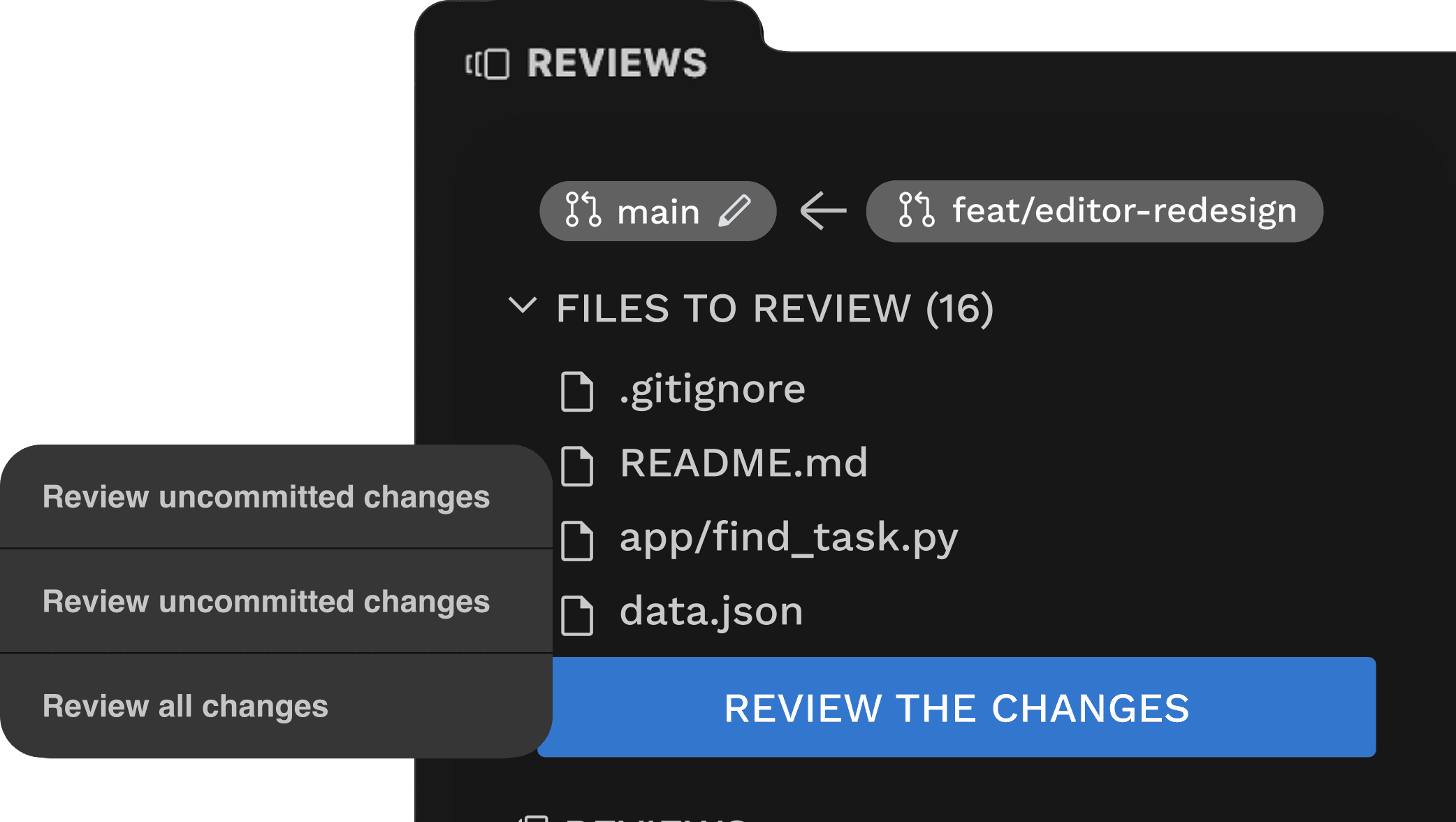
  2. Built for flow, not friction: Code, review, commit - without breaking your flow state. CodeRabbit reviews every committed and uncommitted change, making your dev workflow faster.

    review committed and uncommitted changes

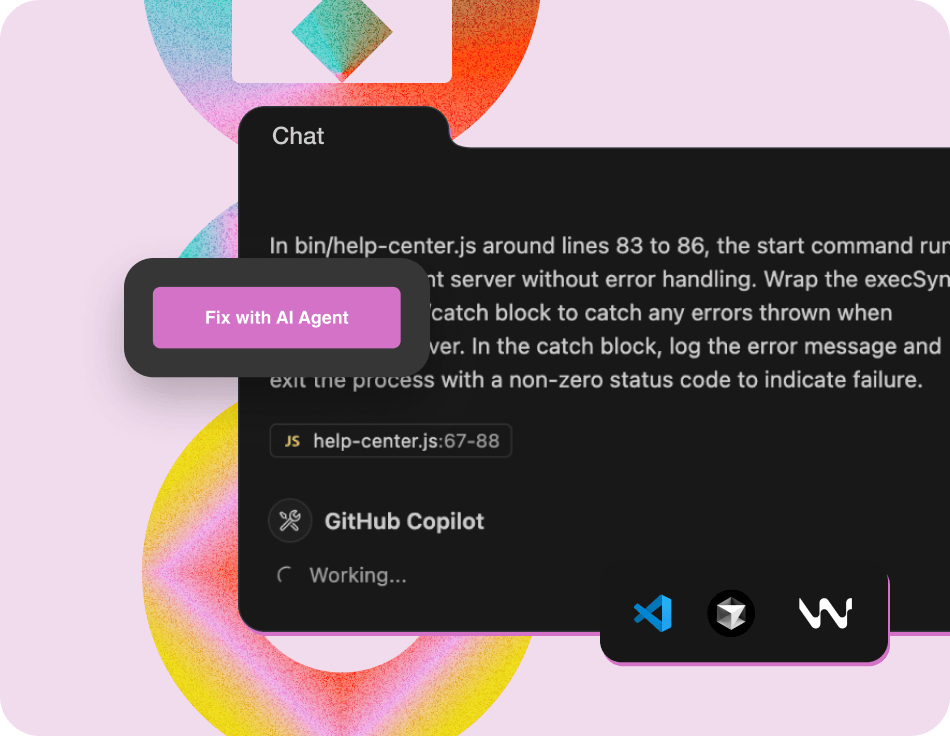
  3. Fix-with AI: Some review suggestions are simple and can be incorporated by using “One-Click Fix” to apply changes instantly. For more complex feedback, our “Fix with AI” feature hands off CodeRabbit’s review comments with associated context to your preferred AI coding agent.

    Fix with AI

  4. Fork-compatible and language agnostic: Our VS Code plugin supports all VS Code forks including Cursor and Windsurf. Also, all commonly used languages are supported such as Java, Javascript, PHP, Python, Typescript, Go, Ruby and many more.

IDE reviews are a lightweight, faster version of our PR reviews

Our free reviews in the IDE are done by a lightweight version of CodeRabbit that delivers feedback instantly and catches most bugs. For production use-cases, we recommend using the full version of CodeRabbit that also reviews code in the PR, in addition to reviews in the IDE, and comes with additional features that includes additional context from several sources during the review process.

Check out the technical details of how we adapted our PR reviewer for instant reviews in the IDE

Note that the rate limits for reviews in IDE will be lower than rate limits for reviews in PR. For a detailed feature comparison of what is included with reviews in IDE vs reviews in PR, refer to our documentation

Next Steps

Try out CodeRabbit’s free AI code reviews in VS Code, Cursor or Windsurf, we’d love to hear your feedback. Setup takes just a few minutes. Here are some additional resources to help get started:

  • Install the VS code plugin

  • Watch demo video

  • Share feedback on Discord

  • Contact Sales for higher rate limits