P0
Skip bot-authored comment review tasksReview this early because it can resolve assumptions that may affect nearby PRs and reduce rework.
Low security riskMaintenanceDeep reviewMedium effort

CodeRabbit Triage
When anyone on the team can create a PR, your queue descends into chaos. CodeRabbit Triage helps you ship value faster.
PRs increasingly arrive fully realized from diverse systems and agents.
Planning is being bypassed. Software development is no longer a linear progression that starts with the deliberate scoping of work.
Developers proactively create PRs. With the help of AI, developers often jump from idea to implementation.
Background agents create PRs from alerts. Products and monitoring systems can trigger automated fixes, including work that may not be needed or wanted.
PRs are piling up faster than teams can sort through and review them.
Teams and long-running agents are shipping more and longer PRs.
Endless PRs mean teams waste time managing queue logistics and prioritizing reviews.
Agent-written PRs can sit in queues until their context, value, or relevance has changed.
Triage now handles decisions that once belonged to planning, including whether PRs are important or coherent with other work.
| これまで | 現在 |
|---|---|
| Tasks were planned | PRs just show up |
| Priority was assigned | Priority is unclear |
| PRs rarely overlapped | PRs often overlap |
| Reviews were timely | PRs sit and become outdated |
See value, risk, and review effort together when deciding what to review next.
Get faster time-to-value on the PRs that matter to your business—new features, critical bug fixes, and more.
Use risk and review-effort signals to decide which PRs need a closer look.
Choose from reviewer suggestions based on code ownership, contributions, and review history.
Flag changes that touch sensitive systems so teams can apply the right depth of review.
Focus on what matters to you—by repository, author, or workstream.
See every PR in one Kanban view, ordered and annotated with the context your team needs.
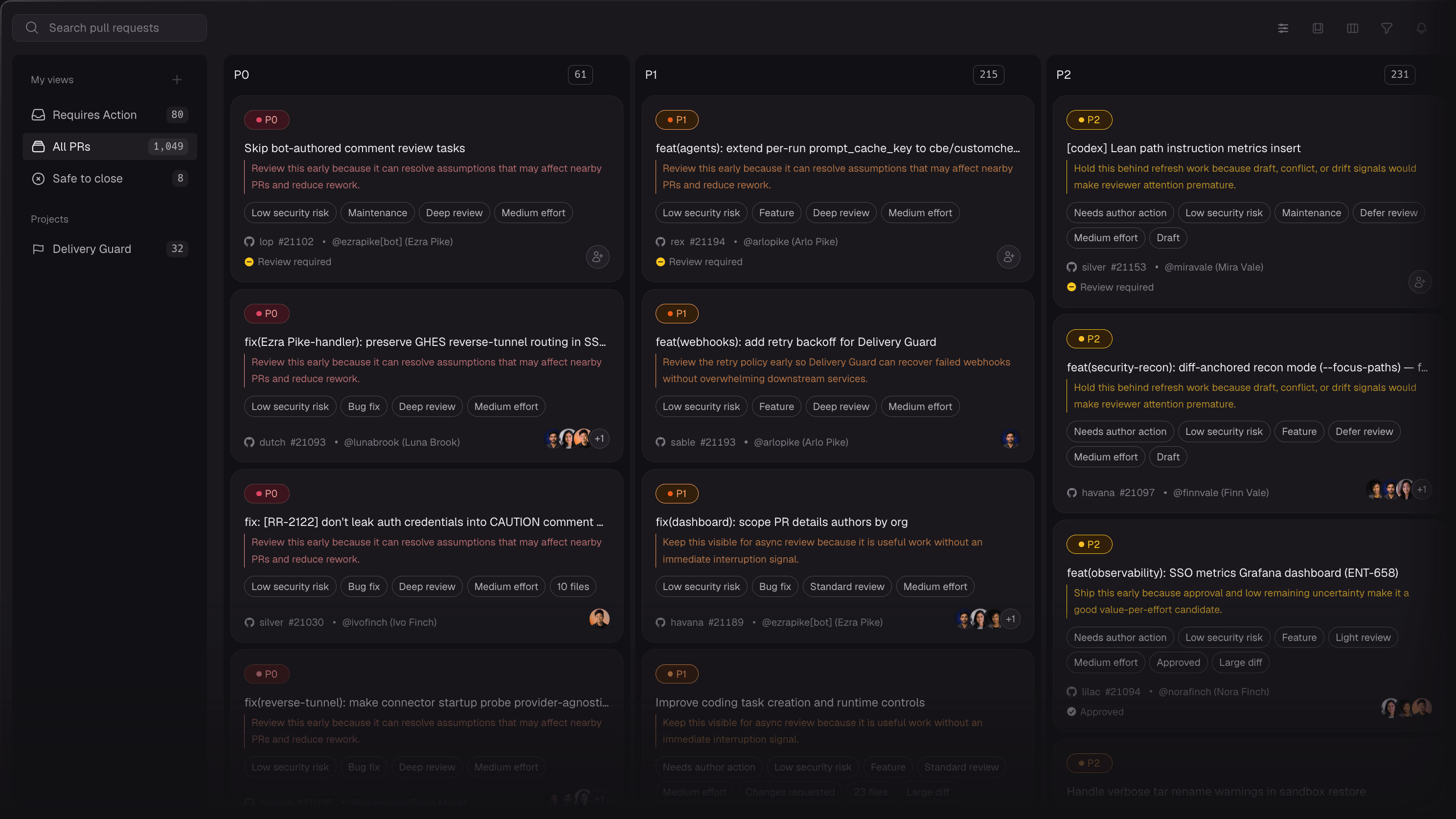
We give you the visibility you need to order the queue.
A Kanban board shows your PRs and why each one is prioritized.
Ranks PRs by business impact.
Shows risk signals to guide the depth of review.
Highlights PRs that overlap or are no longer relevant.
Choose a reviewer from the picker and send a review request on GitHub.
Turn your PR queue into a priority list.
See what needs attention next. Contact our team to confirm access for your organization.


