

CodeRabbit logoCodeRabbit logo
FeaturesEnterpriseCustomersPricingBlog
Resources
  • Docs
  • Trust Center
  • Contact Us
  • FAQ
Log InGet a free trial
CodeRabbit logoCodeRabbit logo

Products

Pull Request ReviewsIDE ReviewsCLI Reviews

Navigation

About UsFeaturesFAQSystem StatusCareersDPAStartup ProgramVulnerability Disclosure

Resources

BlogDocsChangelogCase StudiesTrust CenterBrand Guidelines

Contact

SupportSalesPricingPartnerships

By signing up you agree to our Terms of Use and Privacy Policy

discord iconx iconlinkedin iconrss icon
footer-logo shape
Terms of Service Privacy Policy

CodeRabbit Inc © 2026

CodeRabbit logoCodeRabbit logo

Products

Pull Request ReviewsIDE ReviewsCLI Reviews

Navigation

About UsFeaturesFAQSystem StatusCareersDPAStartup ProgramVulnerability Disclosure

Resources

BlogDocsChangelogCase StudiesTrust CenterBrand Guidelines

Contact

SupportSalesPricingPartnerships

By signing up you agree to our Terms of Use and Privacy Policy

discord iconx iconlinkedin iconrss icon

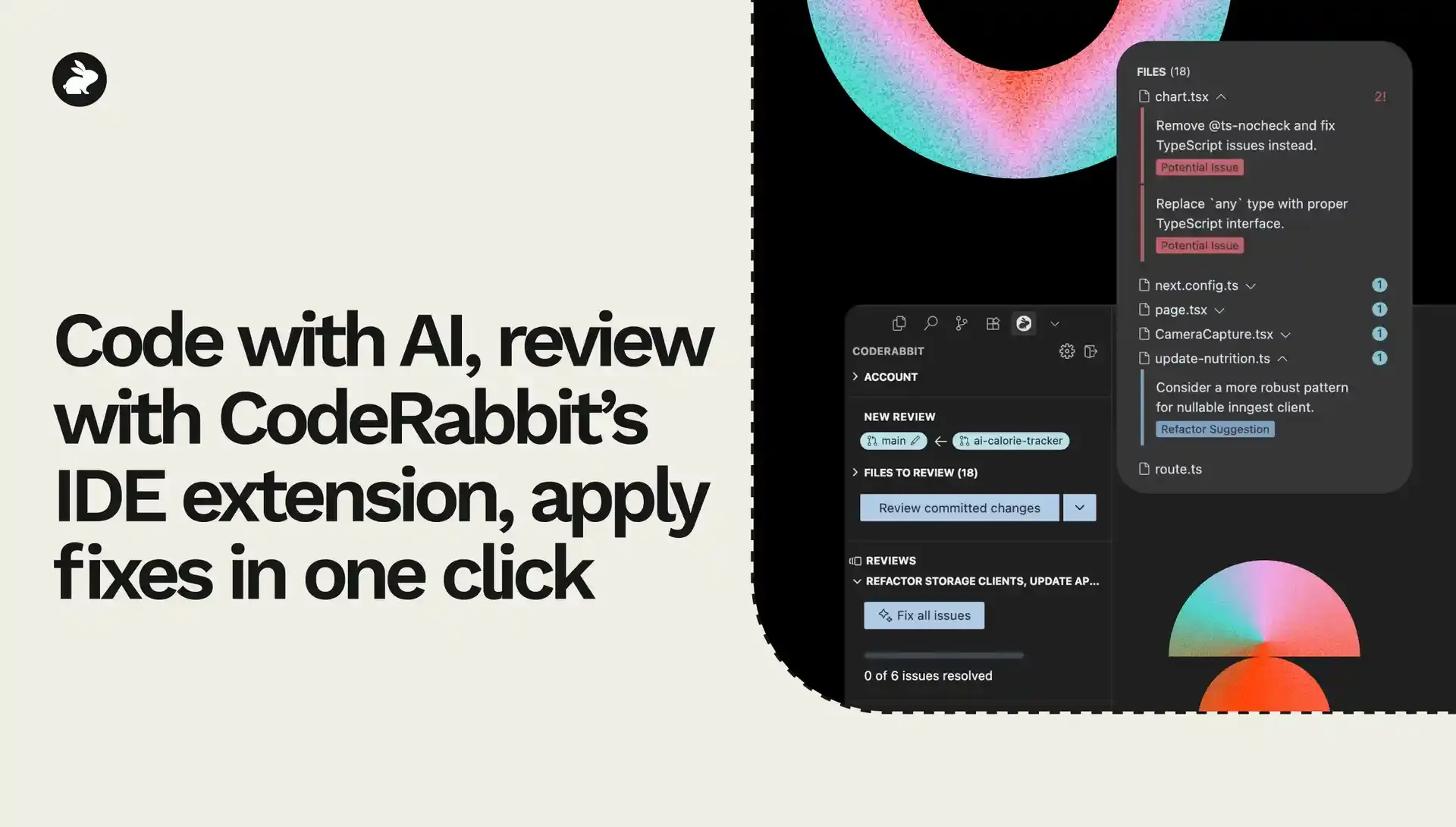
AIでコードを書き、CodeRabbitの機能拡張でレビュー。ワンクリックで修正を適用する

by
Atsushi Nakatsugawa

Atsushi Nakatsugawa

August 29, 2025

1 min read

Cover image

Share

https://victorious-bubble-f69a016683.media.strapiapp.com/Reddit_feecae8a6d.pnghttps://victorious-bubble-f69a016683.media.strapiapp.com/X_721afca608.pnghttps://victorious-bubble-f69a016683.media.strapiapp.com/Linked_In_a3d8c65f20.png

Cut code review time & bugs by 50%

Most installed AI app on GitHub and GitLab

Free 14-day trial

Get Started

Catch the latest, right in your inbox.

Add us your feed.RSS feed icon
newsletter decoration

Catch the latest, right in your inbox.

Add us your feed.RSS feed icon

Keep reading

Article Card ImageArticle Card ImageArticle Card ImageArticle Card Image

Show me the prompt: What to know about prompt requests

In the 1996 film Jerry Maguire, Tom Cruise’s famous phone call, where he shouts “Show me the money!” cuts through everything else. It’s the moment accountability enters the room. In AI-assisted software development, “show me the prompt” should play ...

Article Card ImageArticle Card ImageArticle Card ImageArticle Card Image

Why users shouldn’t choose their own LLM models: Choice is not always good

Giving users a dropdown of LLMs to choose from often seems like the right product choice. After all, users might have a favorite model or they might want to try the latest release the moment it drops. One problem: unless they’re an ML engineer runnin...

Article Card ImageArticle Card ImageArticle Card ImageArticle Card Image

An (actually useful) framework for evaluating AI code review tools

Benchmarks promise clarity. They’re supposed to reduce a complex system to a score, compare competitors side by side, and let the numbers speak for themselves. But, in practice, they rarely do. Benchmarks don’t measure “quality” in the abstract. They...

Get
Started in
2 clicks.

No credit card needed

Your browser does not support the video.
Install in VS Code
Your browser does not support the video.

Code with AI, review with CodeRabbit’s IDE extension, apply fixesの意訳です。

5月に公開したVS Code拡張は、多くの理由でゲームチェンジャーとなりました。最大の理由は、コーディングとレビューを同じ場所、つまりIDEで行うことで、フロー状態を保てるようになったことです。

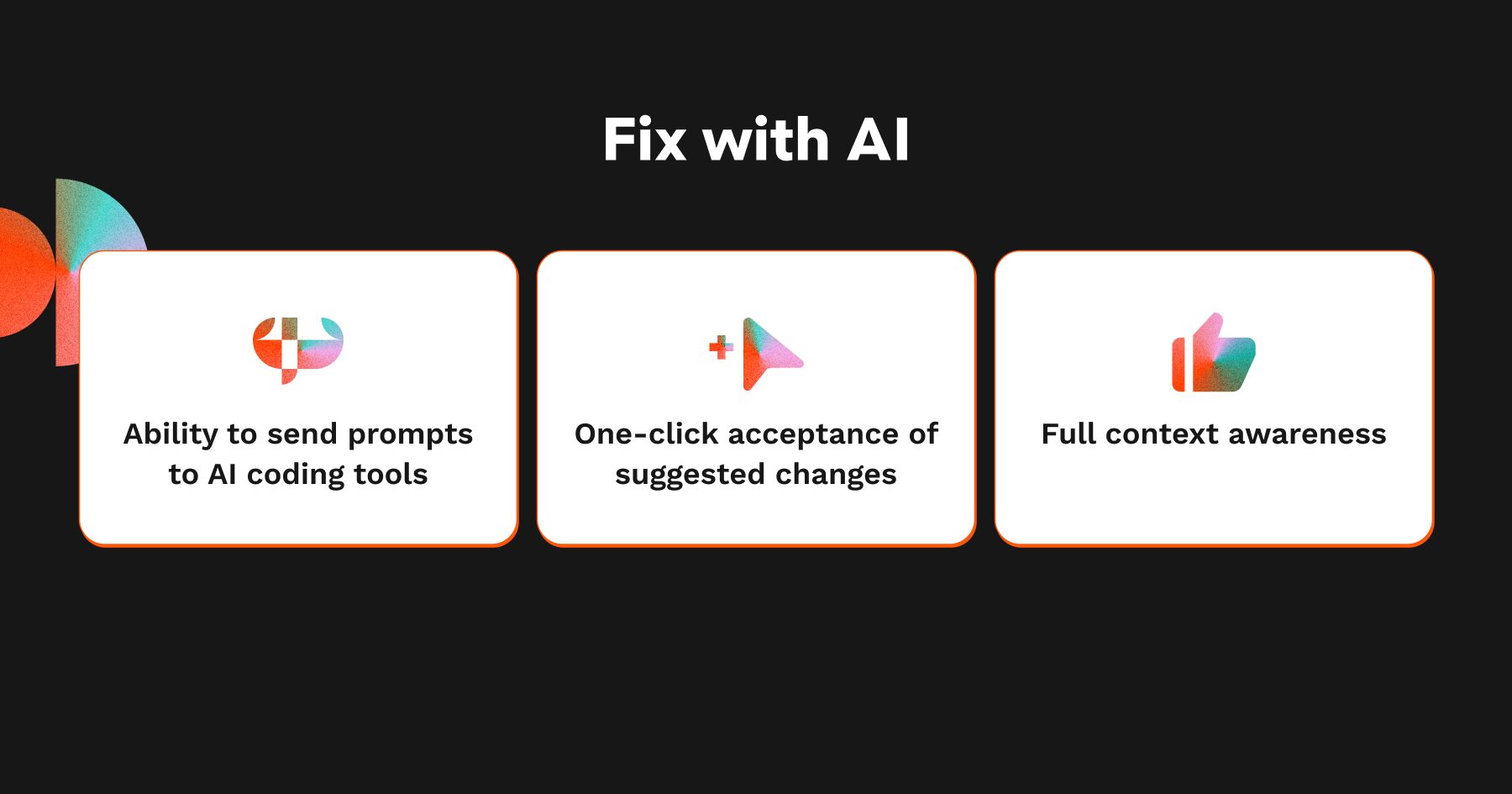
今回のリリースでは、次の機能を追加しました。

  • AIコーディングツールへのプロンプト送信機能: 好みのAIコーディングアシスタントでコードを書き、CodeRabbitのインテリジェントなレビューを受け、用意されたプロンプトで提案された変更をすべて適用できます。しかもIDEから離れる必要はありません。

  • **提案された変更のワンクリック適用:**最も要望の多かった機能です。個別にクリックして回る代わりに、すべての提案を一度に適用できます。

  • **完全なコンテキスト認識:**CodeRabbitのPRレビューが持つコンテキスト認識と同じレベルを、Proアカウントのユーザーでも考慮します。つまり、IDEでのコードレビューでもLearningsを活用し、コード品質やコードセキュリティツールを実行し、エージェントのCode Guidelinesに準拠します。

  • **さらなる連携:**Codex CLI、Cline、Roo、Kilo Code、Augment Codeとの連携に対応します。

  • **フィードバック提供機能:**各提案について、フィードバックを送ることもできます。

これにより、IDE上で人間のPRレビュアーと同じようにコードをレビューし、CodeRabbitまたはAIコーディングツールの助けを借りて、その変更をすばやく適用(プルリクエストを作成する前に実施)できます。
あなたにとってのメリット

これにはいくつもの利点があります。

  • イテレーションのループが改善します: AIでコーディングし、CodeRabbitのAIレビューでフィードバックを受けて提案された変更を、これまでよりも速く一括適用できます。

  • よりクリーンなPR: PRは取りこぼした課題や人間によるレビューのために残しておけます。

  • 見栄えが良くなります: エラーだらけのコードを上司やチームに出す必要はありません。CodeRabbitのIDEレビューは、マージリクエスト前のダブルチェックに最適です。しかも、今はさらに簡単です。

これが、出荷スピードの向上と、PRレビュー全体の負担軽減に役立つことを願っています。

今後のロードマップ

  • **ユーザーレベルのLearnings:**Learningsの追加や提案へのフィードバックを行えるようにし、エージェントがあなたの好みの提案と好まない提案を自動的に学習できるようにします。現在はSCMで組織単位のLearningsに対応していますが、個々の開発者が自分専用のLearningsを追加し、それが自分にのみ適用されるよう機能を拡張したいと考えています。

  • **Webクエリー:**コンテキスト強化機能をIDEツールに統合し、LLMが最新でなくても、バグのないコード、誤検知の少ない結果、バージョンやライブラリドキュメント、脆弱性に常に追随したレビューを実現する予定です。

  • **Docstrings:**マージ前にDocstringを作成したいですか?現在PRレビューに含まれているこの機能を、今後はIDEレビューにも追加します。

大事なことなのでもう一度。IDEレビューは無料(ただしレート制限あり)です。VS Code拡張はこちらからダウンロードできます。