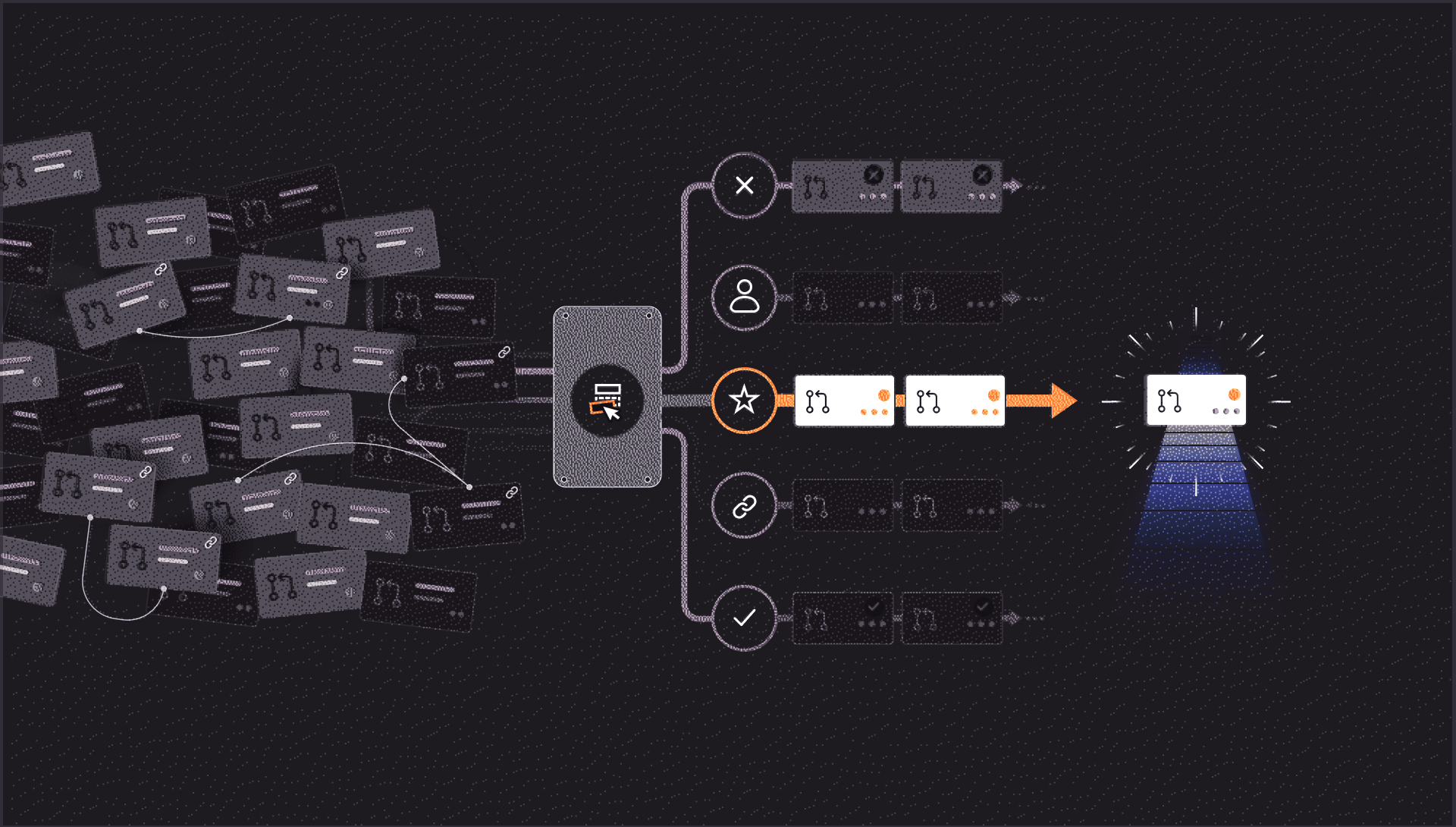
AI coding tools and agents make it faster to produce code and open pull requests. As those requests accumulate, teams have to decide which changes need attention first. That starts with understanding what each PR needs next and who can move it forward.
That is the problem we set out to solve with CodeRabbit Triage. We started by organizing the queue, but quickly realized it was only useful if we could clearly see where each PR stood.
What a sorted list can’t tell you
An inbox concept is a natural starting point for organizing a PR queue. Some tools group open pull requests into sections, giving reviewers one place to see work that needs their attention.
We began with a similar approach, but our filters sometimes labeled PRs as needs review for people who had already approved them. We also surfaced approved PRs with merge conflicts as though they needed another review, even when the next step was for the author to rebase.
Those PRs matched the filters we had written. The problem was what the label told the reviewer to do. Someone would open a PR expecting to review it, only to discover that the next action belonged to its author.
Repeated mistakes like that give reviewers a reason to question the queue. The extra work of opening each PR to check its status before deciding whether to act undermines the usefulness of the inbox.
We needed to establish what each PR needed next and who was responsible for it before deciding where it belonged in the queue.
Deciding what a PR needs next
To do that, we first had to clarify what each part of the system was responsible for deciding. Early designs treated buckets, lifecycle stage, priority, health, readiness, next action, and ownership as separate concepts, but their responsibilities sometimes overlapped.
Those overlaps became clearer during implementation. A PR can be high priority even when no one can act on it yet. The interface had to explain both its priority and what was holding it up.
We separated workflow classification from comparative ranking because they serve different purposes.
- Workflow classification determines what the PR needs next. Explicit rules evaluate the available evidence to establish the workflow state, next step, responsible role, and whether an action or review is overdue. These decisions are made without an AI model.
- Comparative ranking determines the order of attention. Once workflow states are established, ranking helps decide which PRs to look at first and how deeply to review them. It cannot change their workflow states.
The classifier checks the following rules in order and selects the first match:
1. Closed or untracked → untracked
2. Strong retirement evidence, after close protections → close_candidate
3. High explicit risk or duplicate/superseded evidence → needs_decision
4. Requested changes, unresolved threads or stale approval → needs_update
5. Merge conflicts → blocked
6. Base drift → needs_update
7. Draft status → needs_update
8. Failing required checks → blocked
9. Missing current review or stale reviewer attention → needs_review
10. Otherwise choose the highest-utility action: merge, author update, reviewer action, refresh, revive, close, monitor or watch.
Human judgment about whether a PR should proceed takes precedence over mechanical fixes, which is why needs_decision comes before blocked. If a PR duplicates work that has already merged, the team should decide whether to keep it before spending time resolving its conflicts. Requested changes also come before detected conflicts because reviewer feedback provides a more specific next step.
The classifier records every applicable reason, even though it selects the workflow state from the first matching rule. It then identifies one next action and one responsible role. With those established, ranking determines where the PR belongs in the queue.
Why "Other" still exists
Even with those rules, some PRs need a fallback category. In our case, Other was often mistaken for a low-priority score. It is a review workflow label the system uses when current evidence cannot support a more specific handoff.
When Triage cannot derive an action label from the review record for the latest reviewable commit, it falls back to the PR's workflow state:
- needs_review becomes Not reviewed by CodeRabbit when no completed CodeRabbit review is recorded for that commit; otherwise, it becomes Awaiting your review.
- needs_update, blocked, and needs_decision become Waiting on author.
- All remaining states, including monitor and close_candidate, become Other.
Other also covers situations where no action label accurately describes what should happen next. Pending checks are one example. A PR may be waiting for checks to finish before it can merge, with no author action required while they run.
Keeping Other makes those limits visible. A more specific label needs supporting evidence; otherwise, we risk sending reviewers or authors back to address work that requires no action from them, which is the same problem people encounter with the PR inbox concept.
How priority is computed
Triage uses priority levels from P0 to P3. Its base score is calculated from verifiable evidence about the PR using deterministic rules, so the same inputs produce the same result. The displayed priority can also reflect administrator rules, a CodeRabbit verdict, or a manual override, as described in the prioritization documentation.
The calculation uses three signals.
- Severity - How serious the current, validated review findings are
- Urgency - How urgent a linked Linear or Jira issue is
- Impact - How many other open PRs are blocked waiting on this one
Each signal is normalized to a value between 0 and 1, and a missing signal contributes zero. We combine them so that one strong signal can produce a high priority on its own, several moderate signals reinforce each other, and adding positive evidence never lowers the score.
function computePriority(s: PrioritySignals): Priority {
  const impact = combine(s.severity, s.externalUrgency, s.dependencyImpact);
  const score = Math.round(100 * impact);
  const bucket = toBucket(score);

  // Internal signals alone can't declare an emergency.
  if (bucket === "P0" && !s.hasQualifyingExternalEvidence) {
    return { bucket: "P1", score: 84 };
  }
  return { bucket, score };
}
We tune the curves and weights behind the calculation. The resulting score maps to the four priority levels shown below.
Priority helps reviewers decide which PR to look at first. Workflow status tells them what needs to happen next. For example, a P1 PR might fix an urgent problem while still needing its author to resolve a merge conflict or fix failing checks. Those blockers appear in its workflow status and are handled separately from its priority score.
Missing evidence needs particular care, because an unreviewed PR can receive a P3 score.
The PRs nobody had looked at
Every priority model has to decide what to do with a PR that has no review findings, no linked issues, and no other PRs depending on it. We treat each missing signal as zero, which gives us this result.
severity:         0   // no validated review findings yet
externalUrgency:  0   // no linked issue
dependencyImpact: 0   // nothing blocked on it

score = 0  →  P3
The math is straightforward, but the result is easy to misread. A reviewer might see P3, assume the PR is low priority, and take that to mean someone has checked it and found little reason for concern.
That creates a problem. A PR with evidence of moderate impact can rank above one that nobody has evaluated at all. The unreviewed PR gets a lower score because evidence is missing.
One tempting fix is to invent a number here. We kept the score tied to the available evidence.
- P3 reflects the available priority evidence - It means the scoring signals have yet to establish an elevated near-term priority. A P3 PR may still be valuable and need careful review.
- Evidence expires - Review findings are tied to the version of the PR they were evaluated against. When a new commit arrives, the stale severity contribution is removed until current evidence is available.
- Review status stays visible alongside priority - Whether anyone has reviewed the PR, who has approved it, whether it is waiting on its author, and whether checks pass or merge conflicts exist are recorded in separate fields. Reviewers can see both its priority and what needs to happen next.
Each contribution to the score traces back to evidence a reviewer can inspect.
The model
CodeRabbit Triage uses a repository-level model to compare PRs. It considers value relative to remaining effort, time sensitivity, information value, rework risk, dependency order and the amount of human judgment each change needs.
Two PRs can have similar checks and activity, while one unblocks a release or tests an assumption that several other changes depend on. The model considers those differences when ranking them.
The model returns a repository-local rank, an advisory urgency assessment, recommended review depth, a short explanation, and relationships between PRs. These ranking and review-guidance outputs do not feed the deterministic base score through an attention adjustment.
The displayed P0–P3 priority follows a separate precedence: manual overrides take priority over a CodeRabbit verdict, which takes priority over administrator rules and the base score. The base score and verdict are recomputed when evidence changes, rather than on a fixed timer. See how Triage prioritizes for the current behavior.
Deterministic code controls workflow state, next action, readiness, eligibility, permissions, and any action that changes the PR or sends a notification. Keeping those controls separate from ranking and review guidance preserves the routing that identifies who acts next.
Each person sees a personalized queue and a next action tailored to their role. A separate attention score determines where a PR appears for that person using these signals:
- Who owns the next action
- How long a handoff has been waiting
- Recent activity
- Waiting pressure
- Engagement
- Impact
- Review effort
Repository rank and model output are excluded from this calculation. A PR rises in a person’s queue according to their responsibility for it and the pressure to act.
That responsibility extends to taking action. Triage can suggest reviewers and explain why it selected them. Requesting a review, pinging someone in Slack, or changing the PR’s state in the connected platform requires an explicit human action.
The interface
Once the state model was settled, we designed the interface around grouping, subgrouping, filters, display properties, and saved views. These controls let users organize the queue around the question they need to answer.
The first axis - grouping
Triage gives reviewers a focused way to prioritize and work through that queue.
- Workflow - See which PRs are awaiting review, need author follow-up, or are ready to merge
- Author - See whose PRs are waiting and what is holding them up.
- Repository - See where work needs attention across repositories.
The second axis - subgrouping
Subgrouping adds another level of detail within each group. Group by Priority, then subgroup by Review workflow, and the P1 group separates into PRs awaiting human review, awaiting CodeRabbit review, requiring author action, or ready to merge.
That gives you a practical starting point for the morning. You can pick up high-priority reviews assigned to you, see which PRs need their authors’ attention, and check what is ready to merge.
For a different view, group by Review workflow and subgroup by Review guidance. Filter for Awaiting human review, and you can separate PRs recommended for a quick review from those likely to need more uninterrupted time.
These views depend on consistent information about each PR. A PR marked P1 and awaiting human review should show the same priority and status wherever it appears. Changing the grouping changes how you see that information; the PR’s underlying state stays the same.
Grouping organizes, filters narrow the queue
We began this project with filters doing both jobs, but that quickly became difficult to manage. Filters determine which PRs stay in view. Grouping arranges those PRs so reviewers can see what needs their attention.
For example, you can filter to one repository and then group its PRs by workflow to see which are awaiting review and which need author action.
Remember your setup with views
Once you have configured your Triage board or list, save it as a view. A view keeps the filters, groupings, layout, and ordering so you can return to the same setup without rebuilding it each time.
Where Triage fits into Agentic Change Management
CodeRabbit Triage addresses one part of a larger problem. As agents make implementation cheaper, teams receive more proposed changes than they have time to validate and understand. They still need to take responsibility for the code they accept.
Agentic Change Management brings those responsibilities into a shared workflow for changes created by people and agents. It starts with independent review and validation, helps teams prioritize human attention, explains how changes affect the codebase, and extends security analysis to committed code.
Triage handles prioritization and identifies the next action for each PR. It answers two questions:
- What needs attention now and why?
- Who should act on it?
The reviewer can then see why a PR has reached them, what it needs, and the evidence behind that recommendation before deciding how to proceed.
See what needs your attention next
CodeRabbit Triage shows each PR’s current state, who owns the next action, how long that action has been waiting, and the evidence behind its priority. You can see why a PR is near the top of your queue and what you’re being asked to do.
CodeRabbit Triage is available now. Open your queue to see which PRs are waiting for your review, which need an author’s follow-up, and which are ready to merge.