

CodeRabbit logoCodeRabbit logo
AgentEnterpriseCustomersPricingBlog
Resources
  • Docs
  • Trust Center
  • Contact Us
  • FAQ
  • Reports & Guides
Log InGet a free trial
CodeRabbit logoCodeRabbit logo

Products

AgentPull Request ReviewsIDE ReviewsCLI ReviewsPlanOSS

Navigation

About UsFeaturesFAQSystem StatusCareersDPAStartup ProgramVulnerability Disclosure

Resources

BlogDocsChangelogCase StudiesTrust CenterBrand GuidelinesReports & Guides

Contact

SupportSalesPricingPartnerships

By signing up you agree to our Terms of Use and authorize CodeRabbit to provide occasional updates about products and solutions. You understand that you can opt out at any time and that your data will be handled in accordance with CodeRabbit Privacy Policy

discord iconx iconlinkedin iconrss icon
footer-logo shape
Terms of Service Privacy Policy

CodeRabbit, Inc. © 2026

CodeRabbit logoCodeRabbit logo

Products

AgentPull Request ReviewsIDE ReviewsCLI ReviewsPlanOSS

Navigation

About UsFeaturesFAQSystem StatusCareersDPAStartup ProgramVulnerability Disclosure

Resources

BlogDocsChangelogCase StudiesTrust CenterBrand GuidelinesReports & Guides

Contact

SupportSalesPricingPartnerships

By signing up you agree to our Terms of Use and authorize CodeRabbit to provide occasional updates about products and solutions. You understand that you can opt out at any time and that your data will be handled in accordance with CodeRabbit Privacy Policy

discord iconx iconlinkedin iconrss icon

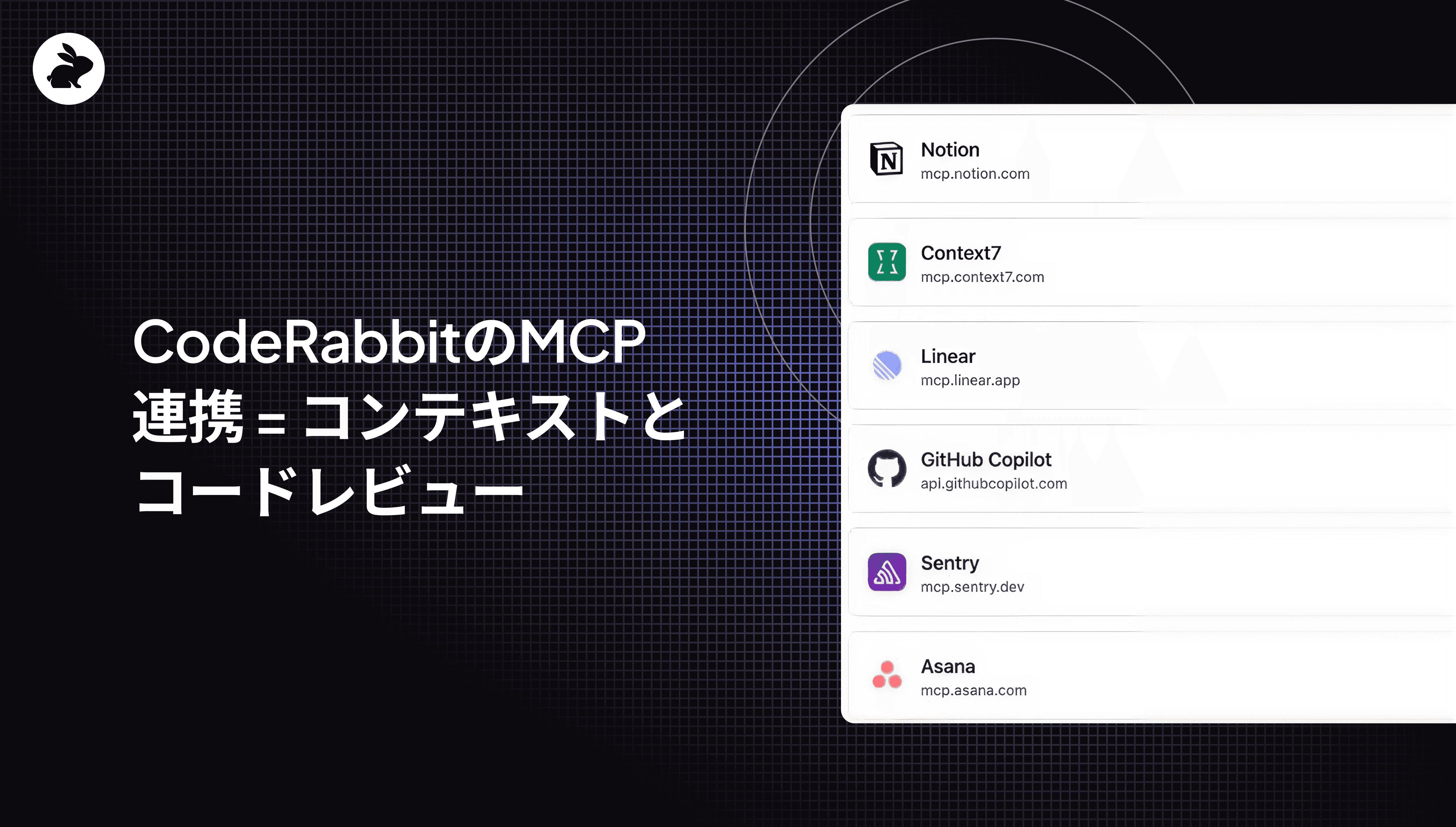
CodeRabbitのMCP連携 = コンテキストとコードレビュー

by
Atsushi Nakatsugawa

Atsushi Nakatsugawa

September 17, 2025

2 min read

September 17, 2025

2 min read

  • なぜAIコードレビューにMCPが必要なのか?
  • 実際にはどう動くのか…
  • どのツールからでも重要なコンテキストを取り込む
    • 技術的コンテキスト
    • ビジネスコンテキスト
    • 組織的コンテキスト
  • MCP統合を始めるには
  • あらゆるコンテキストを取り込むレビュー基盤
    • 次のステップ:
Back to blog
Cover image

Share

https://victorious-bubble-f69a016683.media.strapiapp.com/Reddit_feecae8a6d.pnghttps://victorious-bubble-f69a016683.media.strapiapp.com/X_721afca608.pnghttps://victorious-bubble-f69a016683.media.strapiapp.com/Linked_In_a3d8c65f20.png

Cut code review time & bugs by 50%

Most installed AI app on GitHub and GitLab

Free 14-day trial

Get Started

Catch the latest, right in your inbox.

Add us your feed.RSS feed icon
newsletter decoration

Catch the latest, right in your inbox.

Add us your feed.RSS feed icon

Keep reading

Why your internal AI code review tool will cost more than you think

Why your internal AI code review tool will cost more than you think

The prototype is the easy part. Here's what engineering teams consistently underestimate when they build AI code review internally, with cost benchmarks across three org sizes.

Opus 4.8 benchmark results for AI code review and code generation

Opus 4.8 benchmark results for AI code review and code generation

Opus 4.8 is the best model we have used for long-horizon agentic coding and code generation, and it holds its own on code review out of the box.

CodeRabbit now supports NVIDIA Nemotron 3 Ultra

CodeRabbit now supports NVIDIA Nemotron 3 Ultra

NVIDIA Nemotron 3 Ultra delivers accurate and fast throughput in CodeRabbit's self-hosted AI code reviews.

Get
Started in
2 clicks.

No credit card needed

Your browser does not support the video.
Install in VS Code
Your browser does not support the video.

CodeRabbit MCP server integration: Code reviews with more contextの意訳です。

すべての開発チームは、孤立した状態で行うコードレビューのつらさを知っています。AIツール(あるいはチームメイト)であっても、文法やスタイル、パターンにコメントはできます。しかしビジネス要件、デプロイ依存関係、組織的な知識がなければ、全体像の半分を推測に基づいている状態です。

CodeRabbitは現在、Linear、Jira、Circle CIといったいくつかのネイティブ統合を提供しており、これらのツールがコードレビューにもたらす価値を確認してきました。だからこそ今回、CodeRabbitのMCPサーバー統合のGAリリース を発表できることがとても嬉しいです。これにより、さらに多くのコンテキストをレビューに取り込めるようになります。

本リリースで、CodeRabbitはConfluenceにあるビジネス要件からCI/CDパイプラインのシステム依存関係、さらには社内MCPサーバーのデータまで、開発エコシステム全体からコンテキストをオーケストレーションできる初のAIコードレビュープラットフォームとなりました。つまり、コードが「何を達成しようとしているのか」を本当に理解するレビューが可能になるのです。

14日間の無料トライアルを開始 → 約10分で、チーム標準に基づいたコンテキスト対応のレビューを実現。

なぜAIコードレビューにMCPが必要なのか?

開発チームは数多くのツールを使って作業しています。

  • 要件はLinearにある

  • 設計仕様はFigmaにある

  • アーキテクチャの決定はConfluenceに記録される

  • セキュリティ基準は監査ごとに社内Wikiで更新される

AIコードレビューツールは基本的なコンテキスト、つまりコードベース、コーディング規約、いくつかの統合から始めます。構文を解析し、パターンを確認し、改善を提案します。しかし「そのコードがチームにとって本当に機能するかどうか」を左右するコンテキストは欠けています。

MCPクライアントとしてのCodeRabbitは、組織コンテキストのコンパイラの役割を果たします。Wiki、チケット、デプロイパターンといった高レベルの入力を正確で実用的なコードレビューインサイトへと変換します。冗長な統合や脆いハックに頼ることなく、MCPはCodeRabbitのようなクライアントがLinearチケット、Confluenceドキュメント、Datadogメトリクス、Slackのディスカッションといった場所から必要なデータだけを取り込めるようにします。

実際にはどう動くのか…

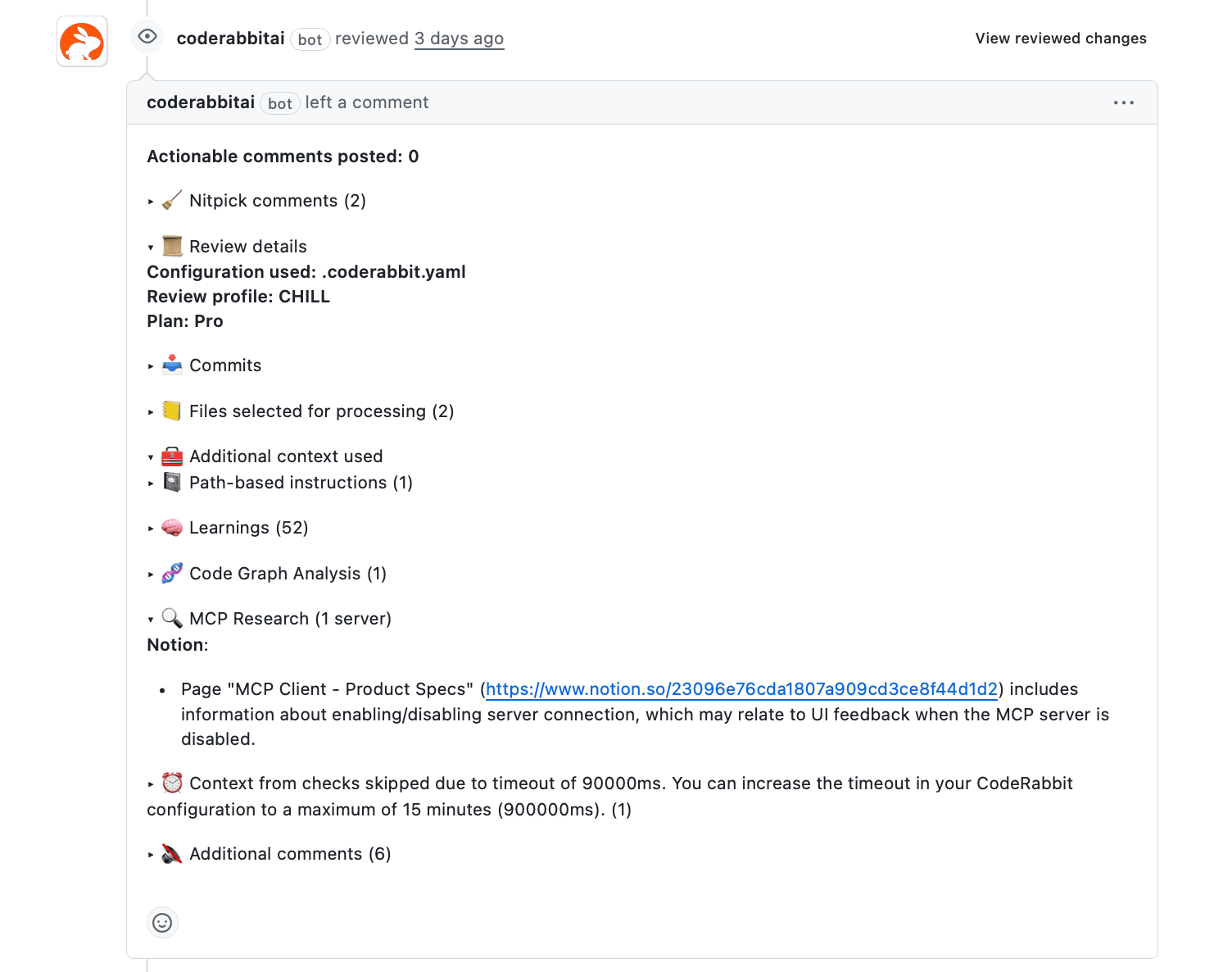
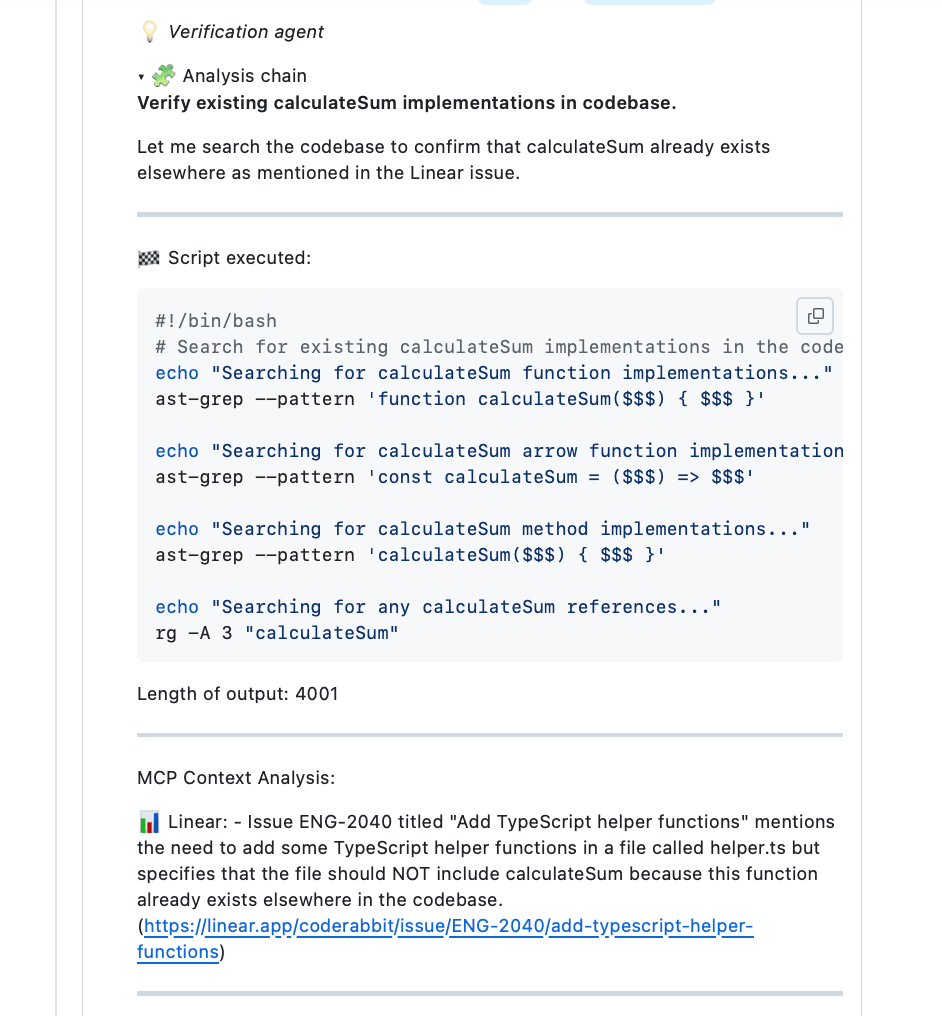
CodeRabbitはレビューを開始する前に接続済みMCPサーバーを検索します。たとえばデータベーススキーマの変更はデータアーキテクチャ文書と照合され、APIエンドポイントの実装は社内Wikiに記録されたサービス設計パターンと突き合わせられます。

例: CodeRabbitによるコード整合性の確認
どのツールからでも重要なコンテキストを取り込む

従来のコードレビューツールは特定の統合を前提としています。CodeRabbitのMCP統合は、MCPサーバーを持つあらゆるシステムで動作します。独自の社内ツール、ニッチなSaaSプラットフォーム、カスタムドキュメントシステム。MCPサーバーがあれば、CodeRabbitはどこにでも接続できます。

CodeRabbitをMCPクライアントとして利用すると、3種類の異なるコンテキストからレビューの深みを得られます。

技術的コンテキスト

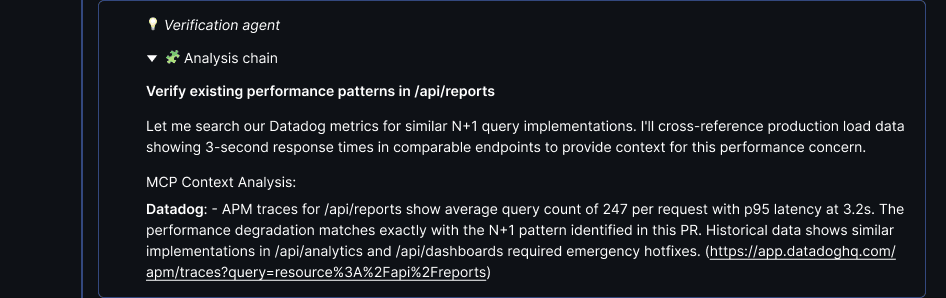
  • 依存関係、パフォーマンスデータ、静的解析、テストカバレッジなど

  • ネイティブ統合: GitHub Actions、GitLab CI、Bitbucket Pipelines

  • MCPサーバー: Datadog、New Relic、SonarQube、Snyk、Grafana

レビューコメント例は以下の通りです。
ビジネスコンテキスト

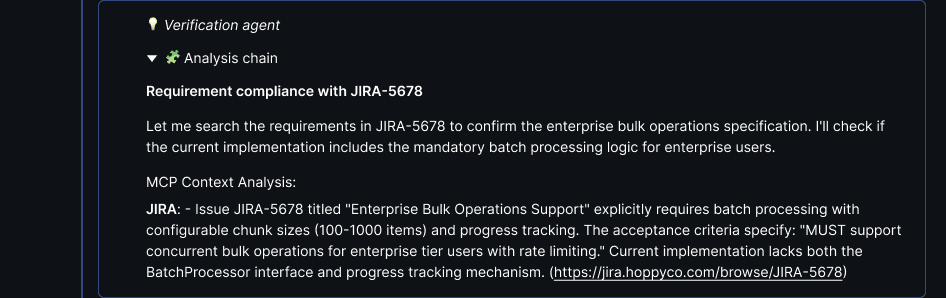
  • 要件、ユーザーストーリー、受け入れ基準など

  • ネイティブ統合: Linear、Jira、GitHub Issues、GitLab Issues

  • MCPサーバー: Confluence、Notion

レビューコメント例は以下の通りです。
組織的コンテキスト

  • 過去の意思決定、慣例、会議メモ、組織的知識など

  • ネイティブ統合: PR履歴、チーム慣習

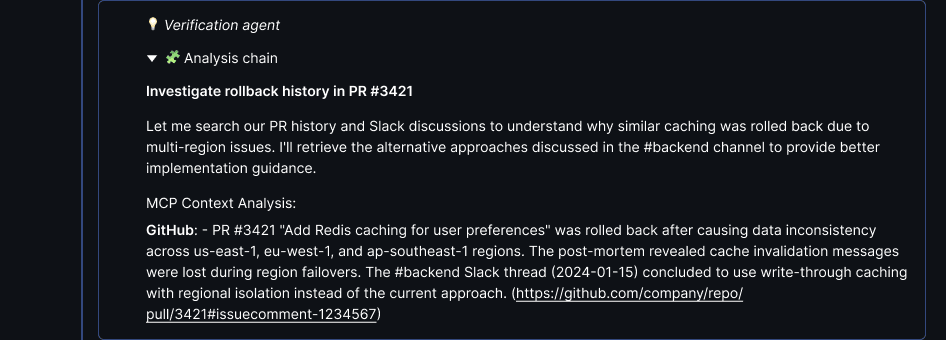
  • MCPサーバー: Slack、Microsoft Teams、Stack Overflow for Teams、PagerDuty

レビューコメント例は以下の通りです。
MCP統合を始めるには

CodeRabbitのMCPクライアントは最小限の設定で導入できます。ほとんどの開発チームは10分以内に最初のMCPサーバーを接続できます。

MCPサーバー対応の人気開発ツール:

  • Linear(ネイティブMCPサポート、5分)

  • Notion(MCPサーバーあり、10分)

  • Confluence(コミュニティ製MCPサーバー、15分)

  • Figma(MCPプラグインあり、10分)

コード変更がどの開発システムを参照すべきかを定義します。データベース変更はアーキテクチャ文書を、認証変更はセキュリティ文書を確認する、という具合です。

MCPサーバーを追加するのは簡単です。

  1. CodeRabbitダッシュボードで「integrations」に進み、必要ならMCP Serversタブに切り替えます

  2. あらかじめ用意されたMCPサーバーオプションをクリックするか、「New MCP Server」ボタンから他のMCPサーバーを追加できます

  3. リストにないMCPサーバーについては、必要な認証情報を入力します

  4. MCP情報をどのように利用するかの使用ガイダンスを確認します

  5. 接続が完了すると、利用可能な呼び出し一覧が表示され、カーソルを合わせると詳細を確認できます

  6. 各呼び出しをクリックしてアクセスを有効化/無効化することも可能です

あらゆるコンテキストを取り込むレビュー基盤

CodeRabbitは50以上の統合に標準対応しています。MCPを利用すれば、カスタムサーバーや社内ツールにも拡張できます。まずはLinear、Confluence、Datadog、Slackといった既存システムから始め、必要に応じて追加していけます。

次のステップ:

  1. 14日間の無料トライアルを開始

  2. MCPサーバーディレクトリを表示

  3. MCPドキュメントを見る