CodeRabbit logoCodeRabbit logo
FeaturesEnterpriseCustomersPricingBlog
Resources
  • Docs
  • Trust Center
  • Contact Us
  • FAQ
Log InGet a free trial
CodeRabbit logoCodeRabbit logo

Products

Pull Request ReviewsIDE ReviewsCLI Reviews

Navigation

About UsFeaturesFAQSystem StatusCareersDPAStartup ProgramVulnerability Disclosure

Resources

BlogDocsChangelogCase StudiesTrust CenterBrand Guidelines

Contact

SupportSalesPricingPartnerships

By signing up you agree to our Terms of Use and Privacy Policy

discord iconx iconlinkedin iconrss icon
footer-logo shape
Terms of Service Privacy Policy

CodeRabbit Inc © 2026

CodeRabbit logoCodeRabbit logo

Products

Pull Request ReviewsIDE ReviewsCLI Reviews

Navigation

About UsFeaturesFAQSystem StatusCareersDPAStartup ProgramVulnerability Disclosure

Resources

BlogDocsChangelogCase StudiesTrust CenterBrand Guidelines

Contact

SupportSalesPricingPartnerships

By signing up you agree to our Terms of Use and Privacy Policy

discord iconx iconlinkedin iconrss icon

Code Guidelines: Bring your coding rules to CodeRabbit

by
Edgar Cerecerez

Edgar Cerecerez

July 02, 2025

2 min read

July 02, 2025

2 min read

  • Using Code Guidelines
  • Why it matters
  • What's next?
Back to blog
Cover image

Share

https://victorious-bubble-f69a016683.media.strapiapp.com/Reddit_feecae8a6d.pnghttps://victorious-bubble-f69a016683.media.strapiapp.com/X_721afca608.pnghttps://victorious-bubble-f69a016683.media.strapiapp.com/Linked_In_a3d8c65f20.png

Cut code review time & bugs by 50%

Most installed AI app on GitHub and GitLab

Free 14-day trial

Get Started

Catch the latest, right in your inbox.

Add us your feed.RSS feed icon
newsletter decoration

Catch the latest, right in your inbox.

Add us your feed.RSS feed icon

Keep reading

Article Card ImageArticle Card ImageArticle Card ImageArticle Card Image

Show me the prompt: What to know about prompt requests

In the 1996 film Jerry Maguire, Tom Cruise’s famous phone call, where he shouts “Show me the money!” cuts through everything else. It’s the moment accountability enters the room. In AI-assisted software development, “show me the prompt” should play ...

Article Card ImageArticle Card ImageArticle Card ImageArticle Card Image

Why users shouldn’t choose their own LLM models: Choice is not always good

Giving users a dropdown of LLMs to choose from often seems like the right product choice. After all, users might have a favorite model or they might want to try the latest release the moment it drops. One problem: unless they’re an ML engineer runnin...

Article Card ImageArticle Card ImageArticle Card ImageArticle Card Image

An (actually useful) framework for evaluating AI code review tools

Benchmarks promise clarity. They’re supposed to reduce a complex system to a score, compare competitors side by side, and let the numbers speak for themselves. But, in practice, they rarely do. Benchmarks don’t measure “quality” in the abstract. They...

Get
Started in
2 clicks.

No credit card needed

Your browser does not support the video.
Install in VS Code
Your browser does not support the video.

If you're using or have tried out Cursor or another AI coding tool (who hasn't?), chances are you've also seen the downsides of it. Maybe you’re having to repeat how to structure the project when creating new files. Or maybe you're using shadcn/ui for UI components. Or maybe when you want to run a build that requires another command to build a backend dependency first.

Cursor, Windsurf, Copilot, and other AI coding agents addressed this problem by adding support for reusable, scoped instructions that can be read on every ask – or when requested. Smart move!

Using Code Guidelines

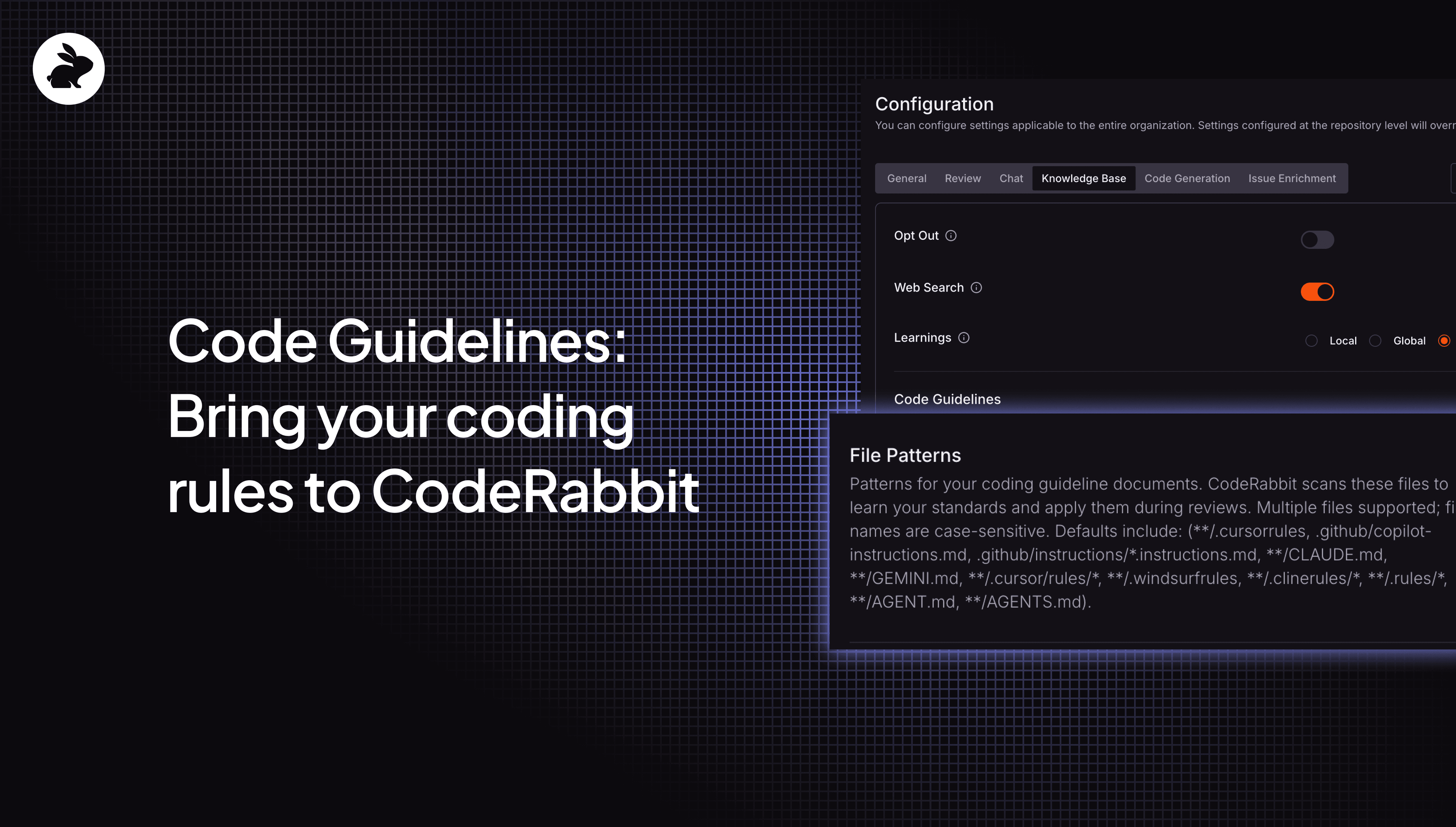
CodeRabbit will automatically detect your coding rules for:

  • Cursor .cursorrules

  • GitHub Copilot .github/copilot-instructions.md

  • Cline /.clinerules/*

  • Windsurf /.windsurfrules

  • Claude /CLAUDE.md

  • And more

With Code Guidelines, these rules are used as context on every PR review.

We also support adding your own rules by specifying a custom file pattern. Got your guidelines in docs/STANDARDS.md or team/code-style.txt? Just add the pattern and CodeRabbit will pick it up.

Why it matters

This has huge implications. For one, that means CodeRabbit will follow the same rules you set with your AI coding agent. No more context switching. No more explaining the same standards twice.

It also gives you a way to specify exactly how CodeRabbit should do a PR review and what best practices you want the CodeRabbit review agent to follow. Now, you can just add these guidelines to your rules (be it from Cursor, GitHub, etc.) and:

  • Enforce style and formatting consistency - If your .cursorrules say "use camelCase for functions, PascalCase for components," CodeRabbit will flag violations during review.

  • Maintain architecture patterns - Define your preferred file structure, module boundaries, or dependency rules once and CodeRabbit ensures every PR follows them.

  • Apply team-specific standards - Whether it's "always use early returns" or "prefer composition over inheritance," your unique team preferences become part of every review.

What's next?

CodeRabbit’s not-so-secret magic to PR reviews is the level of context engineering it does. Code Guidelines make CodeRabbit’s reviews even better by adding your coding rules. As for what’s next, I'll give you a hint: context is king. Stay tuned.

If you haven't tried CodeRabbit yet, there's never been a better time. Get started for free and start cutting your code review time (and bugs) in half.